Lovart has rolled out two major new features, bringing it another step closer to becoming a "studio replacement."

From "Nice Image" to "Usable Asset": The Gap Is More Than Just the Model
👦🏻 Author: Shinian Dayu
🥷 Editor: Koji
🧑🎨 Layout: NCon

In AI image generation, 2026 competition has shifted from "model wars" to "workflow wars."
On the model front, Nano Banana, Midjourney, Keling AI, Seedream — there's a new SOTA topping the benchmarks every month.
But one stubborn reality hasn't changed: generating an image takes 10 seconds; getting it ready for delivery takes 40 minutes. Text won't budge, angles won't change, and if you need a vector version, you're opening another piece of software entirely.
Readers familiar with Crossing know we've been tracking Lovart since its private beta.
From our earliest piece First Look at Lovart: The World's First Design Agent Is Here, to our deep dive on ChatCanvas at official launch, to our dual-model test of Nano Banana versus Seedream 4.0 — we've been following every key Lovart iteration closely.
What we've found is a trajectory that's becoming clearer: the AI-era design tool that wins won't be the one with the most models plugged in, but the one that actually eliminates those 40 minutes of post-generation work.
Recently, Lovart quietly rolled out two updates: Multi-Angle and Vectorize.
After testing them, our take is this: this may be the closest Lovart has yet come to a "real design workflow."
Here's what we found in practice.
If earlier features like editable text and editable elements solved the pain point of fine-tuning images, then Multi-Angle and Vectorize are the critical step toward unlocking commercial deliverables.
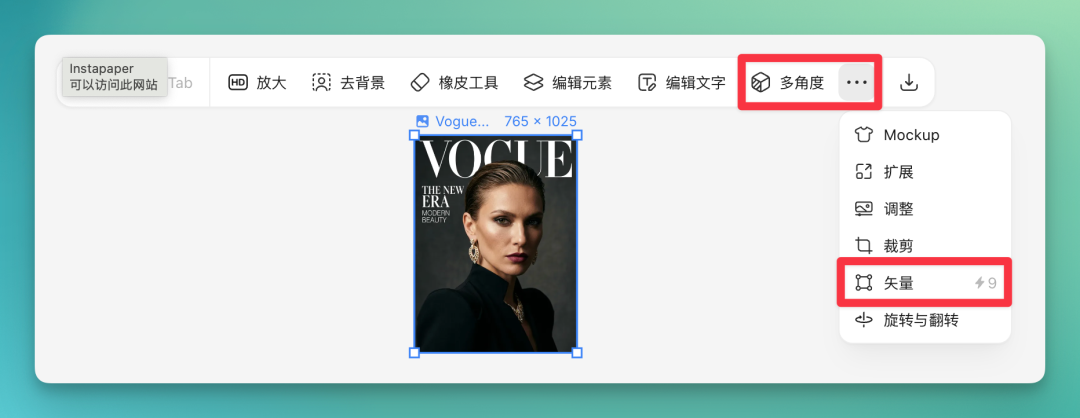
We believe any designer who's used this feature will recognize: it's nothing like the slot-machine randomness of single text-to-image models.
Let me show you what Multi-Angle actually does. Take this Vogue magazine cover I used for the demo.
I loved the photography style and poster design, but the client wanted a different angle. In the real world, that means rebooking the model and reshooting.
The AI era has its own solutions.
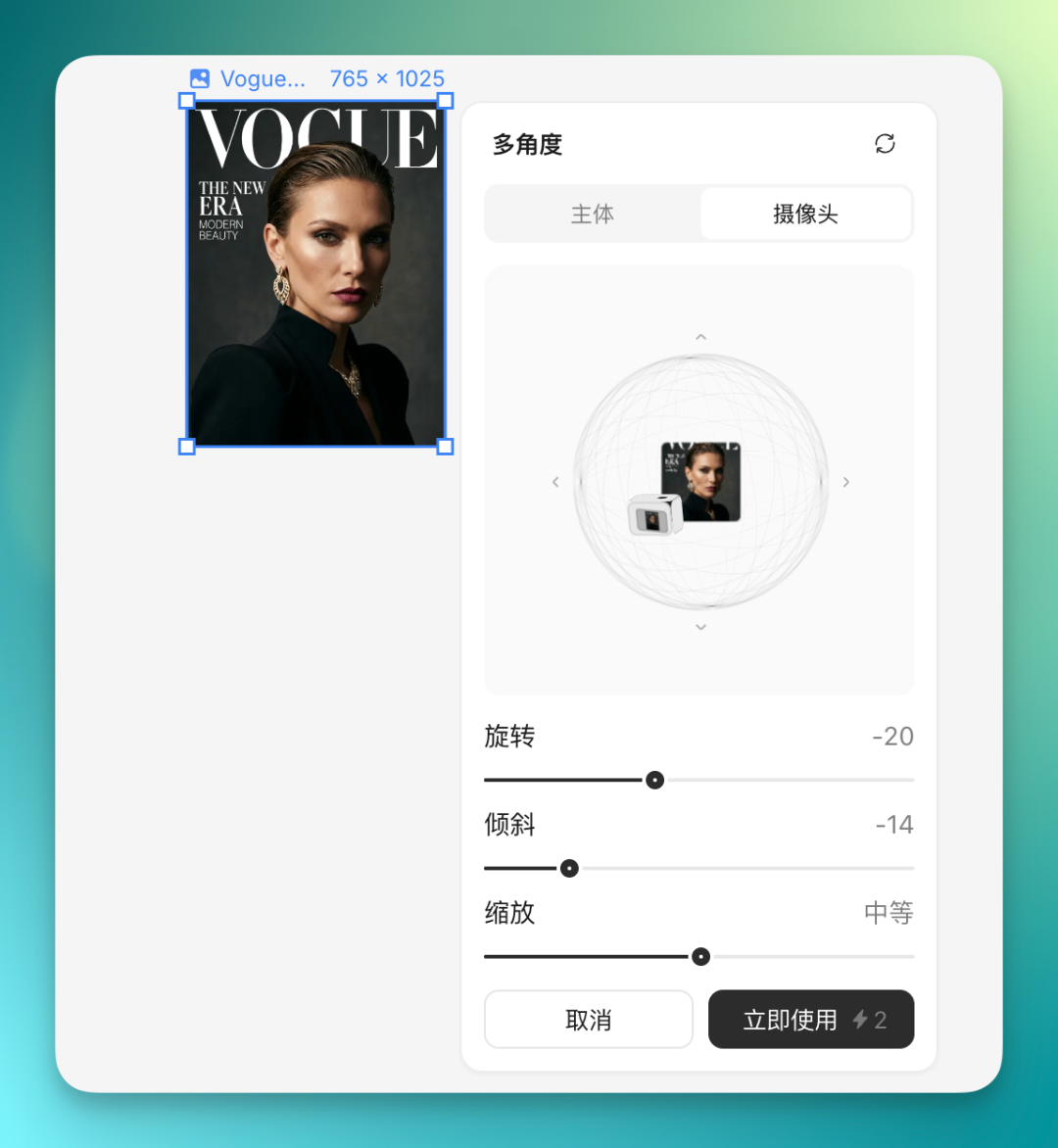
Select the image, click Multi-Angle, and you're looking at an interactive camera diagram where you can freely adjust both subject angle and camera angle. Click apply, and seconds later, a photo with the new angle is ready.
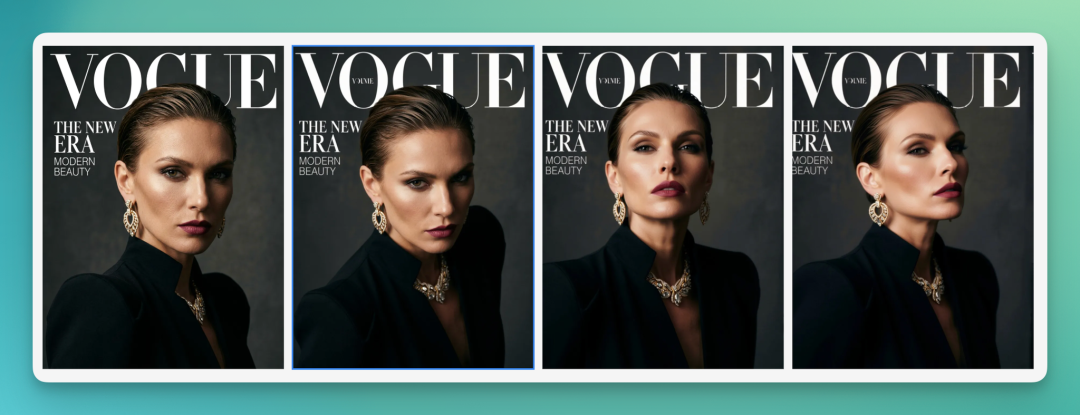
Everything below was generated by me in Lovart, covering overhead shots, low angles, profile views, and more.
Traditionally, commercial shoots involve models, photographers, makeup artists, retouchers — an entire complex chain. If the client isn't satisfied and wants a reshoot, guess who's running around frantically to coordinate with the model's agency.
Now, Lovart handles it in one click.
In this article, I'll demonstrate how to use these two new Lovart features with real cases to explore its actual commercial applications.
A 24/7 Photo Studio, Inside Your Computer
We can't think of Lovart's Multi-Angle feature as simple "retouching" or "warping."
We need to shift our mindset: treat it as a virtual photo studio on permanent standby. The image is already generated, the product is already positioned in your digital studio. You're no longer the illustrator — you're the director of photography, simply choosing the best camera angle.
Technically, Lovart doesn't just offer the familiar "model bundle" for image generation. It also fine-tunes these models and optimizes prompts. Take Gemini, for example: to generate an image, you first need a long prompt to communicate your needs. There are plenty of reference prompts online, and most models handle this step fine.
But if you want to further refine the generated image, you need to write your own prompts — the "slot machine" phase. In my experience, the hit rate for getting what you want on secondary generation is extremely low.
Lovart wraps all these complex AI tools into something radically simple through interface innovations. It's entirely visual: rotate the angle, click, click, click, done.
One-Click Multi-Angle Premium E-Commerce Imagery
Anyone who's done e-commerce visual design knows the cost behind building a high-converting product page and detail spread.
Let's generate an e-commerce product shot. Here's the prompt: commercial photography of an ice-cold glass cola bottle, surface covered in condensation droplets, dramatic studio lighting, softbox rim light defining edges, dark background, ultra-high quality, photorealistic, 8K resolution, product render, Octane Render.
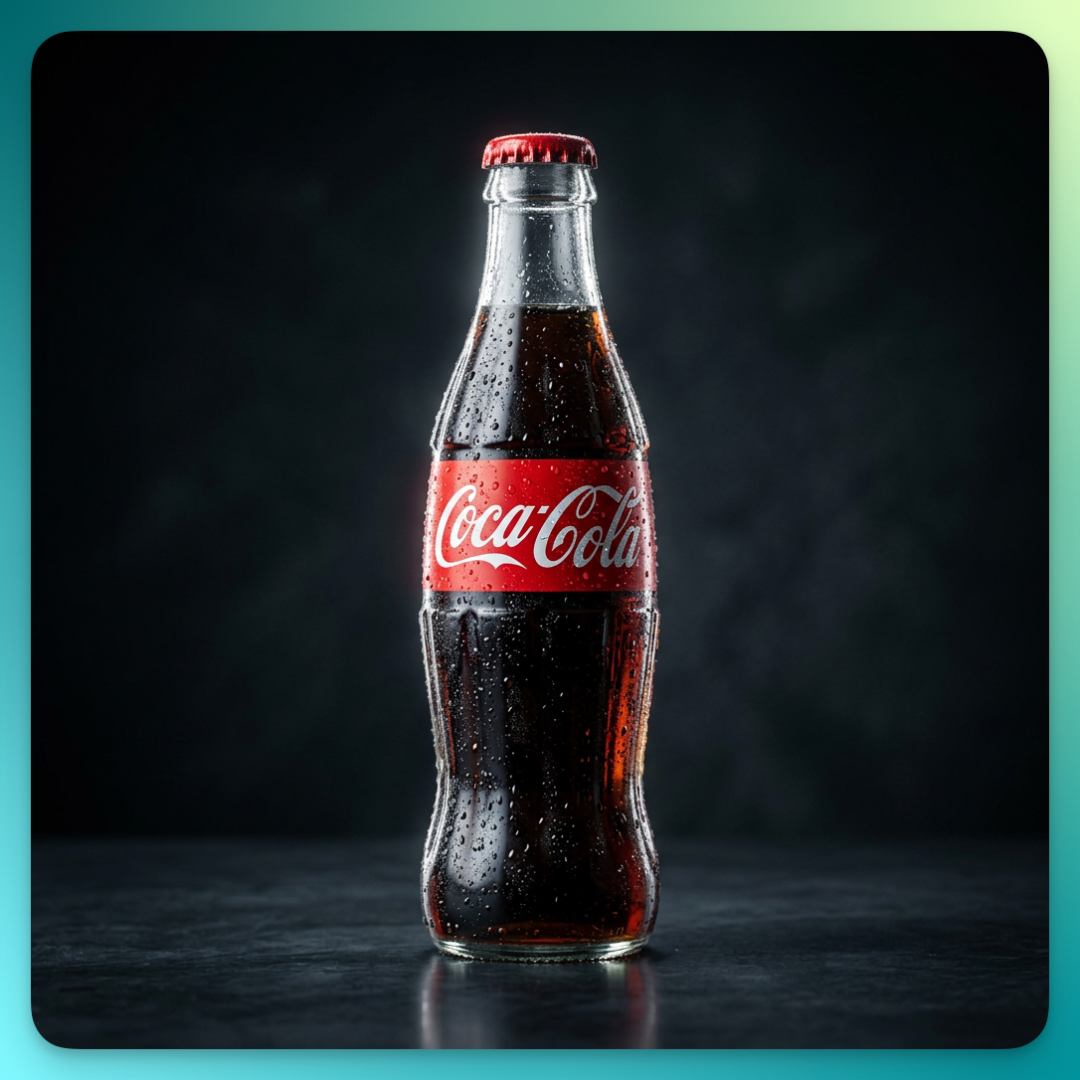
As you can see, Lovart quickly picked up the key details: condensation droplets, rim light, dark background. The photo matches our requirements perfectly.
In the past, this would just be a pretty "dead image." But in Lovart, I selected the cola bottle and activated Multi-Angle. What appeared on screen was a subject and camera setup; clicking either brings up an intuitive interactive cube. I clicked and held the cube, dragged gently to the right, and the cola bottle smoothly rotated into a 45-degree side view.
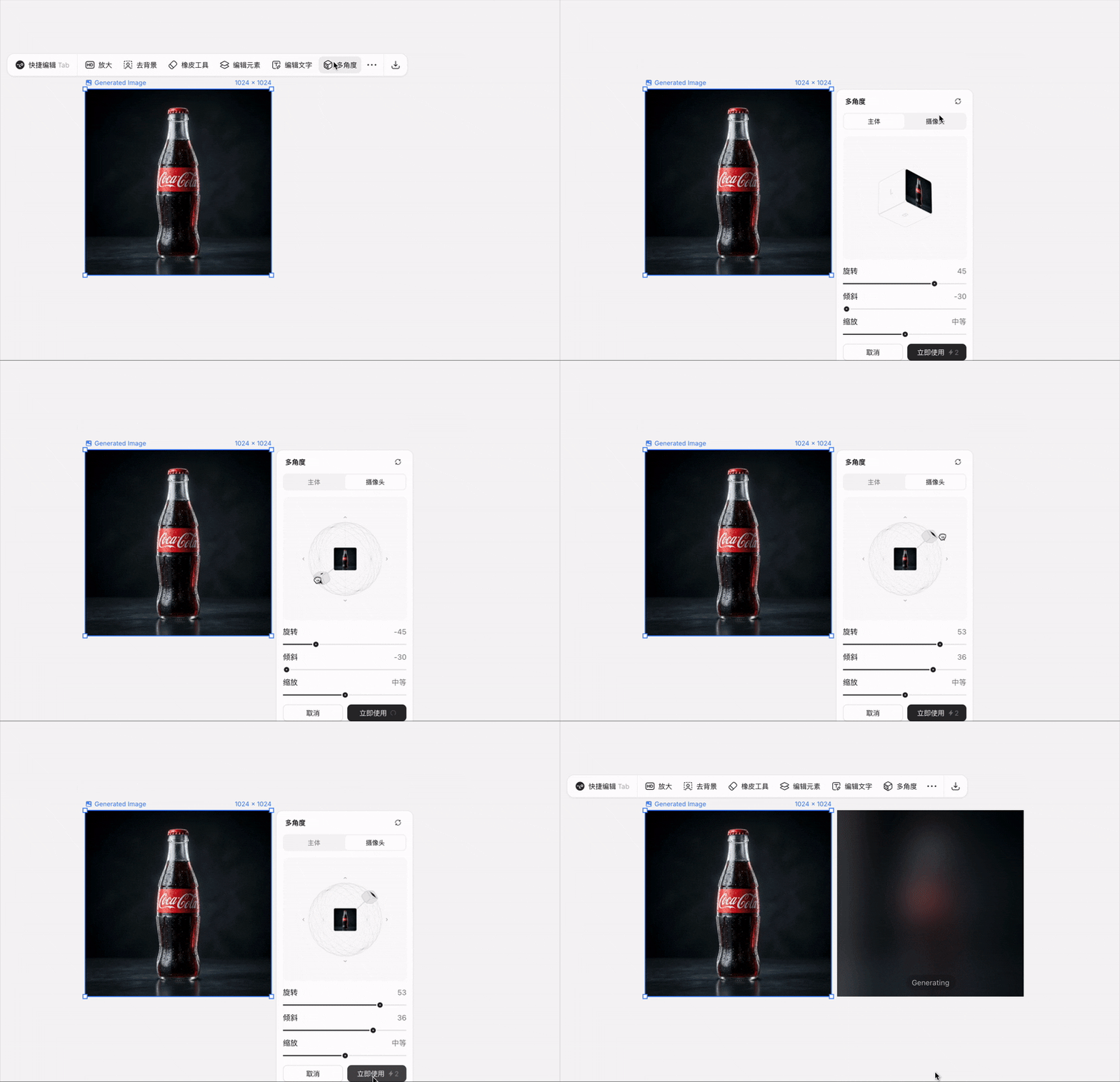
Shortly after, here's the angle-adjusted result:
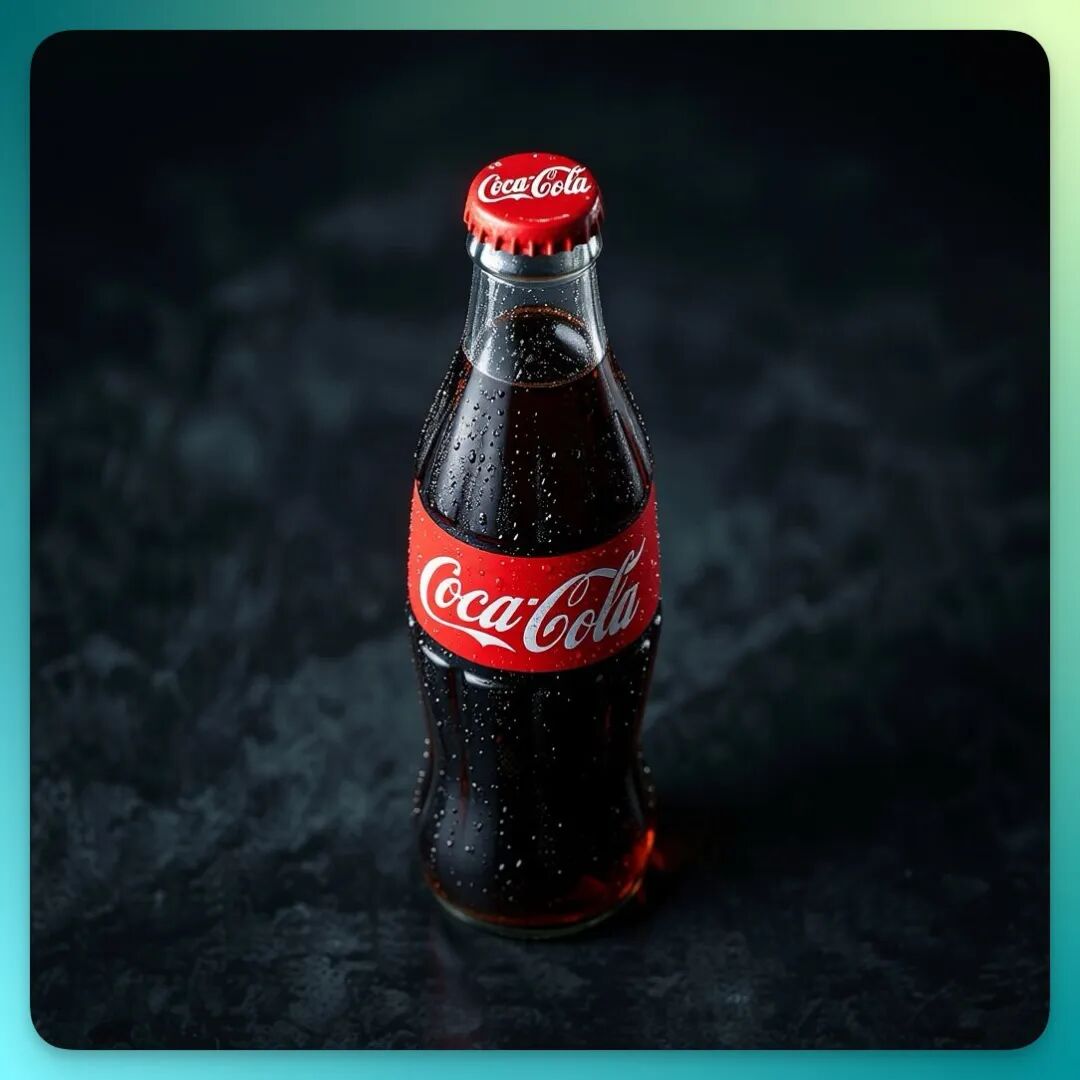
The water droplet distribution on the bottle, the highlight reflections, even the background depth of field — all were perfectly reconstructed following physical optics.
I kept dragging. Front, side, back, close-up... In under ten minutes, a complete set of product shots covering every angle was finished.
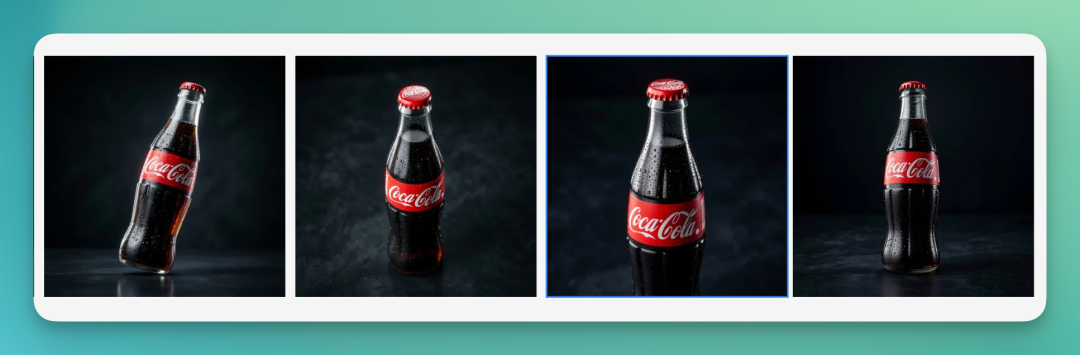
And if you want, you can have it generate Taobao product detail pages in one click.
The generated work maintains excellent consistency with the original image. Especially for Taobao detail pages, it fully referenced my previously manual adjustments — and genuinely looks like Taobao.
Detail page design is actually a technically demanding task. It needs to preserve my manual adjustments while fusing them with Taobao-style layout design. I've tried similar tasks in Gemini before, and it's heavily dependent on prompt "slot machine" luck — either inconsistent with expectations or poor consistency between images.
You can feel that Lovart isn't simply a bundled collection of text-to-image models, but has very fine-tuned adjustments and packaging built on top of them.
Of course, we can also turn them into a Double Eleven poster. The practical value here speaks for itself.

The Collector's "Holographic" Joy
For designer toys, figures, and blind box marketing, viewing angle and detail are everything.
Here I used a Black Myth: Wukong figure image. Here's the original:
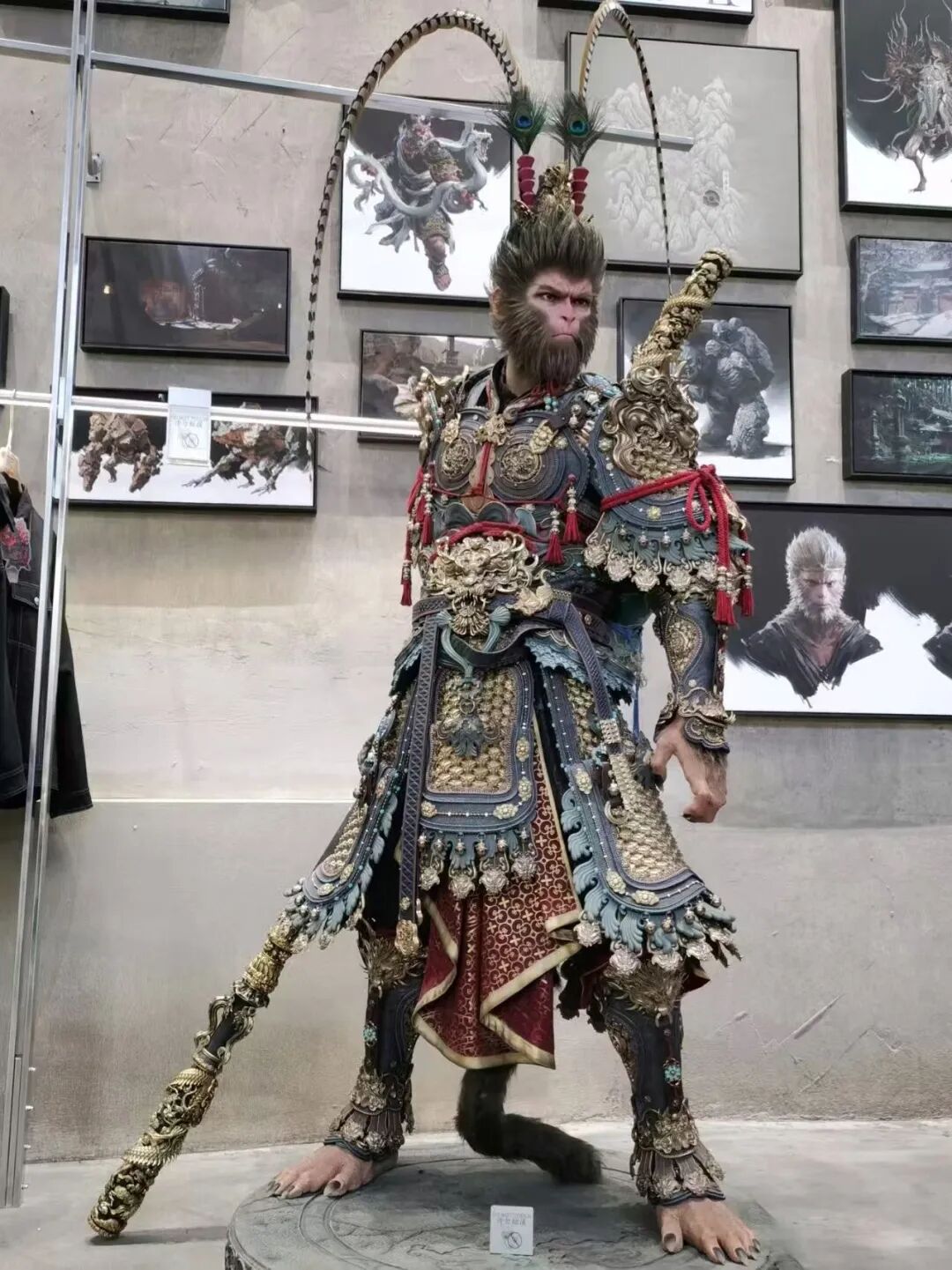
Since the exhibition hall background wasn't needed, I did a first pass of beautification and got this:
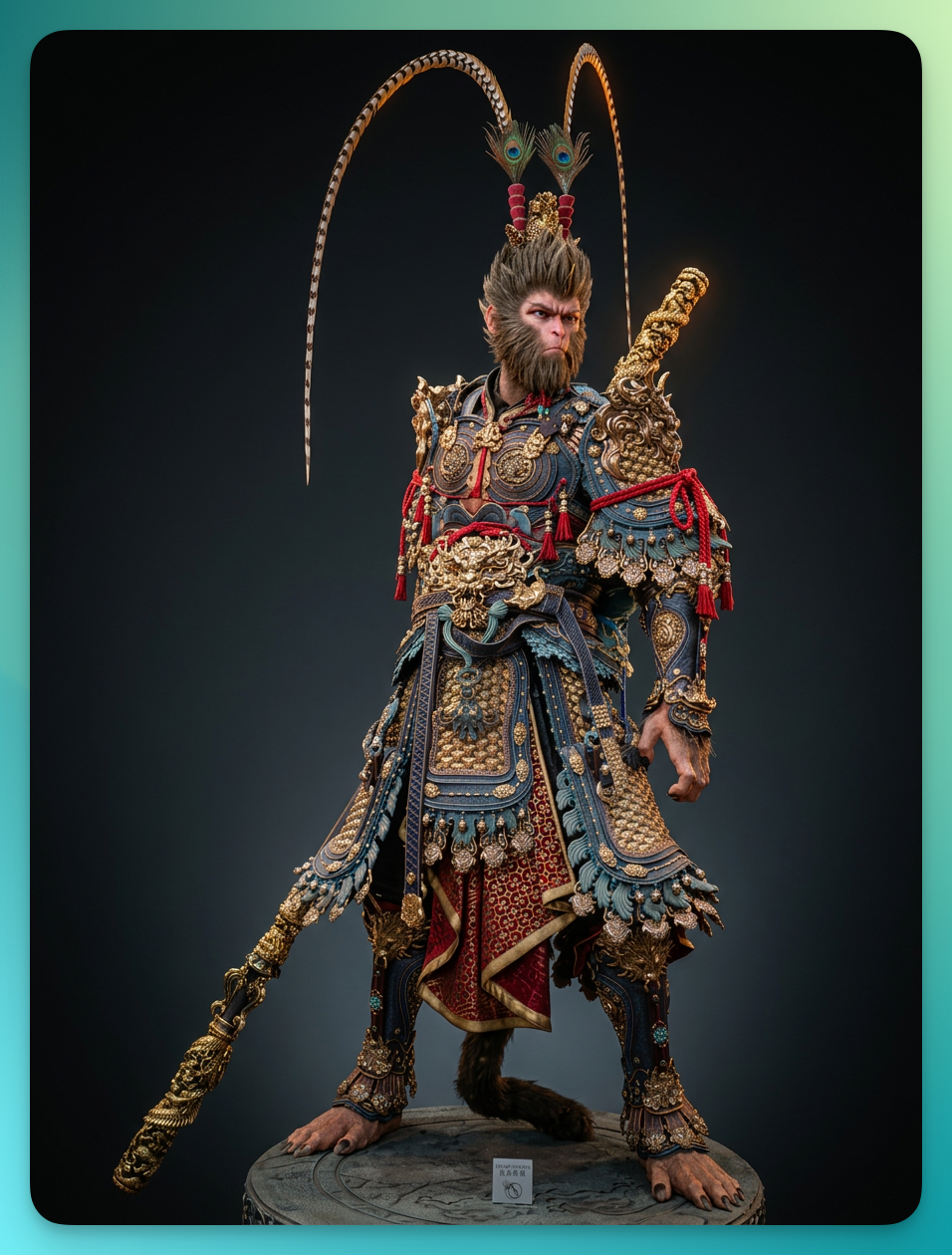
But I wanted to show different aspects of its character. What to do?
In Lovart, instead of physically rotating the product and shooting multiple photos, I became a Steadicam operator, adjusting camera position in virtual space.
I lowered the Tilt parameter to -30°. The image instantly transformed into a dramatically low-angle shot, and the Great Sage's imposing presence came alive.
Then I kept adjusting subject rotation and camera angles — in studio terms, adjusting angle and focal length. Soon I had a complete 360° figure set.
The same generated subject, through camera choreography, given entirely different souls and purposes. That's the ultimate joy of holographic image generation.
I continued developing the generated images further, and as before, the consistency was remarkably elegant.
One-Click Nine-Grid, Helping ScarJo Post to Moments
If the first three cases impressed me as "useful," the fourth one genuinely shocked me.
In Lovart's advanced features, it allows you to do a full physical perspective explosion on a single image.
Take Scarlett Johansson's lifestyle photo as an example.
The prompt was extremely simple:
Pretend you're Scarlett Johansson. Using this photo as the base, generate nine images for a social media post.
Lovart quickly generated lifestyle photos across various scenarios.
But looking closely, two of the frontal shots came out stiff — exactly the kind of photo that has no business appearing on social media. No problem. Select the photos I wanted to change, Multi-Angle!
Quickly modified. I replaced the fifth, sixth, and seventh images. I also discovered that Lovart's Multi-Angle can run multiple tasks simultaneously — none of the anxiety of waiting for one image to finish before starting the next in a single large model.
And so, Scarlett's social media post was refined and micro-adjusted in about ten minutes, ready to publish.
What is a true "perspective system"? This is it. Faced with this one-click nine-grid array where every shot is freely adjustable, what you're seeing is no longer a two-dimensional flat image, but an extension of the physical world.
This means when you've been out all day and want to post but can only find eight good photos, you can pull one from the rejects and one-click find your best angle. For contemporary young people perpetually struggling to凑够 nine photos for a post, this is nothing short of salvation.
Turning Images Into Digital Assets: Vectorize
If Multi-Angle solved our composition and commercial shooting challenges, then Vectorize directly打通 the final artery of commercial design delivery, transforming generated images into actual digital assets.
Everyone knows that no matter how powerful current AI models are — whether Midjourney or Nano Banana — logos and icons they generate, however beautiful or premium they look, are fundamentally raster images (PNG or JPG).
Here I have two Lovart logos. Left is PNG format, right is SVG after vectorization.
At first glance, there's almost no difference. But beyond website use, we also use logos for merchandise — T-shirts, tote bags, possibly even building-sized billboards.
And more diverse scenarios like this.
These are vastly larger than our computer or phone screens.
What's the fatal flaw of raster images? They're composed of individual pixels. They may look exquisite on screen, but the moment you need to blow them up for a massive outdoor billboard or corporate brochure, edges immediately show jaggies or pixelation.
So in the past, AI-generated logos simply couldn't be used commercially. Designers had to treat the AI image as a "sketch," then painstakingly open Adobe Illustrator and trace the outline with the pen tool, converting it to infinitely scalable vector graphics. This process is tedious, time-consuming, and utterly creativity-killing.
Now, Lovart has streamlined this process.
From Pretty Sketch to Real Asset
In the Lovart canvas, I simply selected the generated logo and clicked "Vectorize" from the secondary menu.
The progress bar flickered for a few seconds, and an SVG file appeared — something only designers truly understand the significance of.
After completion, I zoomed to 300%. The effect was immediate: the regular image immediately showed visible pixel jaggies at the edges, while the SVG remained perfectly smooth.
As you can see, even zoomed in until the logo shows only lines, the vector graphic stays crisp.
In other words, it's no longer just an image — it's a ready-to-use digital asset. It maintains absolute clarity at any size, whether printed on a business card or blown up for a massive billboard.
What does this mean? It means Lovart has fully closed the loop from inspiration generation to productive asset delivery. We no longer need to export from a single model interface and then run everything through Adobe Illustrator — we can one-click download and send directly to the client.
When the Barrier Is Flattened, the Only Boundary Left Is Ambition
Running through these four cases, the feeling is direct: Multi-Angle eliminates reshoot costs; Vectorize eliminates retracing costs.
Tools are stripping away the "execution" layer by layer, leaving humans with increasingly pure "decision-making."
Is this good or bad for creators? We think the answer is already obvious.
The AI image generation race has been running for two years. What should be competed on now isn't how stunning the output is, but how many steps remain between generation and delivery.
Fewer steps means closer to a real design workflow.