Lovart's official version launches today, and we just have one thing to say: this is so next level!

It defines a new interaction paradigm.
It defines a new interaction paradigm
 👦🏻 Author: Jingshan
🥷 Editor: Koji
🧑🎨 Layout: NCon

When a truly valuable tool is born, it usually starts as a ripple in a small circle, then spreads outward.
Over the past few months, a phenomenon has emerged in the design community.
Many designers and enthusiasts have been scrambling for invite codes to an AI design agent across various social channels. This "one-code-hard-to-get" situation lasted for months.
That tool is:
🎨
Lovart (www.lovart.ai)
Now, the wait is over. The tool that people spent months begging for codes to is finally open to everyone.
Friends familiar with Crossing know we've been closely tracking new products in the AI agent space, publishing a steady stream of first-hand reviews (on our WeChat account) and founder interviews (on our podcast).
We noticed Lovart early on.
When the product first entered limited testing, we recognized its potential and immediately published an in-depth review: "First Look at Lovart: The World's First Design Agent Is Here!"
The numbers back up this call.
In May, when Lovart first launched its Beta, registered users exceeded 100,000 in just five days. On X, related content garnered over a million views. Throughout the Beta period, the product attracted massive numbers of design enthusiasts and professionals to its waitlist, achieving nearly a million in organic growth.
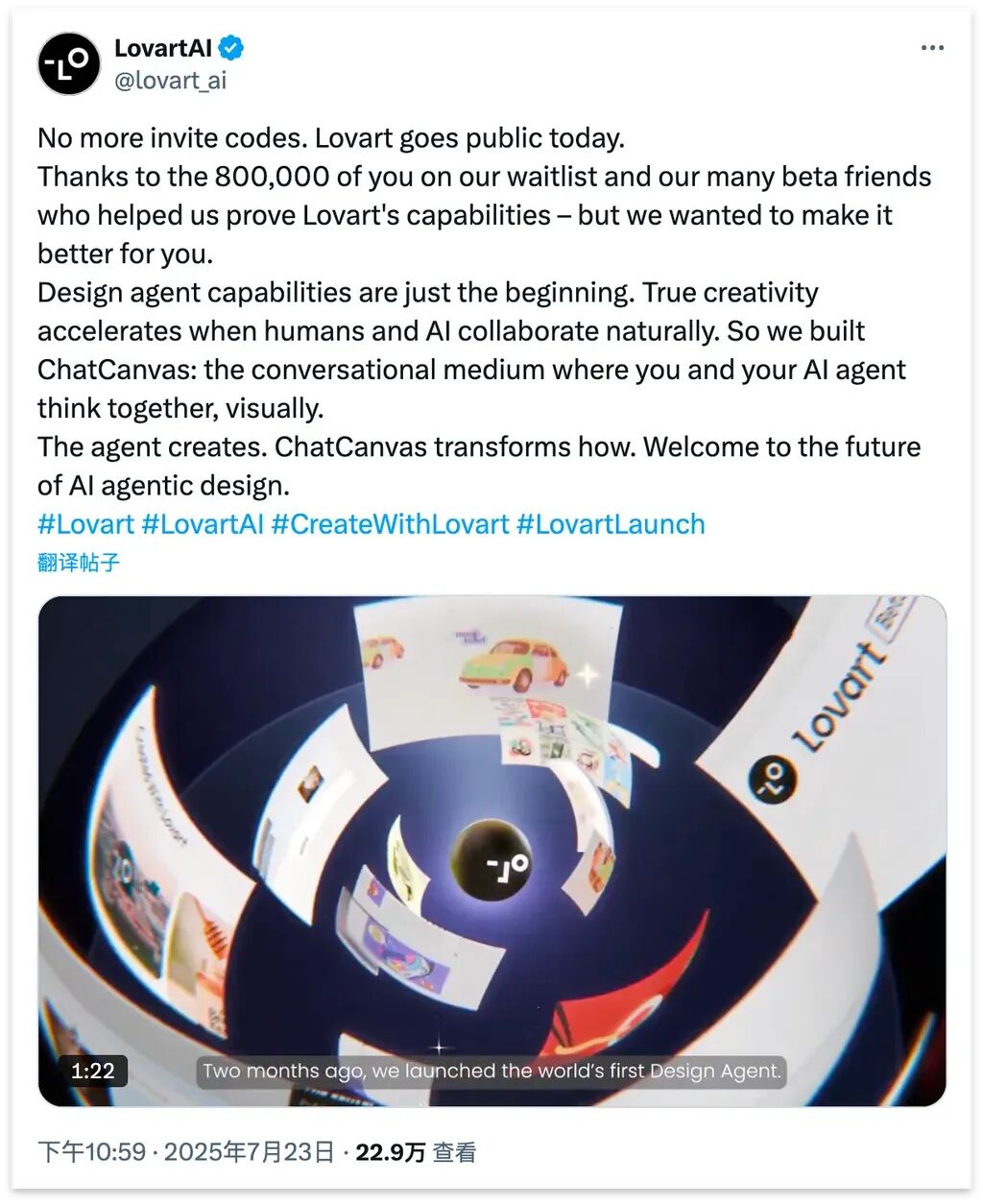 Lovart official launch
In an AI agent market already white-hot, this kind of growth velocity speaks directly to the product's value.
Recently, we went deep with Lovart's official release. Founder Malvin has delivered a compelling answer sheet.
Compared to the Beta, the official release retains its core design capabilities while showing clear improvement in two areas:
【1】First, "end-to-end" capability has leveled up. From a vague creative concept to a final design deliverable, the entire process flows more smoothly, letting users get to results more directly.
【2】 Second, for interaction design leveraging "multimodal context", Lovart offers a distinctive solution: ChatCanvas.
Let's dive into the hands-on experience.
An "End-to-End" AI Design Studio
The official Lovart can now genuinely be called a professional AI design studio.
In this digital canvas, Lovart integrates numerous AI design features, with many UX refinements that make operations feel more fluid — it gave me several "aha moments."
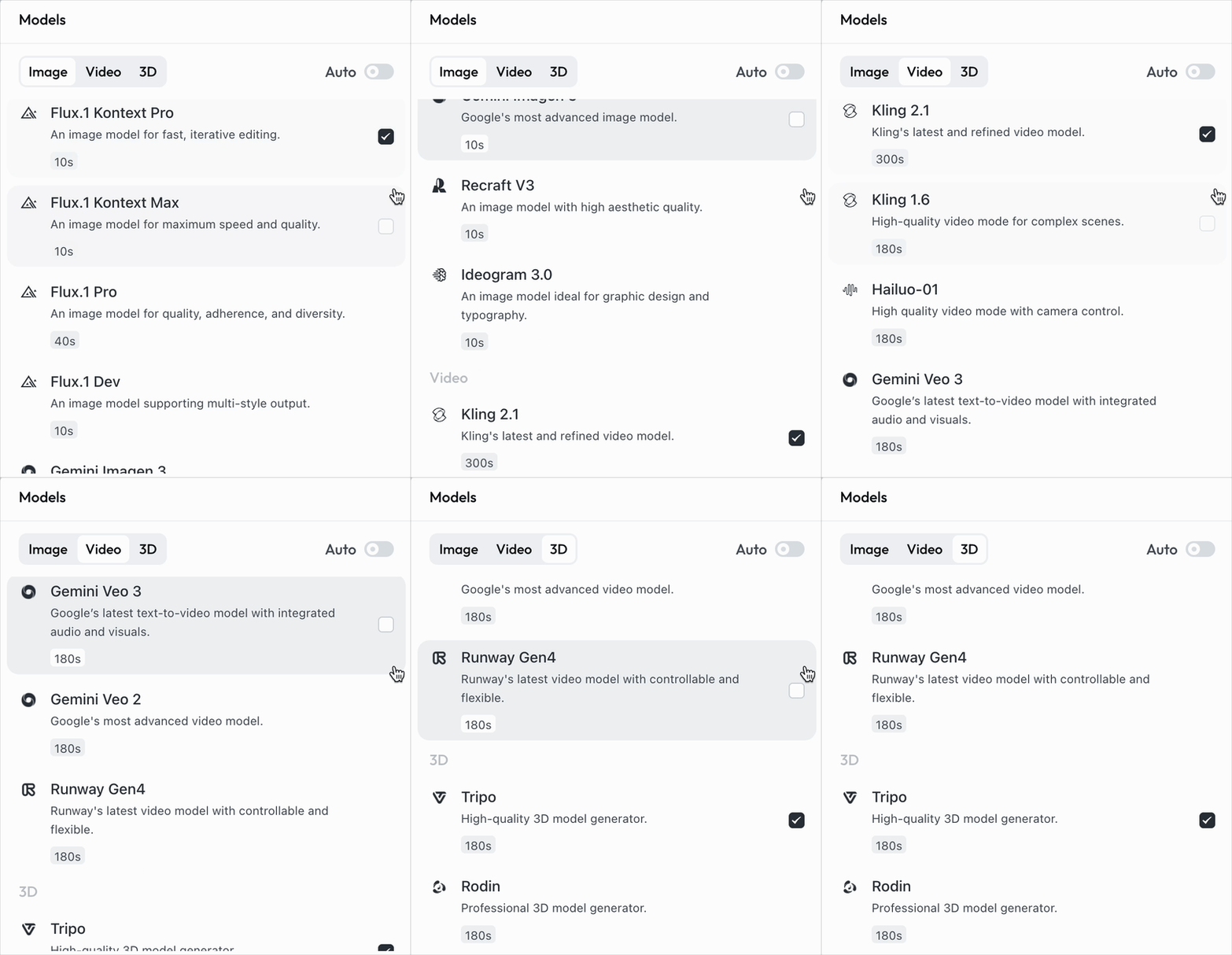
Technically, Lovart has incorporated the hottest, most state-of-the-art AI models across its three core functions: image generation, video generation, and 3D asset generation. Personally, I'm especially fond of its image generation lineup — OpenAI's GPT Image-1, Recraft V3, and Flux — while for video, it offers Veo3, Kling, and Runway Gen4, among others.
Lovart wraps these inherently complex AI tools in a remarkably simple package through a series of interaction innovations.
Let's walk through a simulated case: designing a full visual identity package for the "July 26, AI Hacker House X Shanghai WAIC After Party."
See how Lovart's intelligent canvas, paired with these SOTA models, can streamline design work.
1) Full Visual Package for "AI Hacker House X Shanghai WAIC After Party"
Let's start by designing a complete visual identity system for the "AI Hacker House X Shanghai WAIC After Party" event.
Special note: This isn't a fictional design brief. For four nights during WAIC, each evening's AI Hacker House will host a different AI venture gathering, making it one of the hottest venues during the conference. If you'd like to join, check the registration details at the end of this article.
Highly Consistent Material Sets
I first attached the AI Hacker House logo in Lovart's chat interface:
Then entered these design requirements as the overall visual direction:
Create a cyberpunk aesthetic using liquid metal and fluorescent colors, with gradients from fluorescent yellow to electric blue and metallic textures. Evoke a futuristic tech rave atmosphere. Blend "July 26 WAIC After Party" and "AI Hacker House" into the visual materials.
Lovart quickly picked up on several key elements: the color scheme, material requirements (liquid metal texture), and so on. It then effortlessly generated a series of design images, including badge cards, landscape hero visuals, and directional signage.
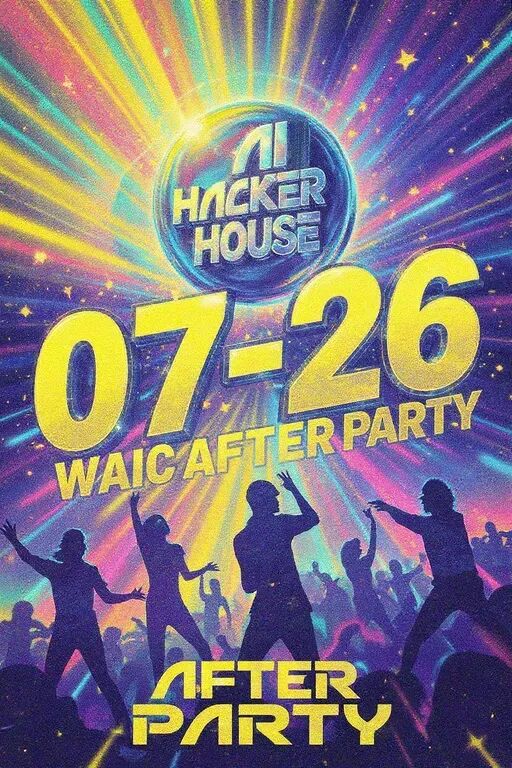
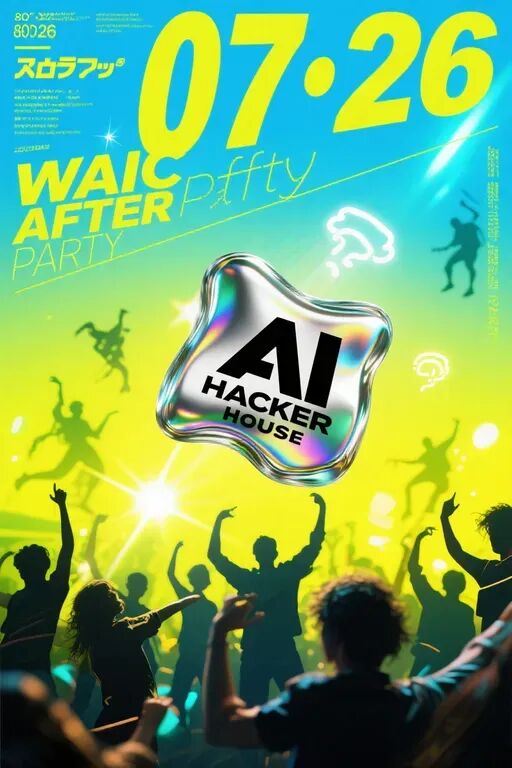
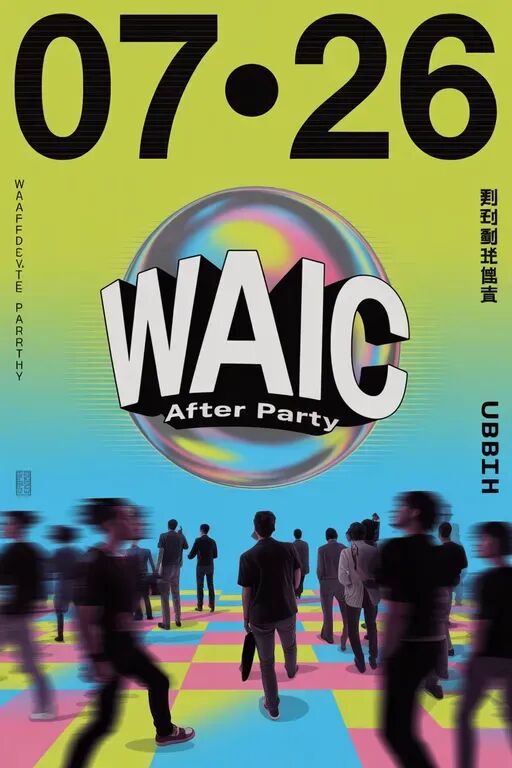
Below are my four favorite posters from the batch — each with genuine design sensibility.
The generated work maintains strong consistency with the original logo. Particularly impressive: in the top-left poster below, the AI actually referenced the original logo's design characteristics when rendering the letter "A" (a stroke of genius!):
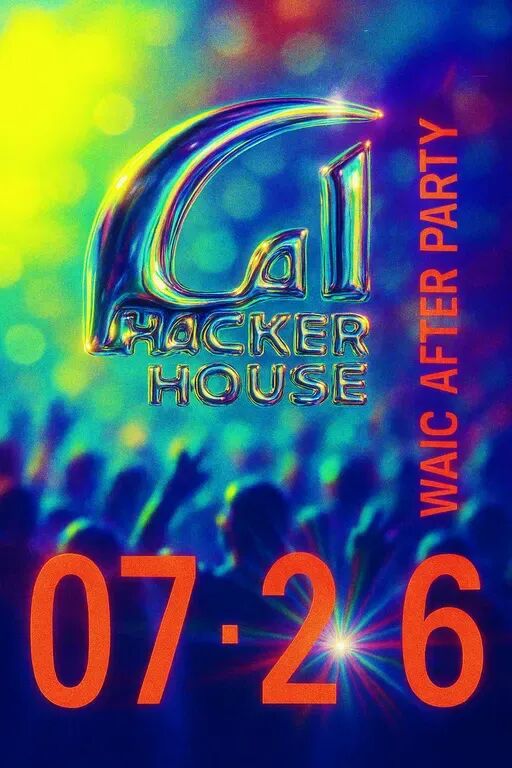
Beyond large-format hero posters for display, there are also badge cards:
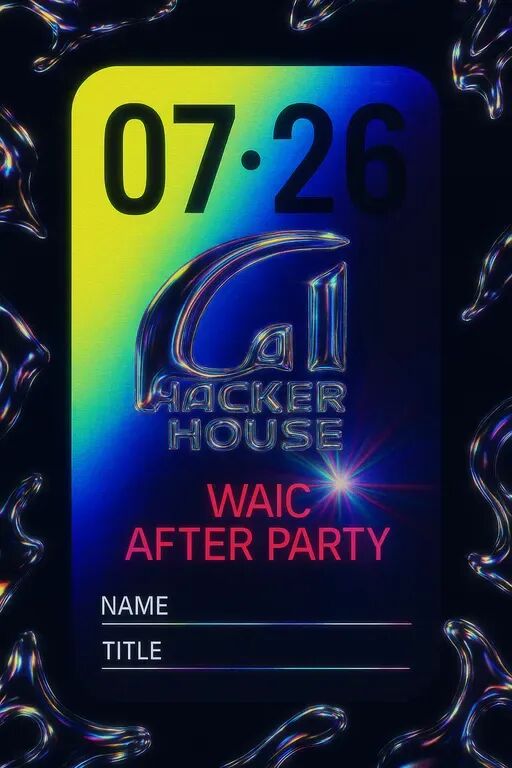
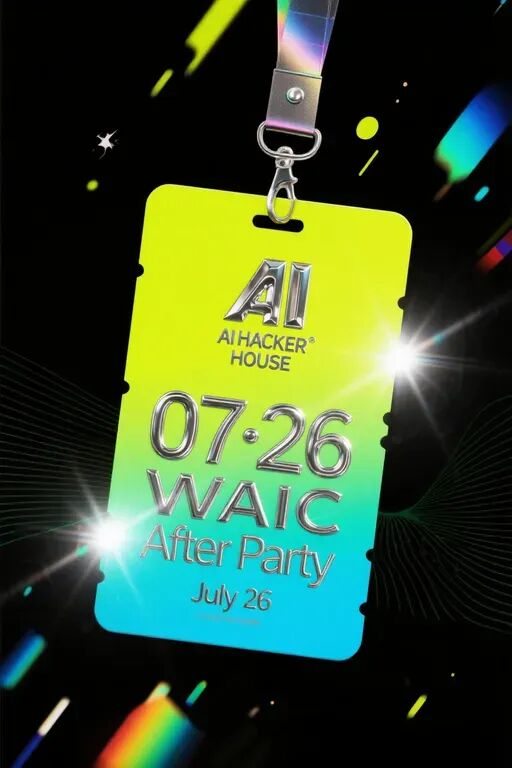
Landscape hero visuals suited for social media:
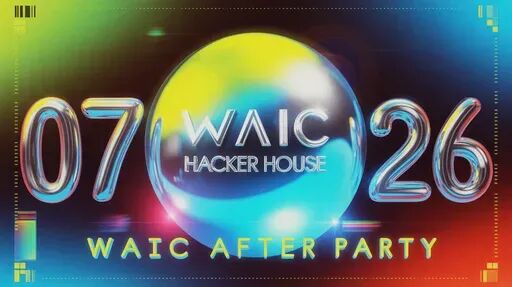
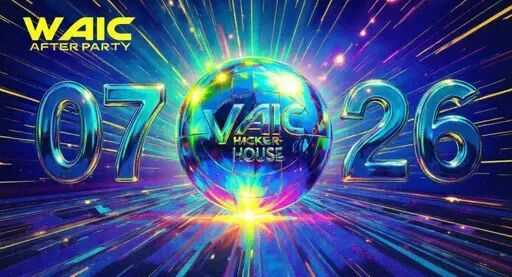
More functional directional signage:
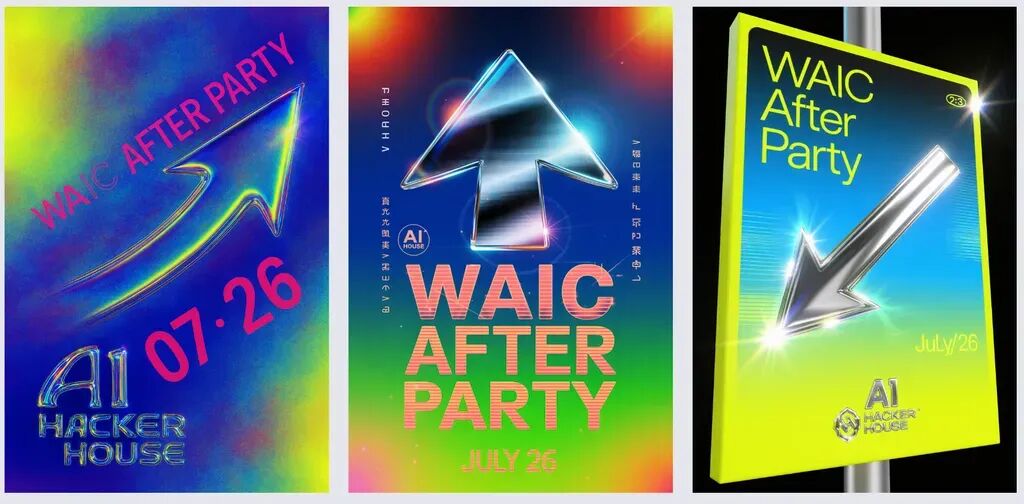
Every design stays true to the overall visual identity while being optimized for its specific use case. Badge designs, for instance, foreground the most important information, while directional signage stays cleaner and more minimal — and everything can be batch-edited.
Co-Branded Design Series
I also had Lovart create a few fun co-branded versions that we'll be using later.
Co-branding is actually a technically demanding task. You need to maintain the original event's visual style while incorporating another brand's identity elements — it carries real commercial weight.
Lovart handled this well, which speaks to one of its core strengths.
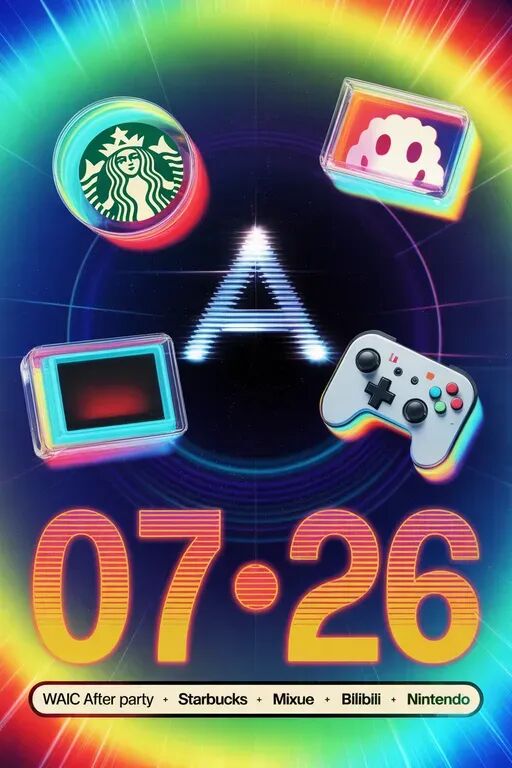
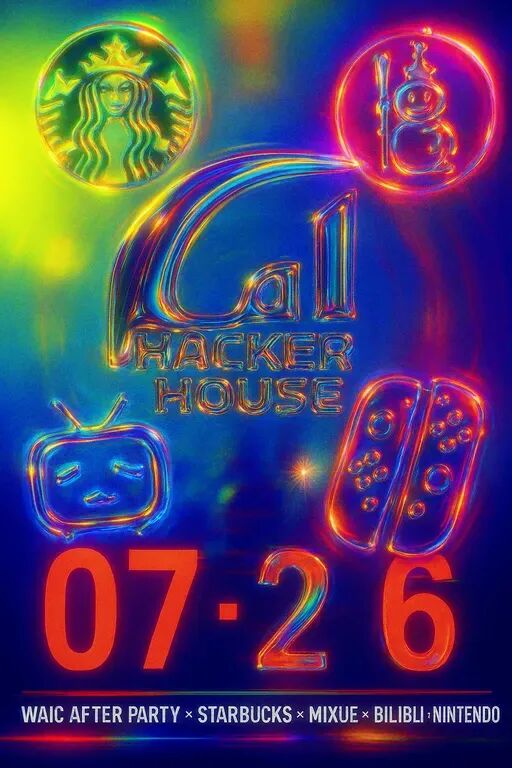
For example, here's the AI Hacker House After Party co-branded with Starbucks and Mixue Ice Cream & Tea:
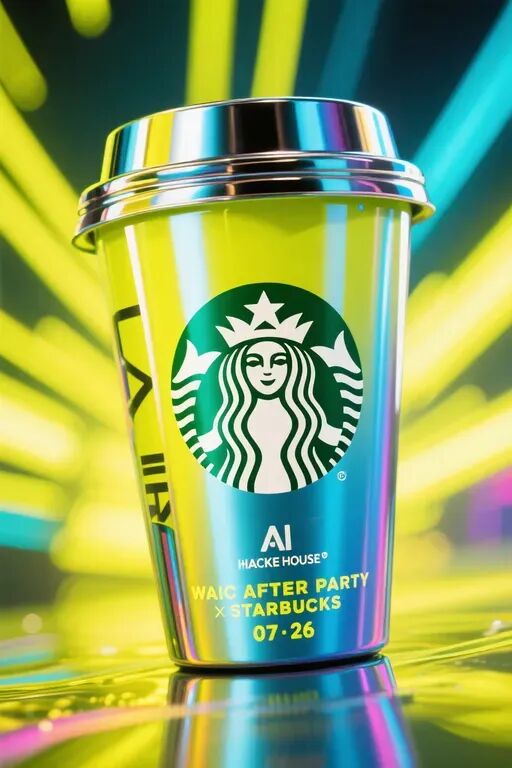
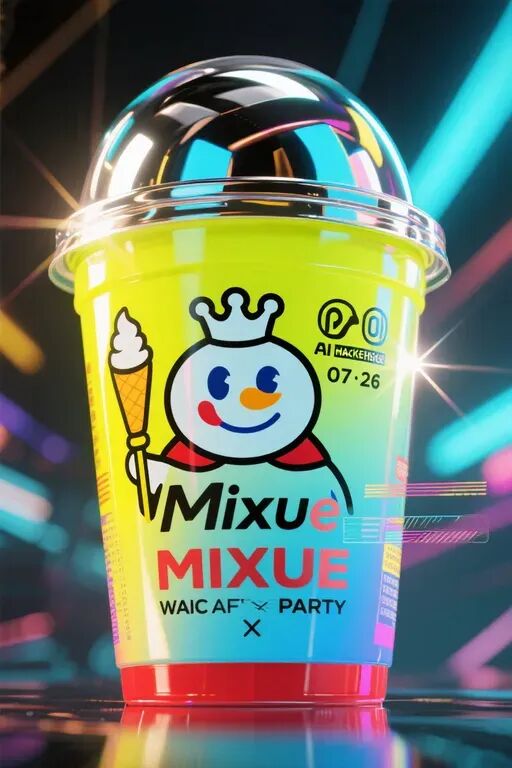
For the Bilibili co-brand, Lovart emphasized the pink-and-blue palette and the classic Bilibili icon:
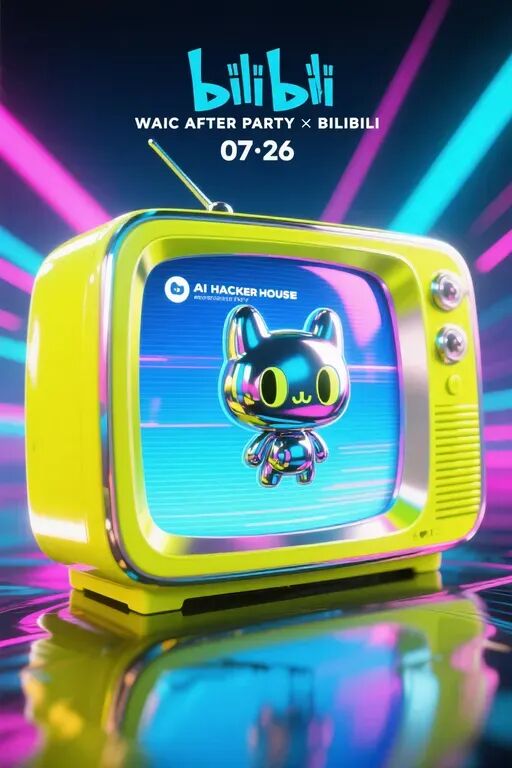
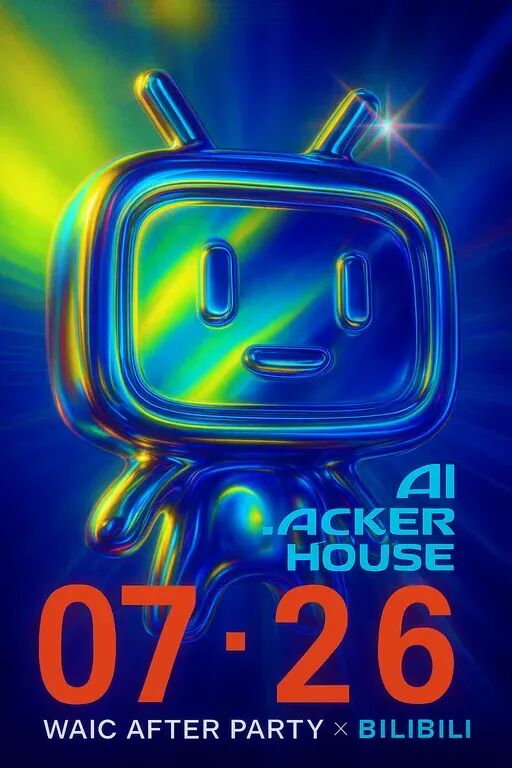
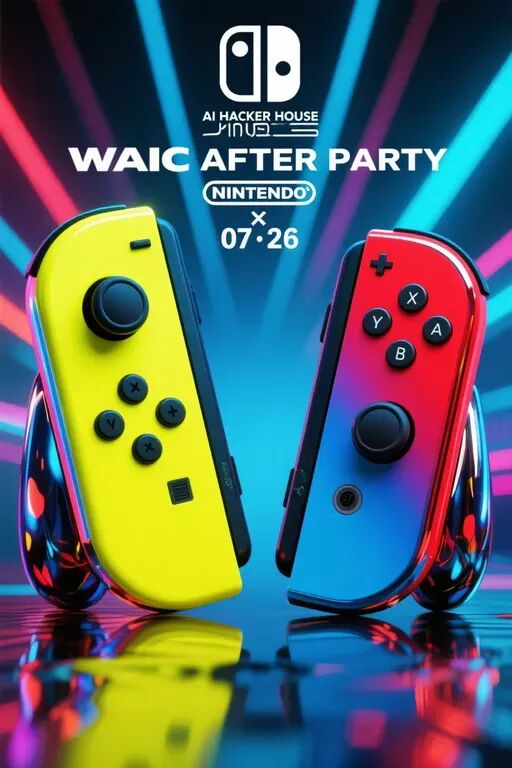
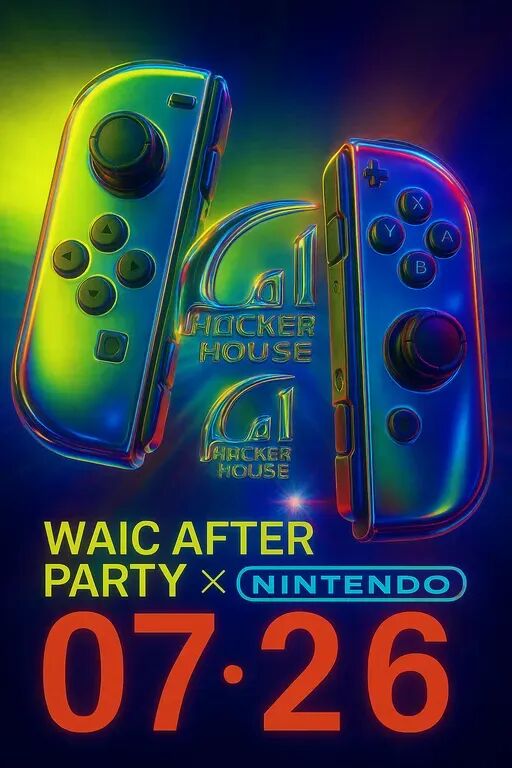
The Nintendo co-brand incorporated game controller elements and more:
Finally, Lovart even auto-generated a "Big Four Co-Brands" master poster, combining all the brand elements into one composition:
Baroque Palace Mural Style
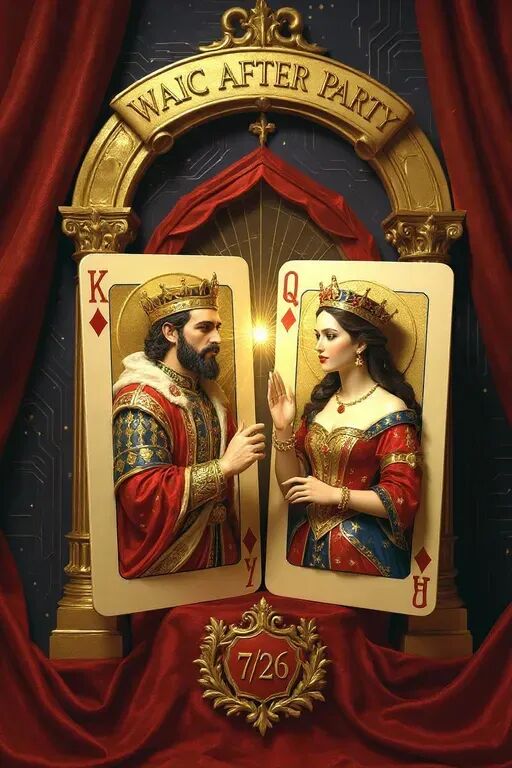
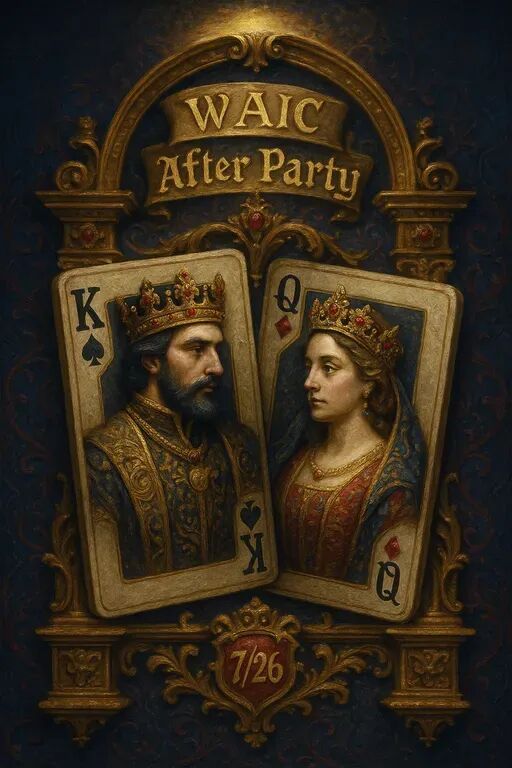
Later, I started a new series requesting materials in a Baroque palace mural style, which we'll also be using down the line.
The style prompt went like this:
Royal symmetrical mural: Baroque palace fresco style, two three-dimensional playing cards embedded in a gilded archway, thick impasto oil paint strokes clearly visible, European ornamental patterns in the background
As you can see, Lovart isn't just stitching together existing design elements. It genuinely understands different artistic styles and embeds the WAIC After Party elements within them:
One-Click 3D Asset Generation
Beyond pure text-to-image and video generation, Lovart can also generate 3D assets with remarkable ease.
For example, I uploaded the AI Hacker House logo, and Lovart automatically called its built-in Hunyuan 3D tool to generate a standards-compliant 3D model within minutes.
The entire 3D conversion process is fully automated — no manual parameter tweaking required.
To demonstrate the effect visually, I recorded a GIF of the operation:
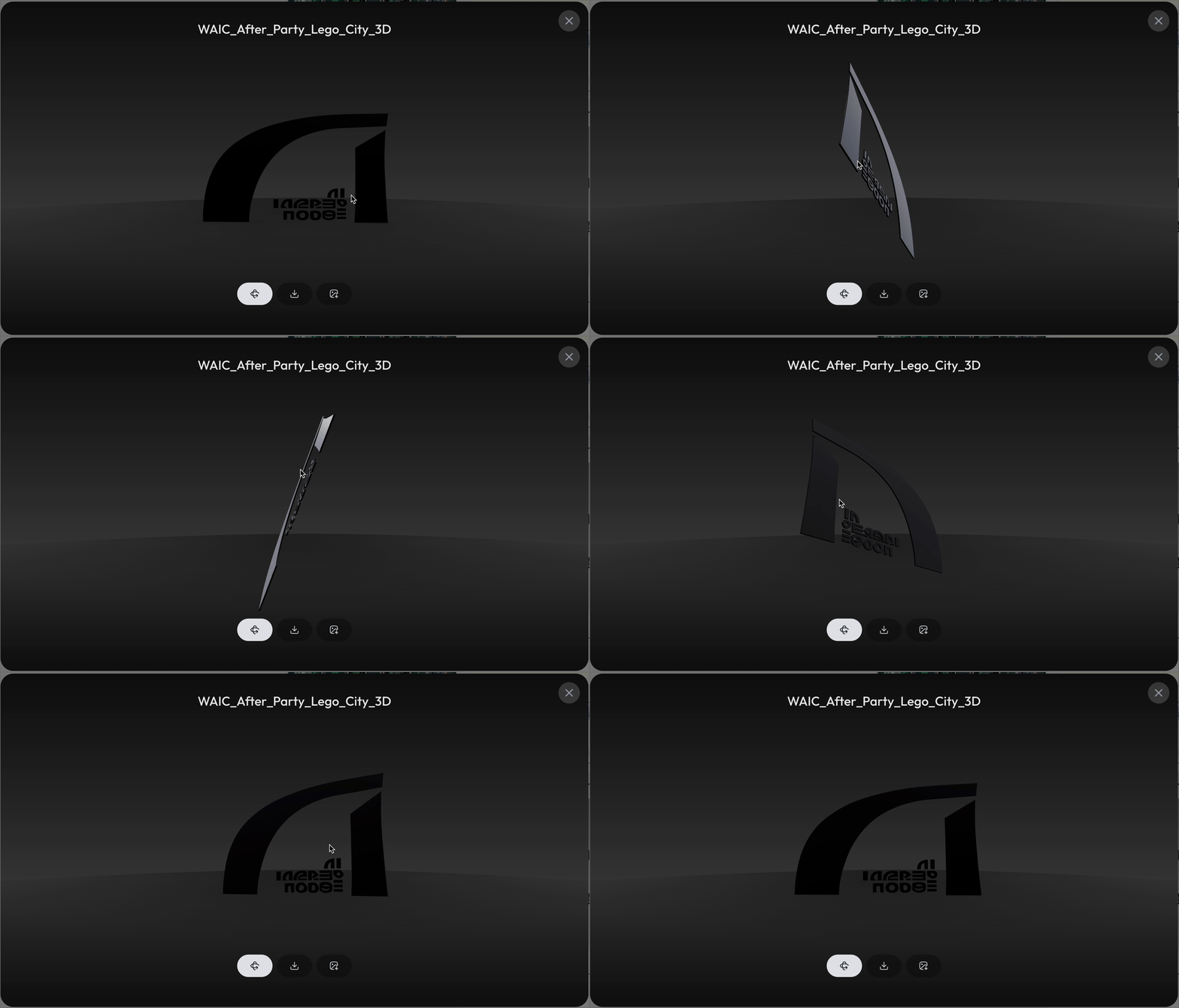
In this GIF, you can clearly see: Lovart rapidly identifies the graphic's distinctive features and constructs a model rich with dimensional depth and material detail.
As I rotate to inspect the 3D model, the surface sheen shifts naturally, and the material reflections feel authentic — the physics are convincingly realistic. Once generated, you can one-click download it as a .glb file for use in other software.
From flat logo to 3D showcase, the entire pipeline can be completed end-to-end within Lovart.
2) Pushing "Multimodal Context" to 99% — ChatCanvas
Everything I've shown so far represents Lovart's "basic" creative design capabilities. In actual use, I also discovered that Lovart has put serious work into leveraging "multimodal context."
For instance, every design I create in a new window gets grouped as an independent multimodal context.
This context can be my previous text prompts, or a set of images, styles, and elements, or even video and 3D assets:
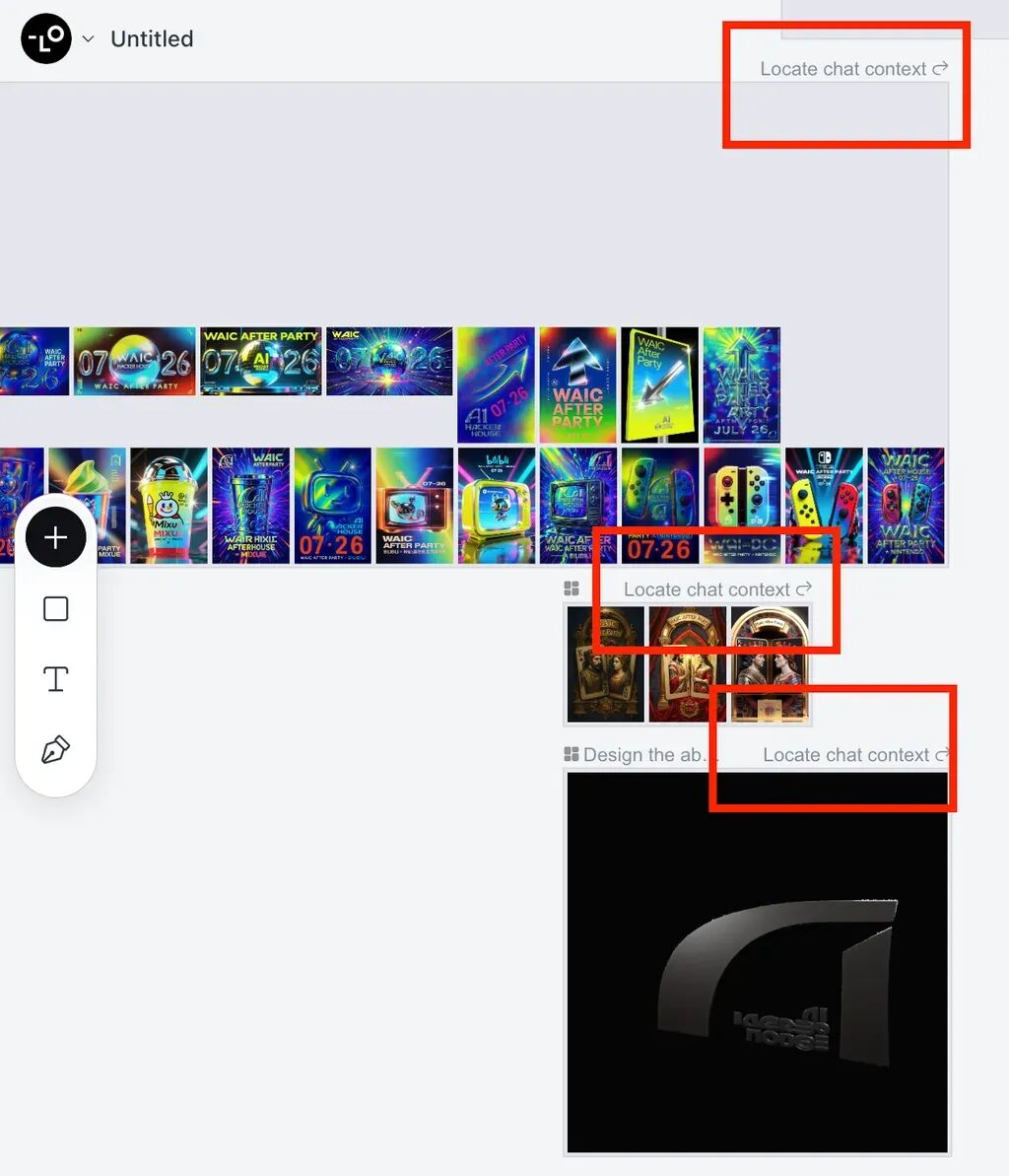
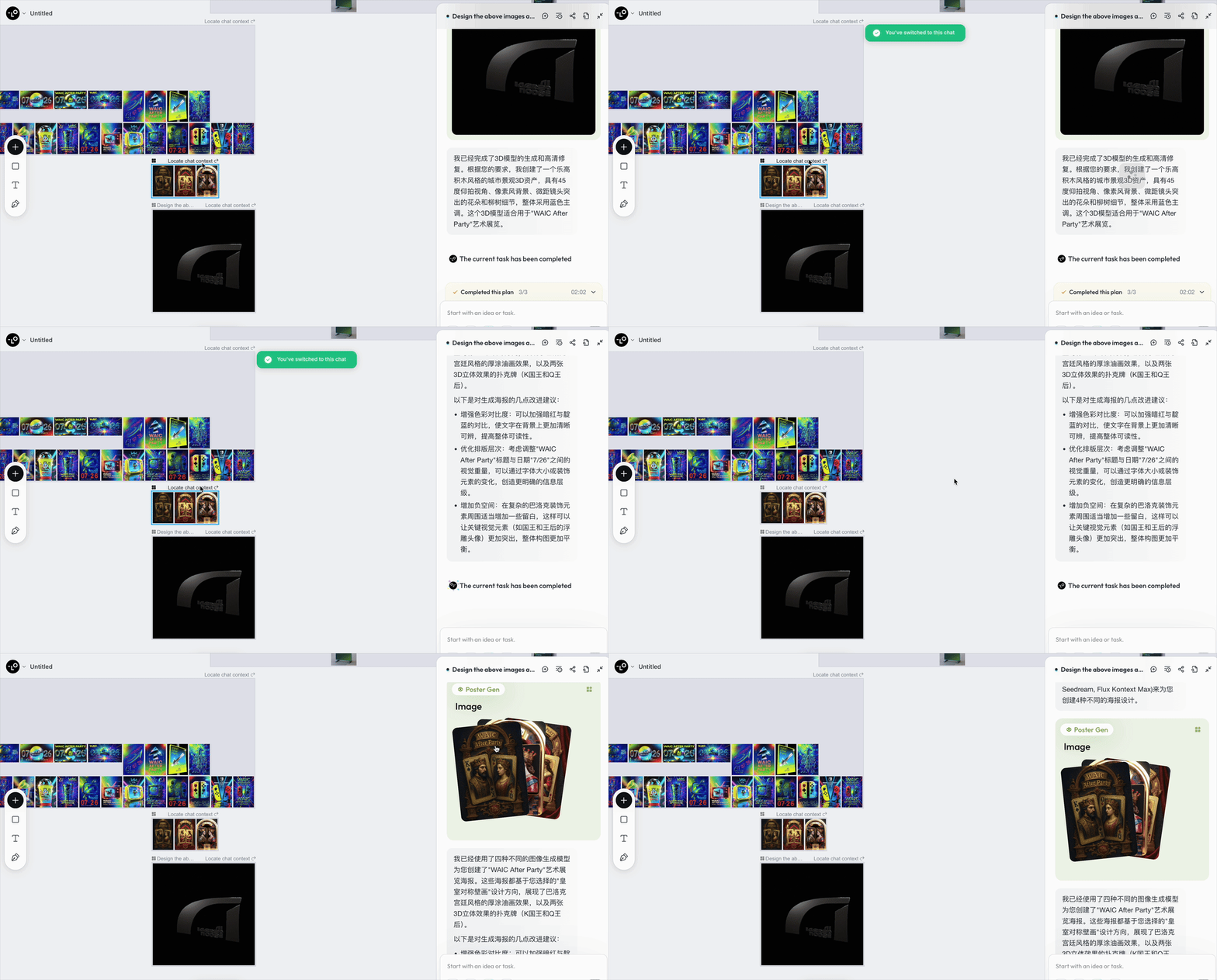
You can use "Locate chat context" to jump directly back into the multimodal context of any specific set of materials:
The standout feature of this Lovart upgrade is something called "ChatCanvas," which takes multimodal context to another level entirely.
Simply put, it's an "intelligent canvas that can see images and understands designers" — or more bluntly, "Figma with designer know-how."
I can scribble a note anywhere on any piece in the canvas, and it will:
[1] Accurately identify which area I'm pointing to;
[2] Understand what effect I'm after;
[3] Then one-click "run all" on all these comments and automatically make the changes for me.
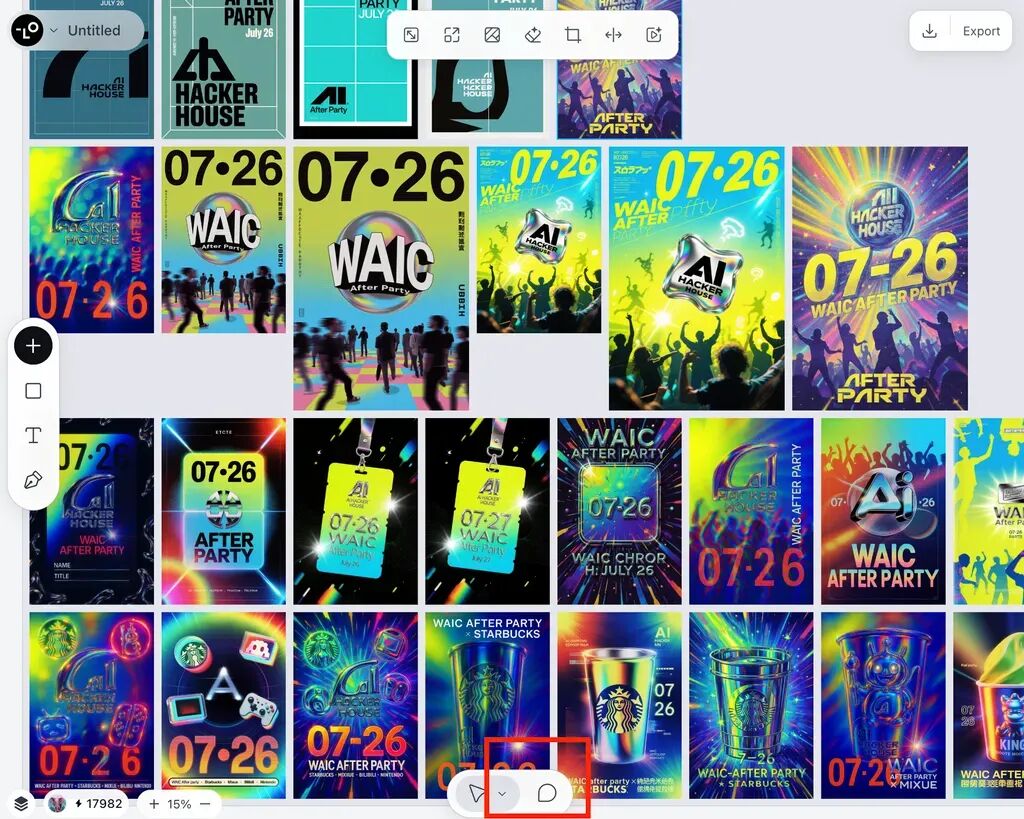
You'll find this feature at the bottom of the interface. Lovart even assigned it the shortcut key "C" for instant access — when you're in design flow, this feature accelerates your workflow by more than a little:
One Image, Multiple Edits
To test this feature in practice, I went back to the Mixue Ice Cream & Tea co-branded poster and made some adjustments.
I added modification requests at three different spots on the poster:
- Add a straw to the cup lid;
- Have the Snow King hold a green matcha-flavored ice cream;
- Replace the somewhat blurry text below with "WAIC AFTER PARTY."
I recorded a video so you can see how smooth the overall workflow is:
These three requests involve different types of edits: adding new elements, changing colors, and replacing text. In traditional design software, each modification would require separate operations, and you'd easily affect other parts of the composition.
But in Lovart, I just click "Run all," and the AI processes all modification requests simultaneously.
The final results are excellent: all three edits were executed accurately, with no unexpected hallucinations in other areas. The newly added elements — the straw, the matcha ice cream — remain consistent with the original image.
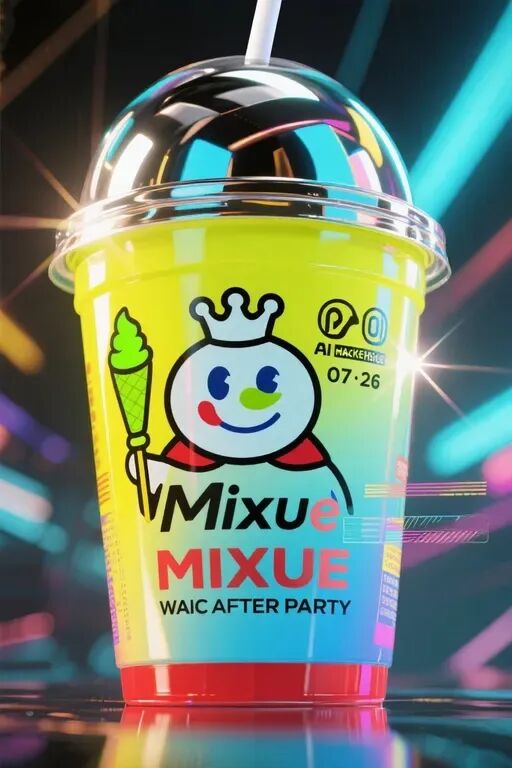
From Still Image to Animation
ChatCanvas doesn't just do static image edits — it can also pull off "image-to-video" effects.
To make this "precise and flexible" secondary editing capability more concrete, I selected two areas directly on a poster I'd already made.
In the first comment, I selected the text area and had Lovart generate a video animation. Then I selected the crowd in the background and wrote a prompt:
Make the crowd in the background dance, full of energy, with light rays radiating everywhere
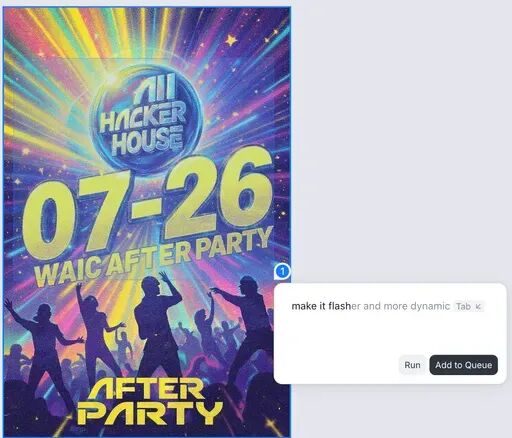
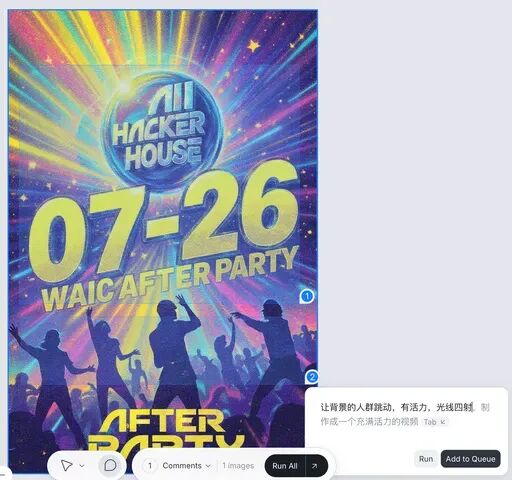
I converted the video Lovart generated using the Kling model into a GIF, placed it on the right, with the original image on the left.
The video output from Lovart is excellent. The originally static poster becomes a dynamic promotional clip — the text has motion effects, the background crowd is dancing joyfully, and the lighting effects are vivid:
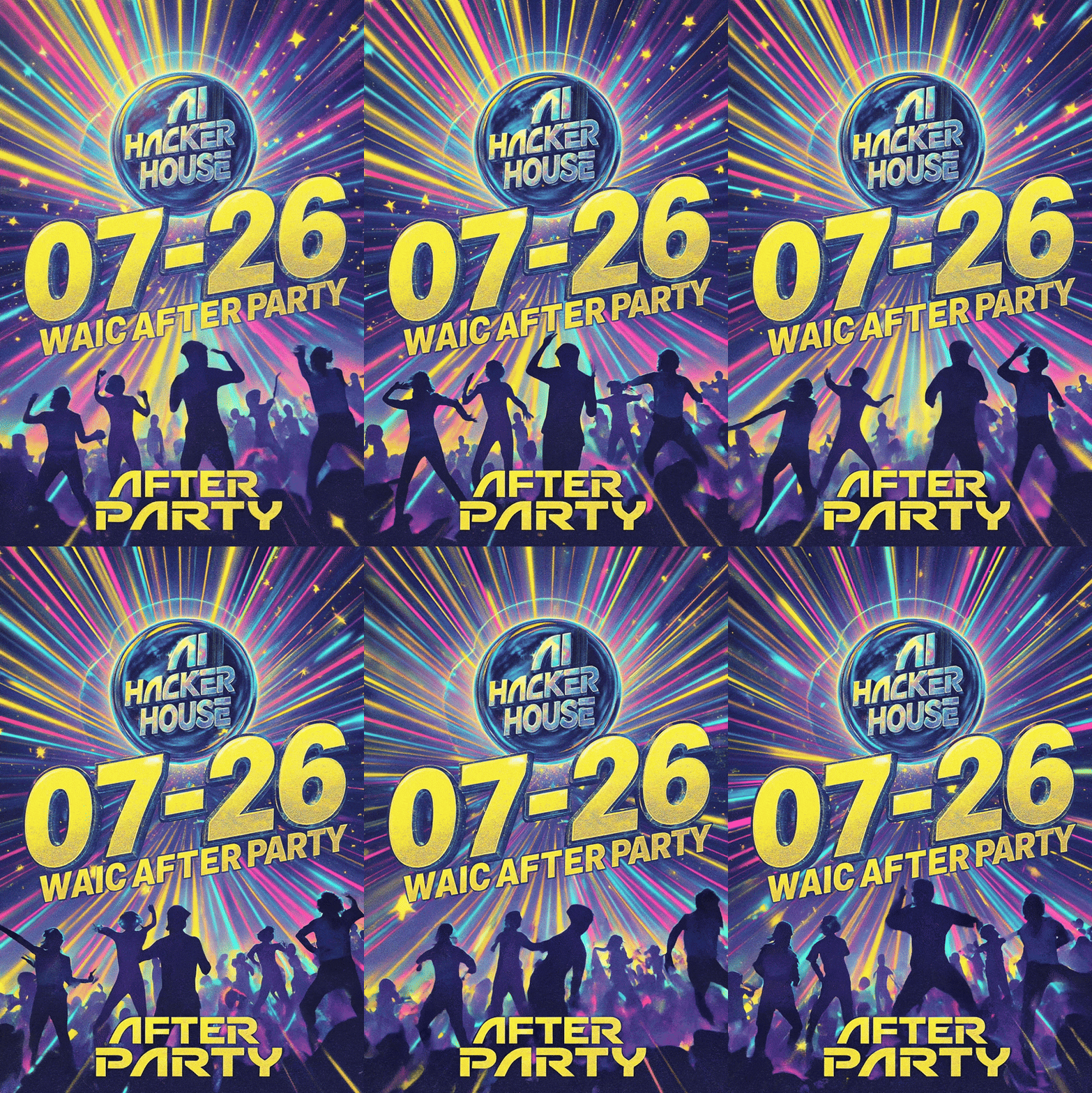
This "user just clicks" interaction style makes video generation as simple as editing an image.
Let's try some other posters.
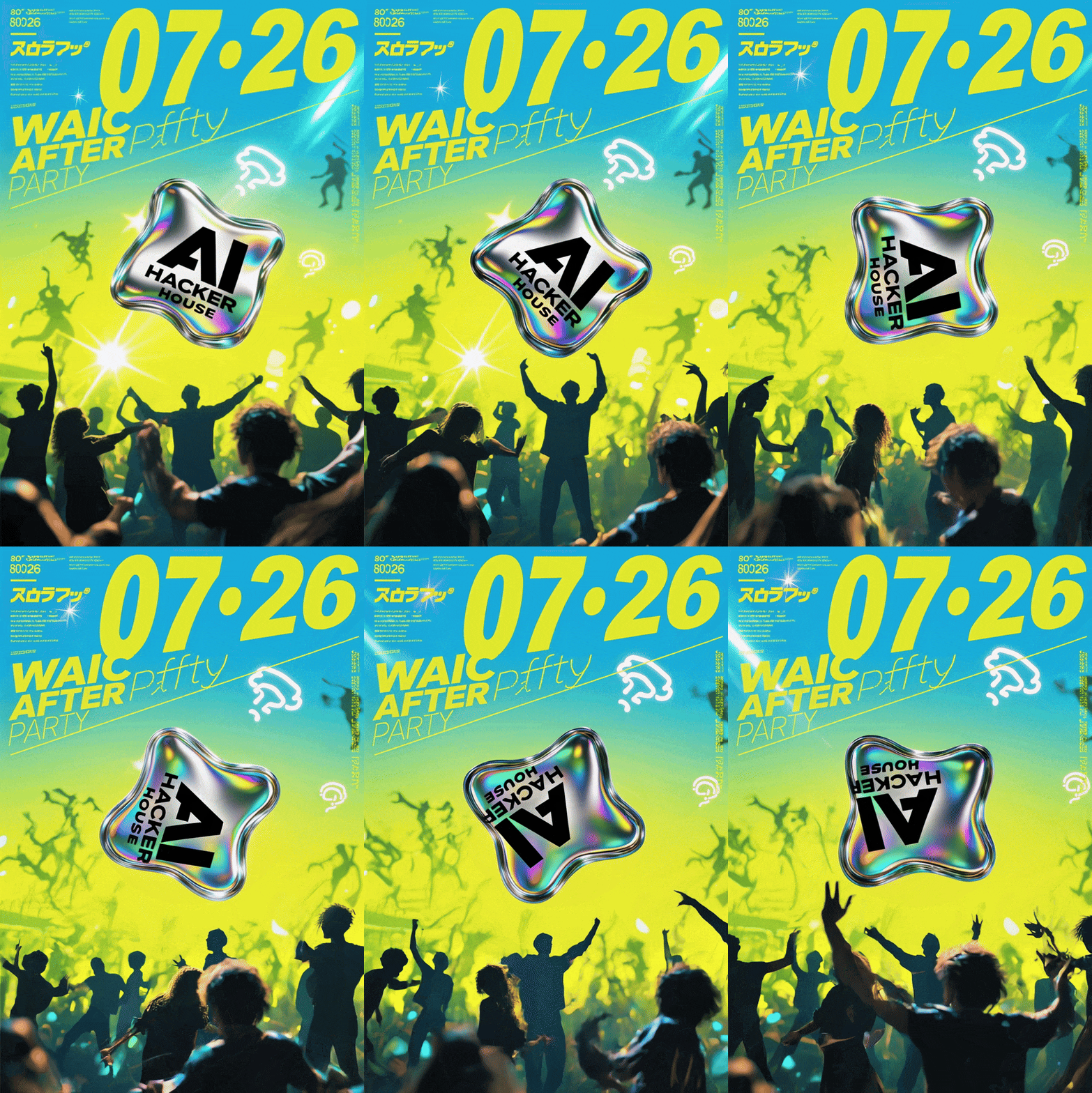
The first has a stronger tech aesthetic. I had the "AI Hacker House" logo in the center float like a bubble, and had the crowd below dance — giving separate comments and letting Lovart automatically aggregate the modification requests.
The final effect is shown below: "AI Hacker House" is rotating, and throughout this motion, the text doesn't distort at all. The crowd's dance movements are well-coordinated too. However, the AI occasionally runs into minor issues with complex backgrounds — certain parts show slight "flickering" hallucinations.
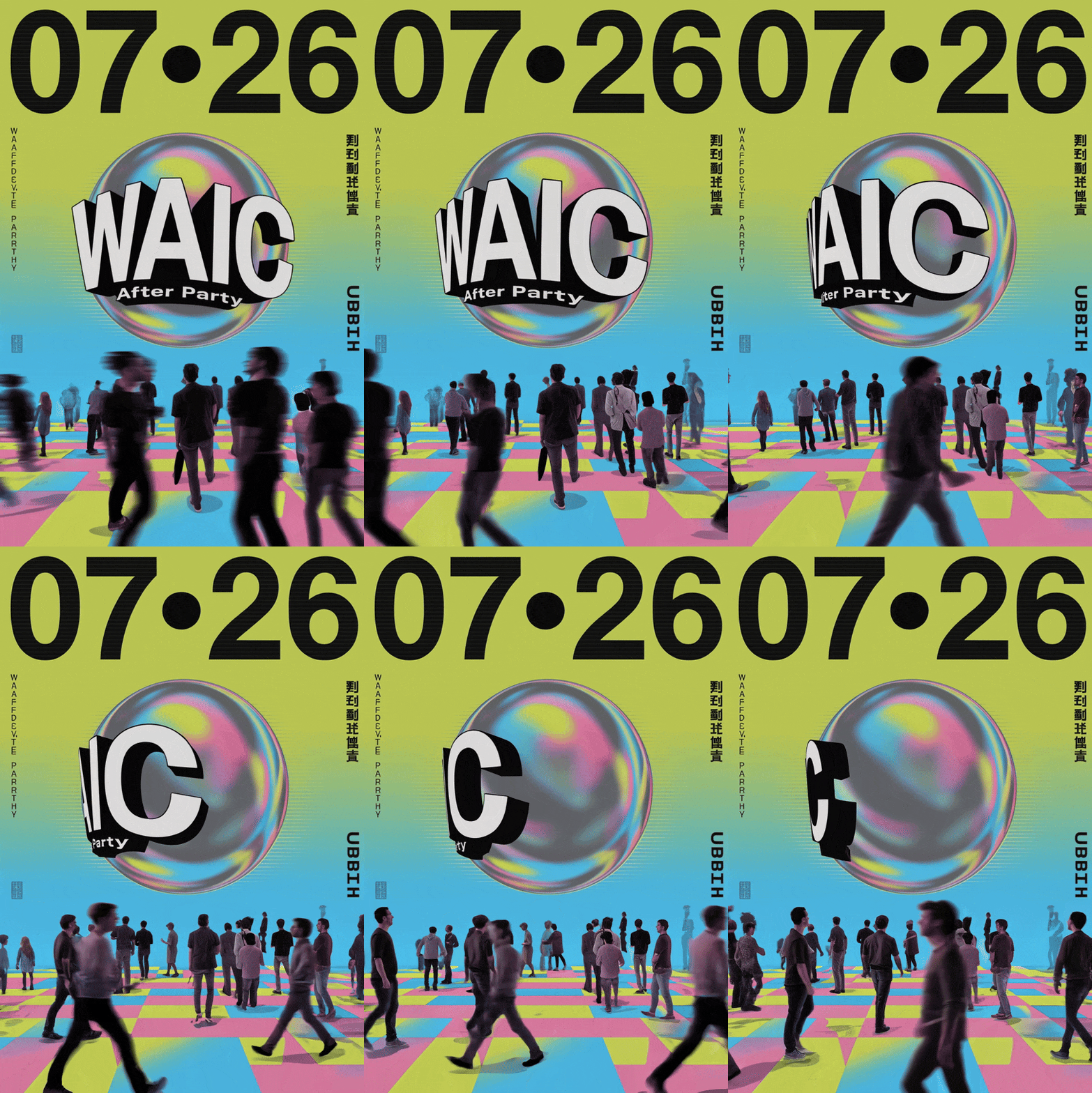
In the poster test below, I had the "WAIC After Party" text in the center of the frame rotate, while having the crowd below walk around naturally. This time the effect is even more natural — the text rotation is smooth, and the crowd's walking looks realistic, like they're actually strolling around a venue.
It really captures that "bustling" feeling:
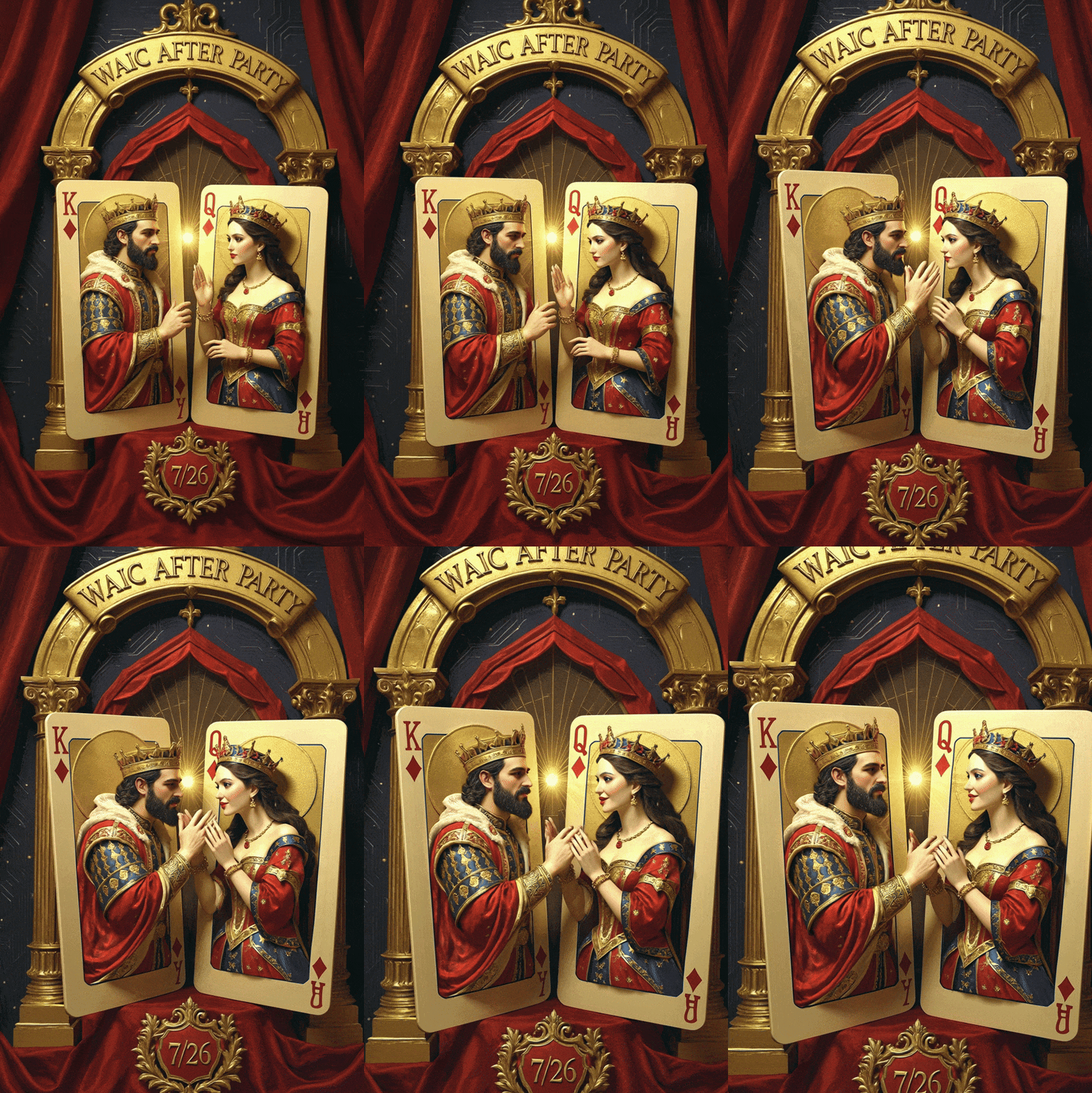
For the final poster, it's a two-playing-card design.
I asked for the characters on the cards to have interactive movements, enhancing the 3D depth. Lovart handled it quite well — the two figures are indeed interacting, and the movements are natural with strong 3D presence:
Audio and Video Together
For requests like "generate a complete video with full audio from one sentence," Lovart is now quite adept.
In the canvas, I uploaded a Baroque-style art design that Lovart had made, then very casually typed this sentence:
Generate a short video, design an English BGM, the two playing cards in the image should have physical interactions with each other, needs audio
This request is actually quite complex, containing several distinct tasks: making video, composing background music, and so on.
Lovart first carefully analyzed the image I uploaded, accurately identifying it as ornate classical style with a main color palette of deep red, gold, and dark blue. Based on this style analysis, the AI decided to create corresponding background music.
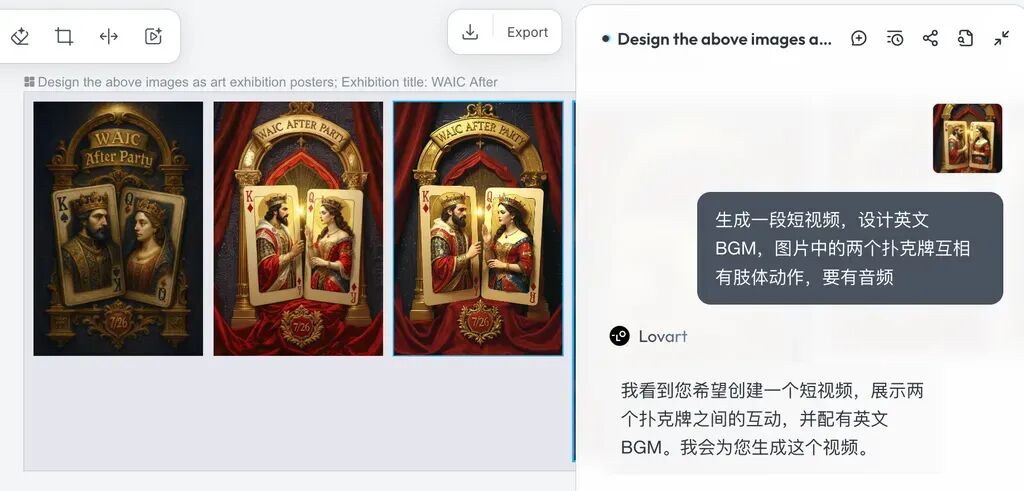
Its logic went like this: Since the visuals are classical in style, the music should also be somewhat elegant, worthy of this royal "playing card" invitation atmosphere.
In the end, Lovart fully designed a 1:35 BGM:
The effect paired with video is like this, very elegant:
Multi-Image Fusion, Blending Ideas into a Poster
ChatCanvas has another interesting trick: it can process multiple images simultaneously, seamlessly fusing different creative elements together.
To test this feature, I chose two seemingly unrelated elements: a Starbucks mug and cartoon Snoopy.
Lovart's canvas provides a complete design Studio with numerous design function modules. For instance, I used the canvas tools to first remove the background from the Starbucks cup, then added a comment to the Starbucks mug:
Make this the product.
Then added a comment to Snoopy:
Have this puppy hold the mug in its paws, same art style.
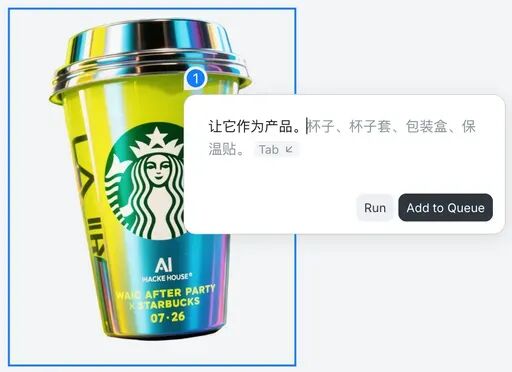
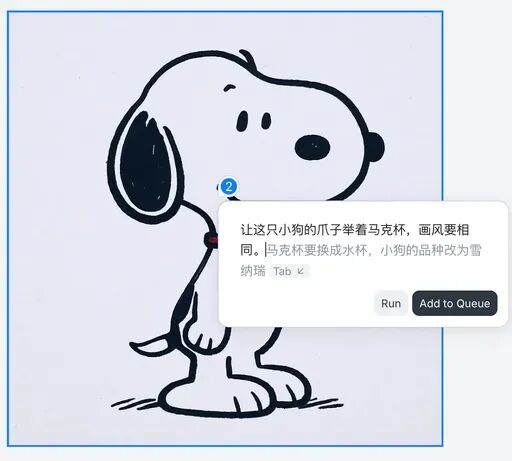
Just click "Run All," and all comments across multiple images automatically merge into a single "context" for processing. A few minutes later, the image is generated.
The final output has high consistency — Snoopy is holding the Starbucks mug — the two originally unrelated elements are well-fused with unified art style, though some elements on the mug were simplified:
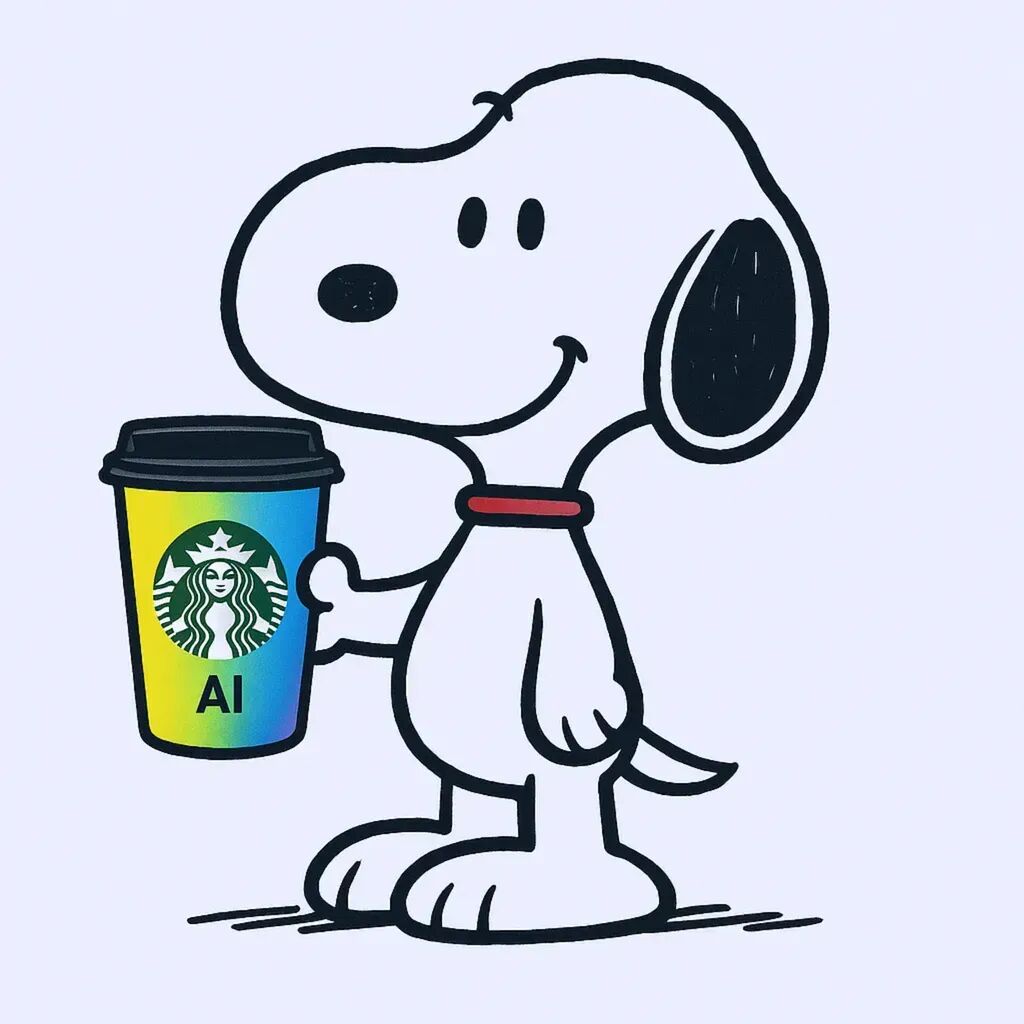
I also tried a three-image combination: Starbucks mug, Snoopy puppy, plus a sheet of stationery with floral borders as background. This time the results were good.
The comments for the Starbucks mug and Snoopy puppy stayed the same as before — we just needed to add one more comment to the stationery:
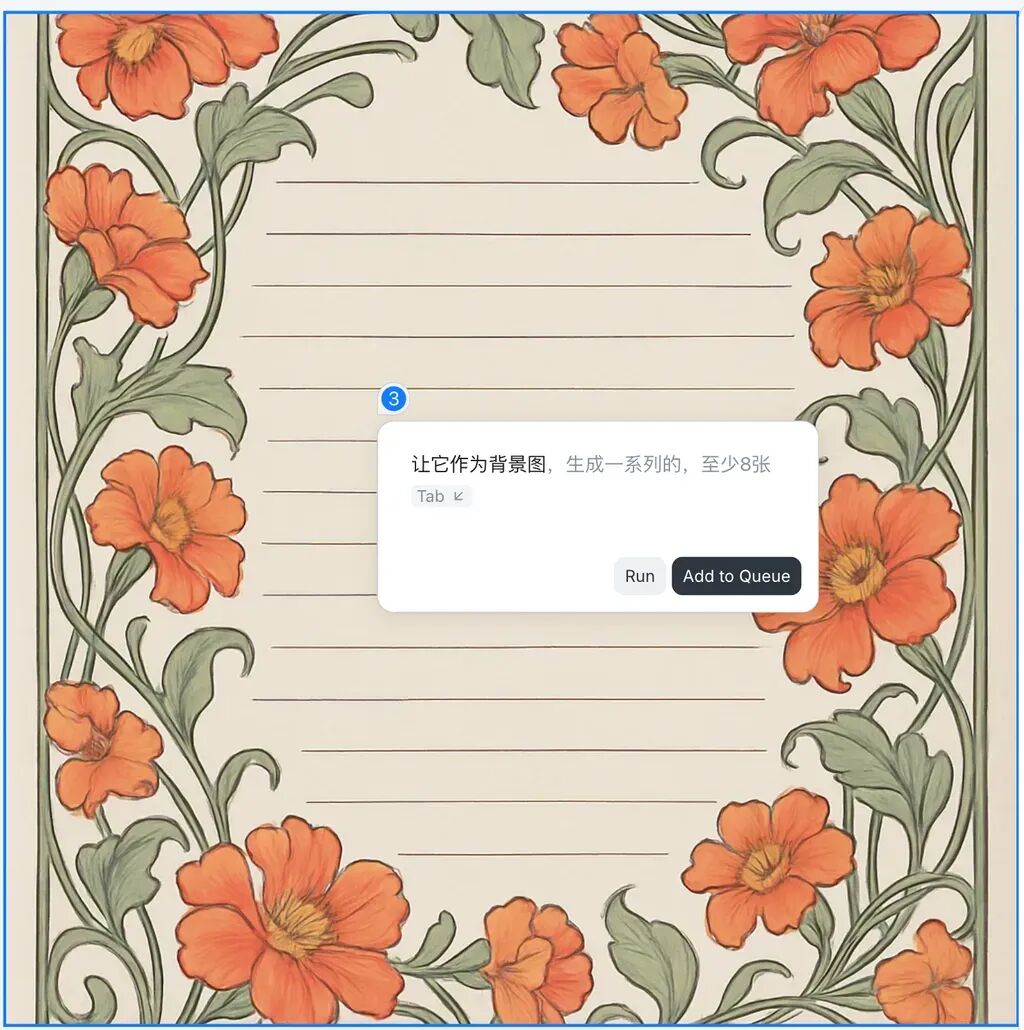
Lovart's output consistency is genuinely impressive, and the whole interaction feels remarkably close to human reasoning. You only need to drop a brief comment on each image — nothing too elaborate.
My favorite part: the AI automatically groups them into a "context" bundle, seamlessly bridging semantic gaps in my prompts where the meaning breaks off.
This kind of AI interaction is genuinely delightful!
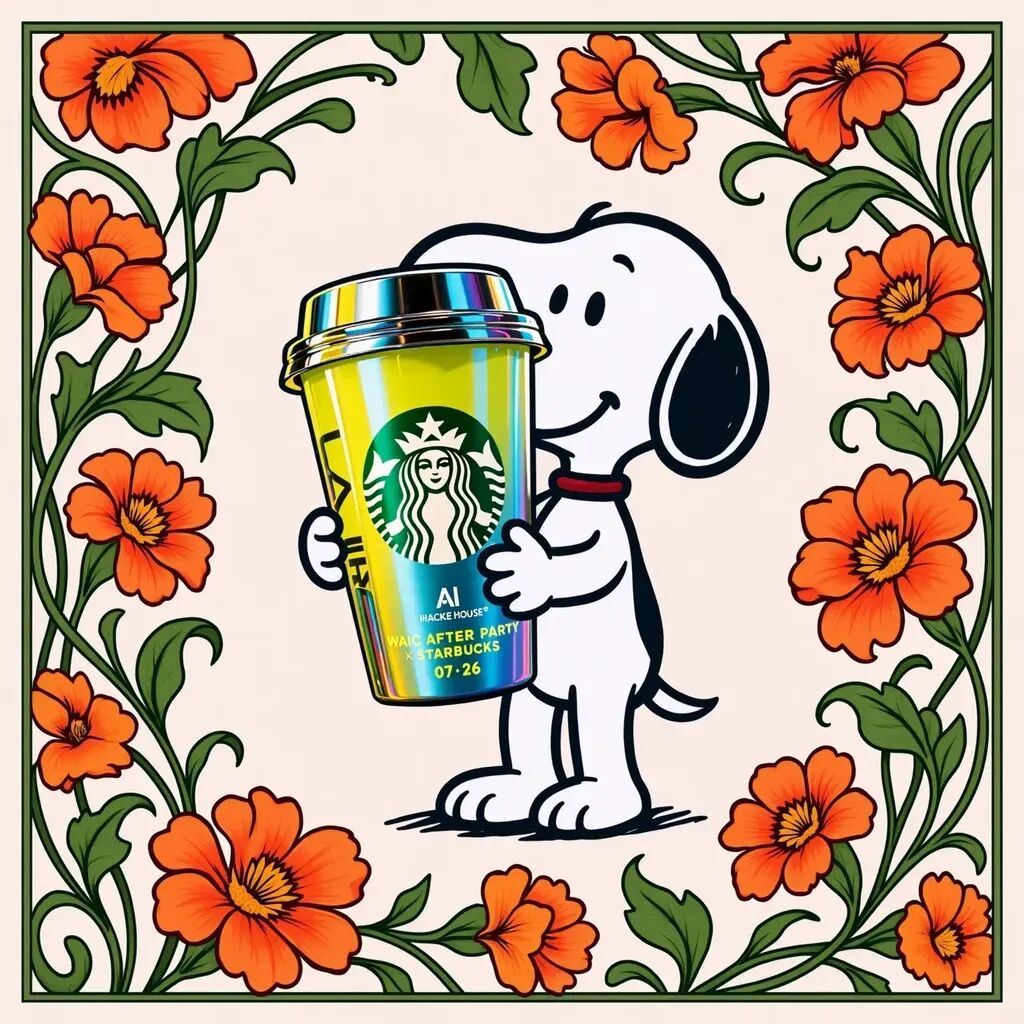
This multi-image fusion approach unlocks "infinite creative possibilities" — users can combine any seemingly unrelated elements together.
Through repeated interactions with Lovart, I felt a distinct sense of "design freedom." It's hard to capture in natural language, but here's the gist:
Lovart supplies artistic inspiration, but the real creativity still comes from you. What it guarantees is that all AI design tools and interaction methods slot perfectly into your design workflow.
Lovart has struck a solid balance between "creativity and AI capability enhancement."
It's fair to say Lovart has broken through the traditional "chatbot" interface experience. It's no longer a simple "you ask, it answers" — instead, it offers you a "rather magical" Agent collaboration mode. Because honestly, throughout the process, I barely used the "Chat" interface at all. I was entirely absorbed in exploring Chat Canvas and its canvas-based AI interaction.
This deep dive makes clear that Lovart has made genuine innovations in the AI design Agent space. Features like ChatCanvas largely deliver a "what you see is what you get" design experience, lowering the technical barrier to design work.
Perhaps we could put it this way: "creativity and taste" are the optimal production factors in an AI design Agent workflow.
Users don't need to master complex design software or possess professional art skills. As long as they have ideas, they can create visually satisfying work.
This may well be the future direction for AI design Agents: not replacing creativity, but amplifying it, enhancing it.
Ultimately, making "good design" within reach for everyone.
P.S.
AI Hacker House is initiated by Crossing and Aligns AI, with Spark Lab serving as the resident operations team. Since its founding in January 2025, it has hosted over 30 events including salons, open mics, and hackathons for a new generation of AI entrepreneurs, attracting thousands of AI developers, creators, and thinkers from China and abroad.
During the four evenings of WAIC, the events I had Lovart design for are not fictional — each night's AI Hacker House will genuinely be buzzing with activity.
This time, we ran an experiment: inviting four "one-day hosts" for AI Hacker House
- July 26: Hyacinth — Host of Demo Inn Shanghai
- July 27: Yanchen Yan — Co-founder of Dify
- July 28: Yu Hang — Co-founder of Zeabur, full-stack engineer
- July 29: Haonan — Investor at ZhenFund, host of the Post-00s Initiative
Interested in signing up? Visit this link to register.