More and More People Are Starting to "Think Like Developers" | Baidu Miaoda Hands-On Review

In the *2026 AI Kickoff Conversation: The Year of R | A Conversation with Yusen Dai of ZhenFund*
"Democratized development" is becoming concrete.

👦🏻 Author: Jingshan
🥷 Editor: Koji
🧑🎨 Layout: NCon

In our article "2026 AI Kickoff Conversation: The Year of R | A Conversation with ZhenFund's Yusen Dai", we noted:
2025 is the year of AI coding.
A clear through-line is emerging: advances in model capabilities are directly unlocking possibilities at the application layer.
This year, things have been changing almost unreasonably fast.
Newcomers like Cursor and Lovable shot to $100 million, $200 million ARR almost overnight. Meanwhile, "big tech" entrants like Claude Code and OpenAI's Codex entered the arena, pulling "writing code in natural language" into the mainstream and making it the thing everyone talks about.
A clear trend has emerged: the barrier from 0 to $100 million is being pushed lower and lower, while the ceiling from 1 to 10 billion ARR is being raised back up.
Against this backdrop, a new term surfaced in the AI world in 2025: Vibe Coding. Many people are already using it, but it's worth remembering that this is an extremely new term. It first spread because of a post by Andrej Karpathy on X:
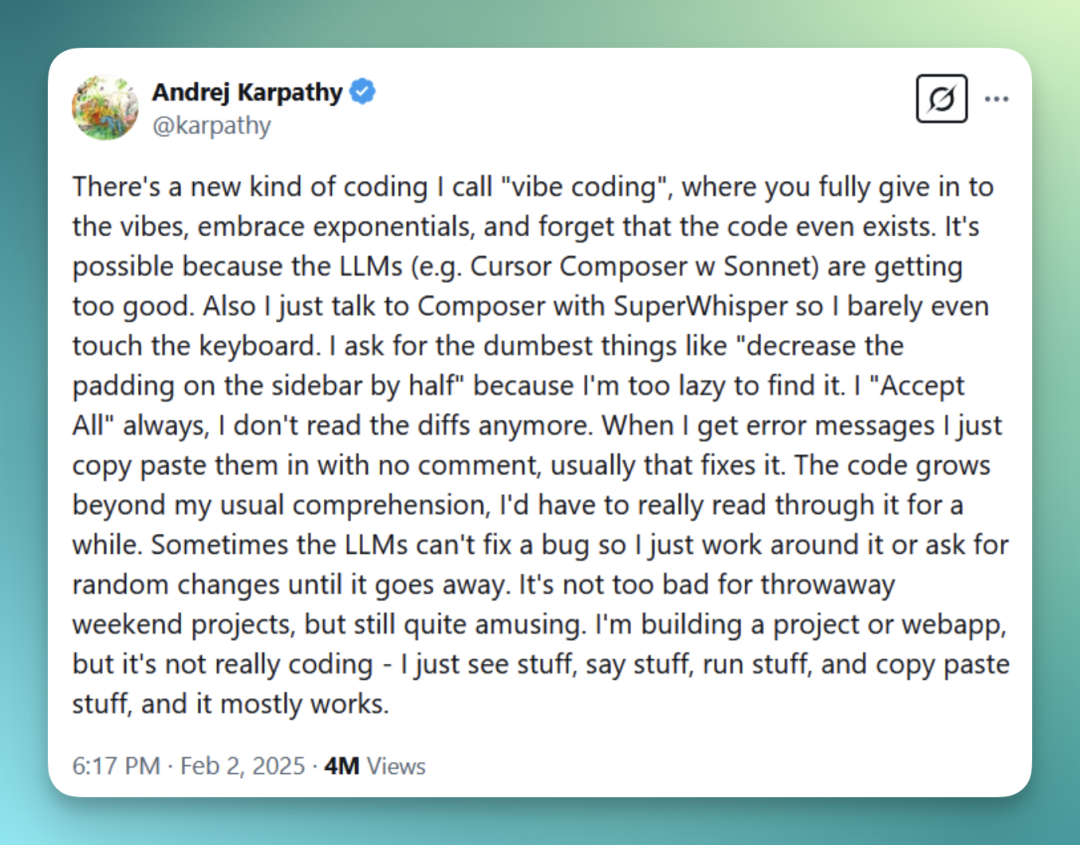
A term can sweep the globe in no time because it captures the mood of the moment. The anxiety is real. So is the urge to do something. And "I can actually build something" means a lot — to a lot of people.
Last week, we noticed that Baidu Miaoda released its latest "Miaoda Creator Profile."
Several data points in there are hard to ignore.
In a relatively short period, creators have published 500,000 business applications on Miaoda, generating over 5 billion in value. They've completed 80,000 real deliveries.
People are using it. People are paying. People are actually delivering. And because of that, the Crossing team decided to run through the process ourselves.
🚥
Here's what we found from testing 4 use cases.
Company Lunch Voting App
First, we tried the simplest case: a company lunch voting app. It's not hard to build, but genuinely useful in plenty of scenarios.
Here's the prompt:
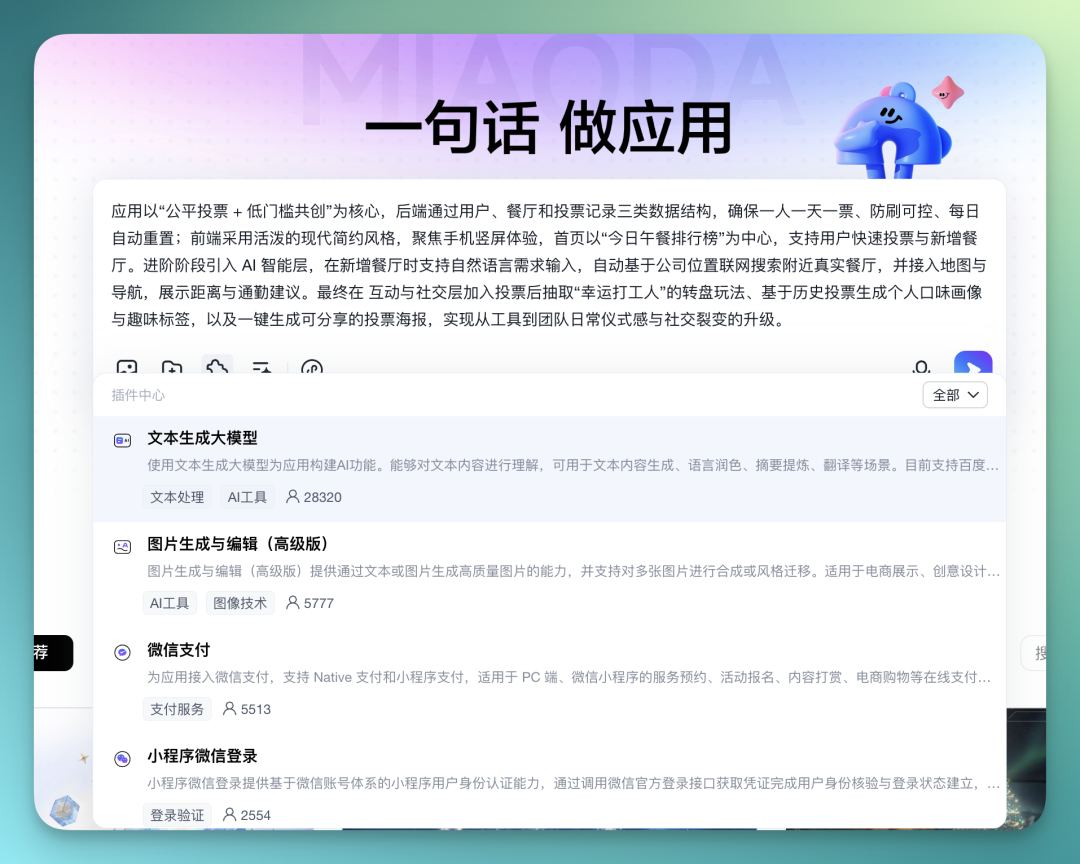
The app centers on "fair voting + low-barrier co-creation." The backend uses three data structures — users, restaurants, and voting records — to ensure one vote per person per day, anti-fraud controls, and daily auto-reset. The frontend adopts a lively, modern minimalist style optimized for mobile portrait view, with the homepage built around a "Today's Lunch Leaderboard" that lets users vote quickly and add new restaurants. In the advanced stage, an AI intelligence layer is introduced: when adding restaurants, users can input needs in natural language, which triggers an automatic search for real nearby restaurants based on company location, with map and navigation integration showing distance and commute suggestions. Finally, an interaction and social layer adds a "Lucky Worker" spinner after voting, personal taste profiles and fun tags based on voting history, and one-click shareable voting posters — upgrading from tool to team ritual and social viral loop.
Baidu Miaoda's plugin center already offers quite a few ready-made plugins.
Some draw directly on Baidu's own large model capabilities, like text generation and AI image generation. Others tap into already-deployed WeChat Mini Program features — WeChat login, WeChat Pay, and so on — all pluggable right out of the box.
Another nice touch: after you enter a prompt, the interface automatically offers prompt optimization, restructuring it into a more organized, coherent form:
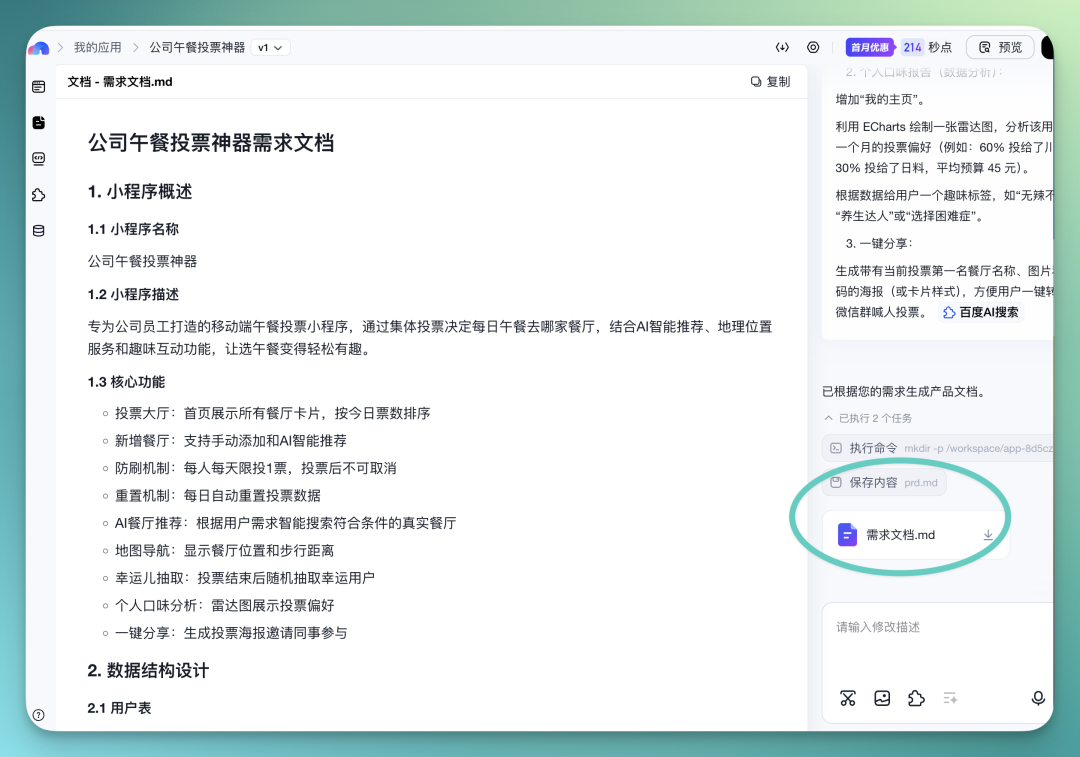
First, after you input your prompt, Baidu Miaoda automatically generates a requirements document based on your needs.
The document is fairly comprehensive overall — it covers the mini program's general description, core features, and backend data structure design, basically everything you'd expect.
For the first version, Baidu Miaoda delivered results pretty quickly.
You can freely toggle between mobile view and web view right in the page to check results, and the overall flow is quite smooth.
The initial version is fairly basic in functionality, but its support for ongoing optimization and iteration is genuinely solid.
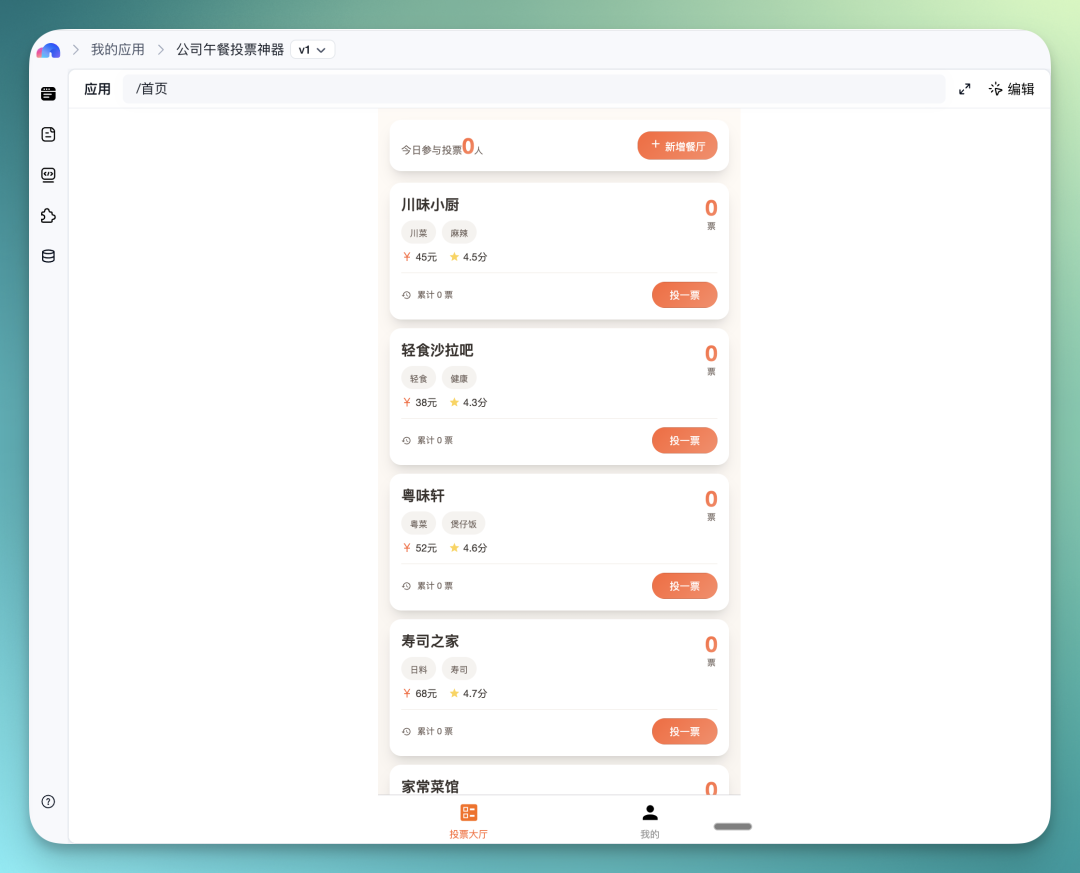
For instance, in the v1 version, it already integrated quite a bit of restaurant info, including restaurant tags and voting statistics — anyone can jump in and vote directly from this page.
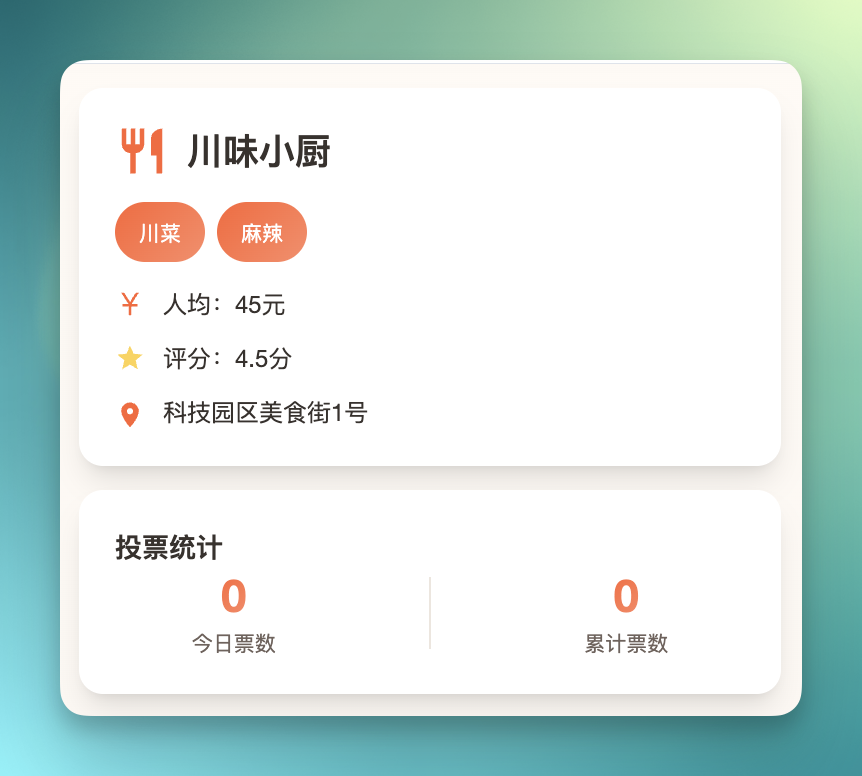
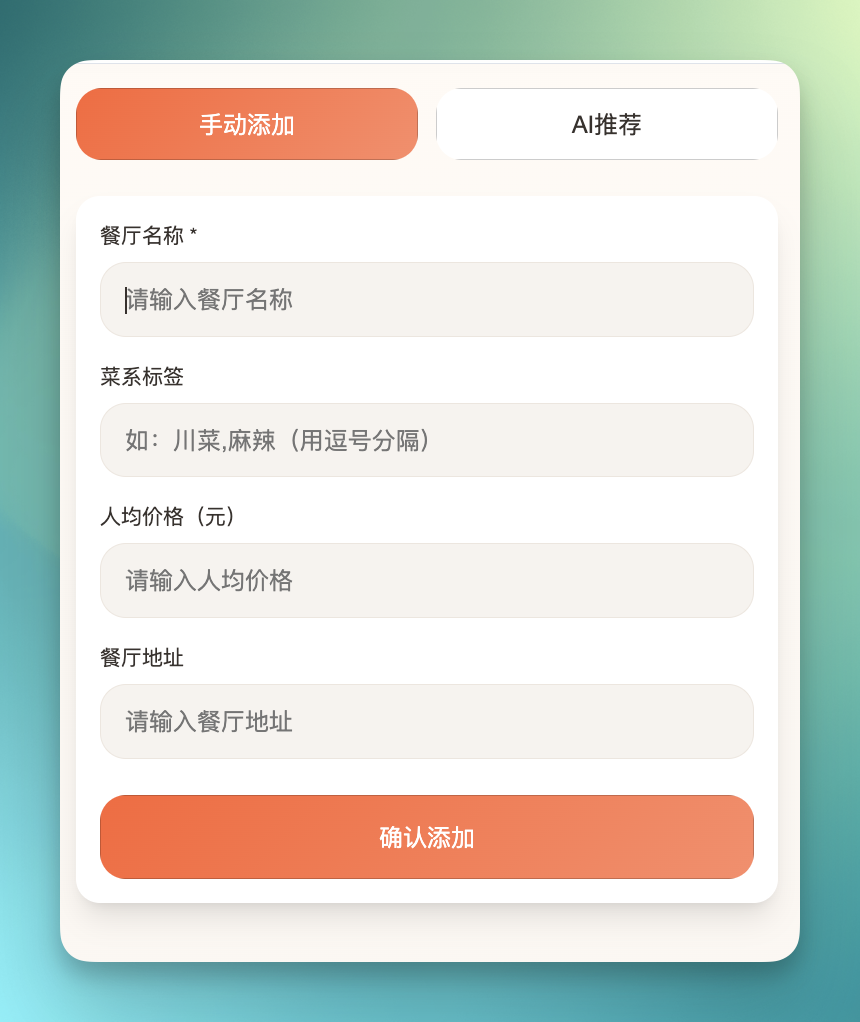
If you click "Add Feature" at the top, I actually designed two features here: one allowing users to manually add restaurants, and another for AI recommendations.
These two pieces are among the more core parts of the whole app.
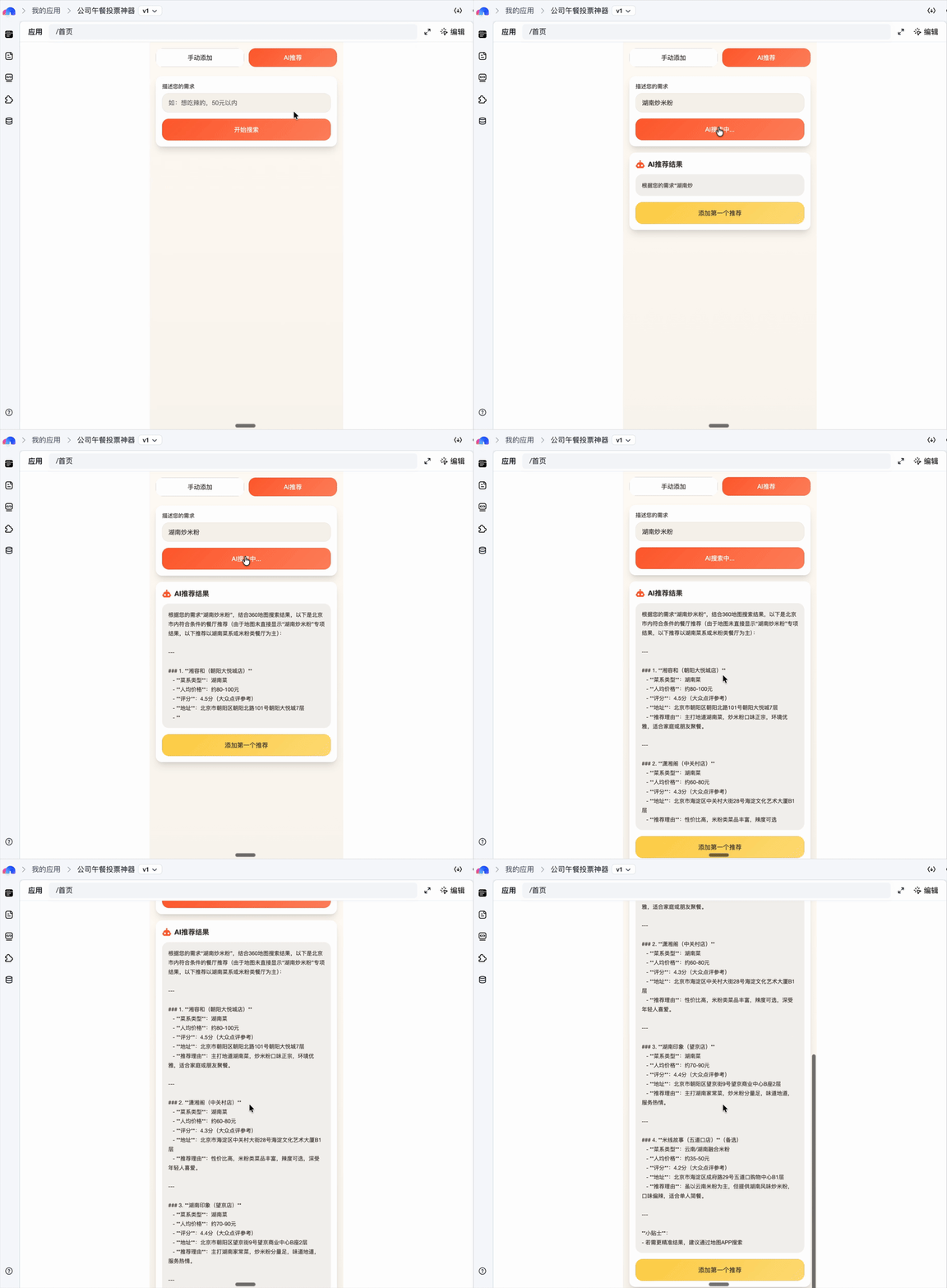
If you tap into AI Recommendations, the logic I set up is to have Baidu Miaoda call its Baidu AI Search capability to do relevant searches based on keywords you enter, with the search grounded in your current location.
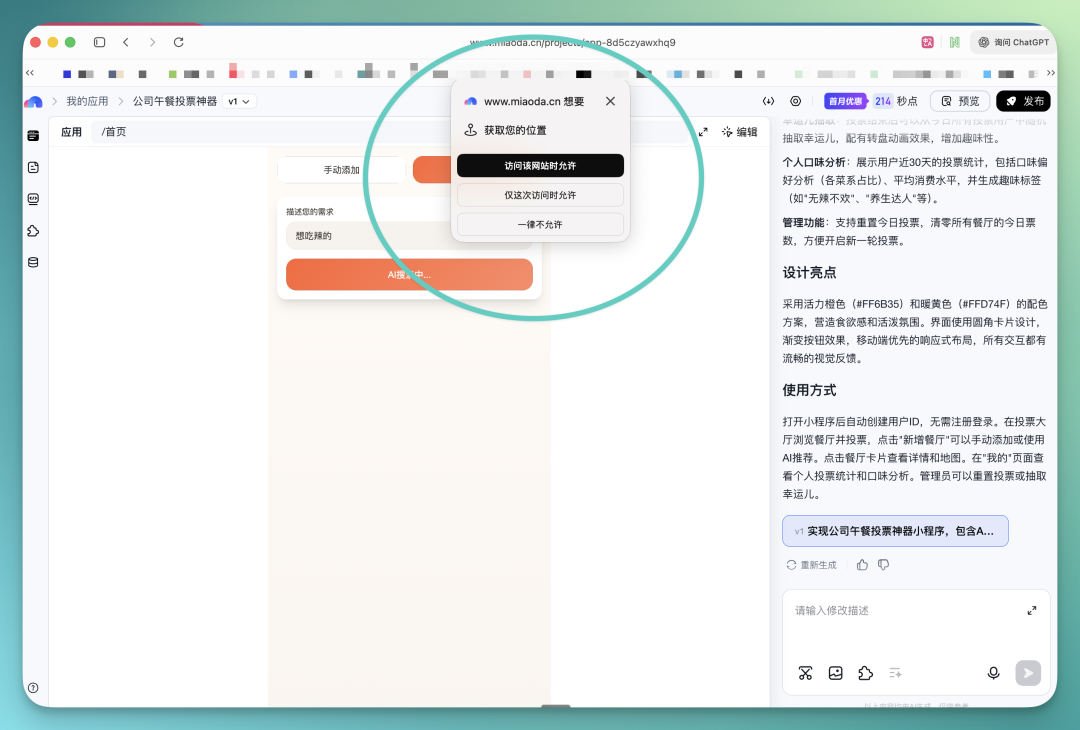
For example, I asked it to search for "Hunan stir-fried rice noodles." It then combines that with my actual current location to find nearby relevant shops.
The shops it finds can be directly added to the company lunch voting homepage for everyone to vote on.
Mini-Taobao
The example above is pretty simple, but you can see that the overall flow for integrating AI plugins is quite smooth.
So next, I had it try something more complex — building a mini-Taobao, essentially a mobile e-commerce system, and layering in more AI plugin capabilities to push the overall quality higher.
Here's the prompt:
Build a mobile e-commerce system (Mini-Taobao) with UI that mimics Taobao as closely as possible
What you see below is also the v1 version.
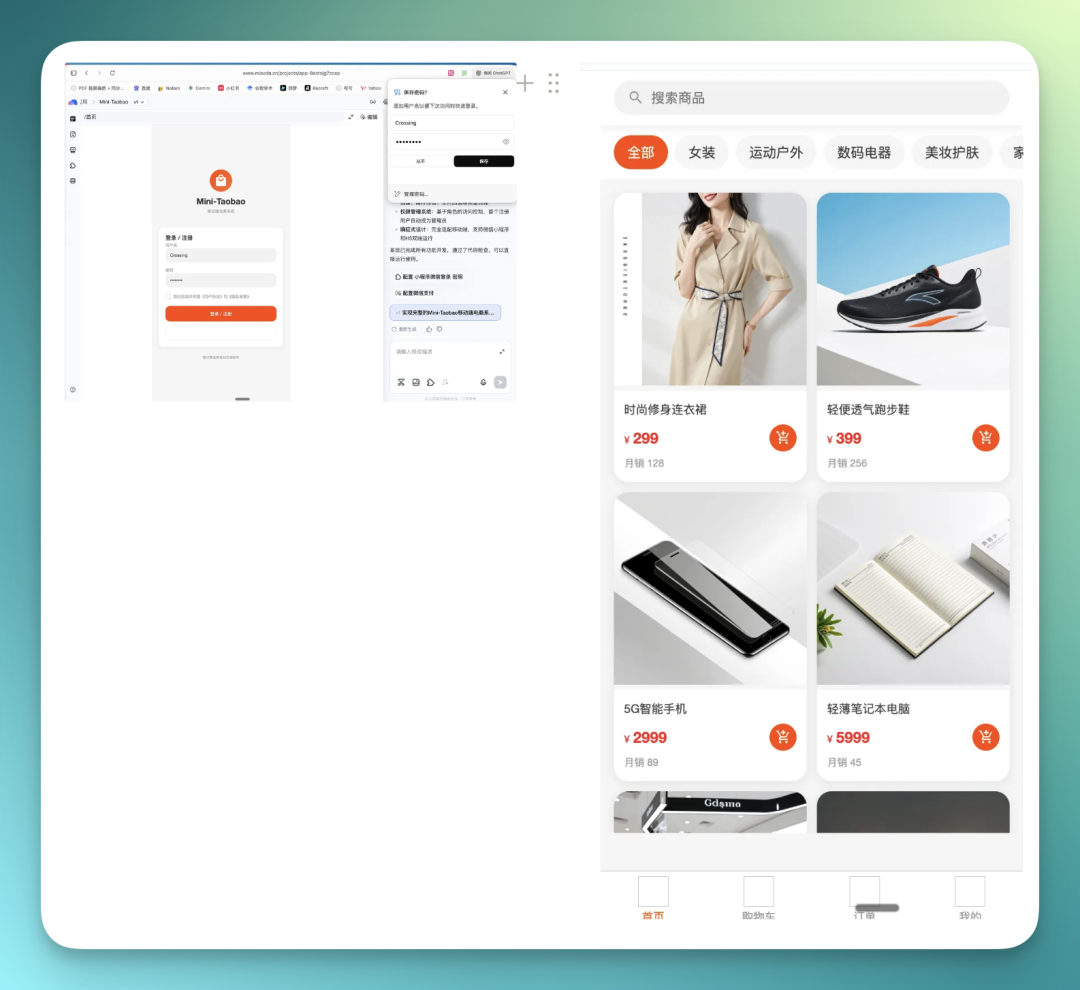
In this version, I already had it integrate the full login and registration mechanism as the entry point to the backend.
You can actually complete account registration, login, and other operations in there. On the right is the Mini-Taobao homepage, already filled with product images.
Next, I added several AI features on top of this.
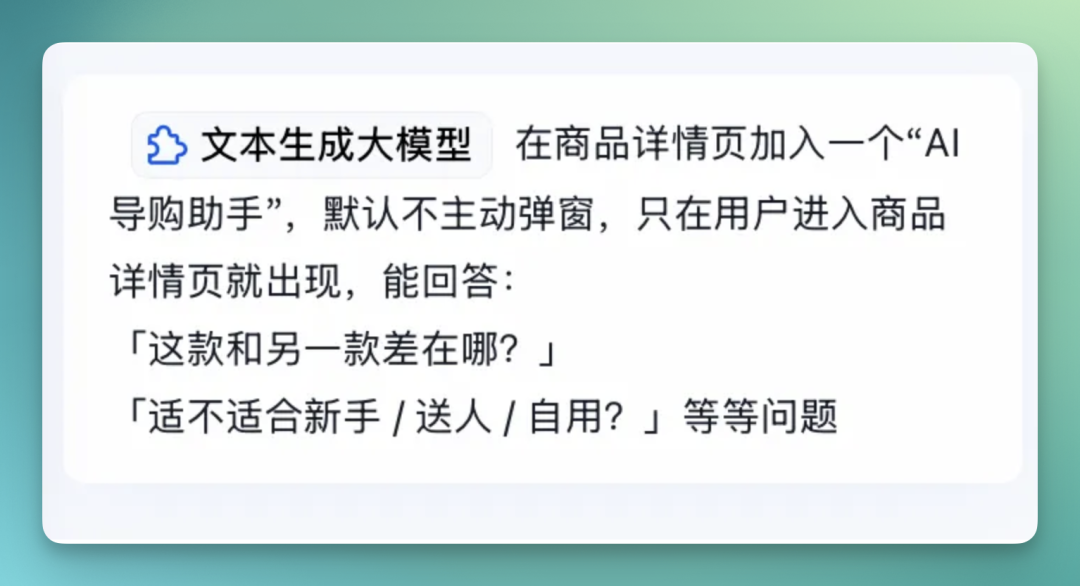
The first one leverages Baidu's text generation model to add an AI Shopping Assistant to the system.
Here's the prompt:
Add an "AI Shopping Assistant" to the product detail page. It should not pop up proactively by default, only appearing after the user stays for a certain time or scrolls multiple times, capable of answering:
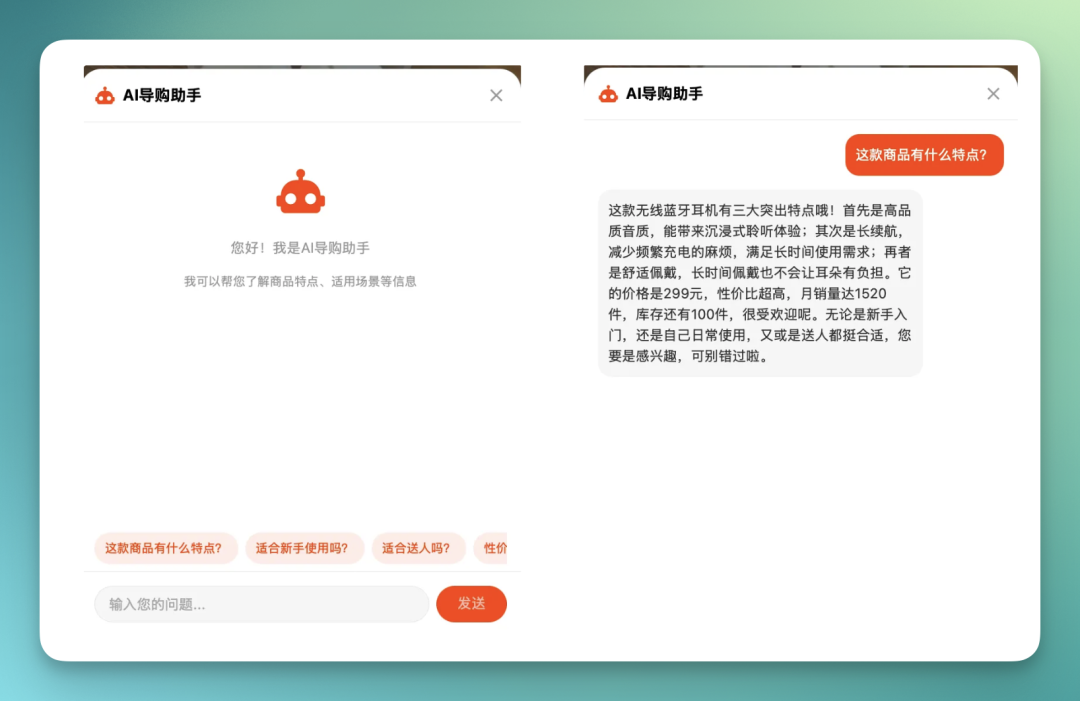
For instance, when I click into a ¥299 wireless Bluetooth earbud product page, you can see a new AI Shopping Assistant module added below.
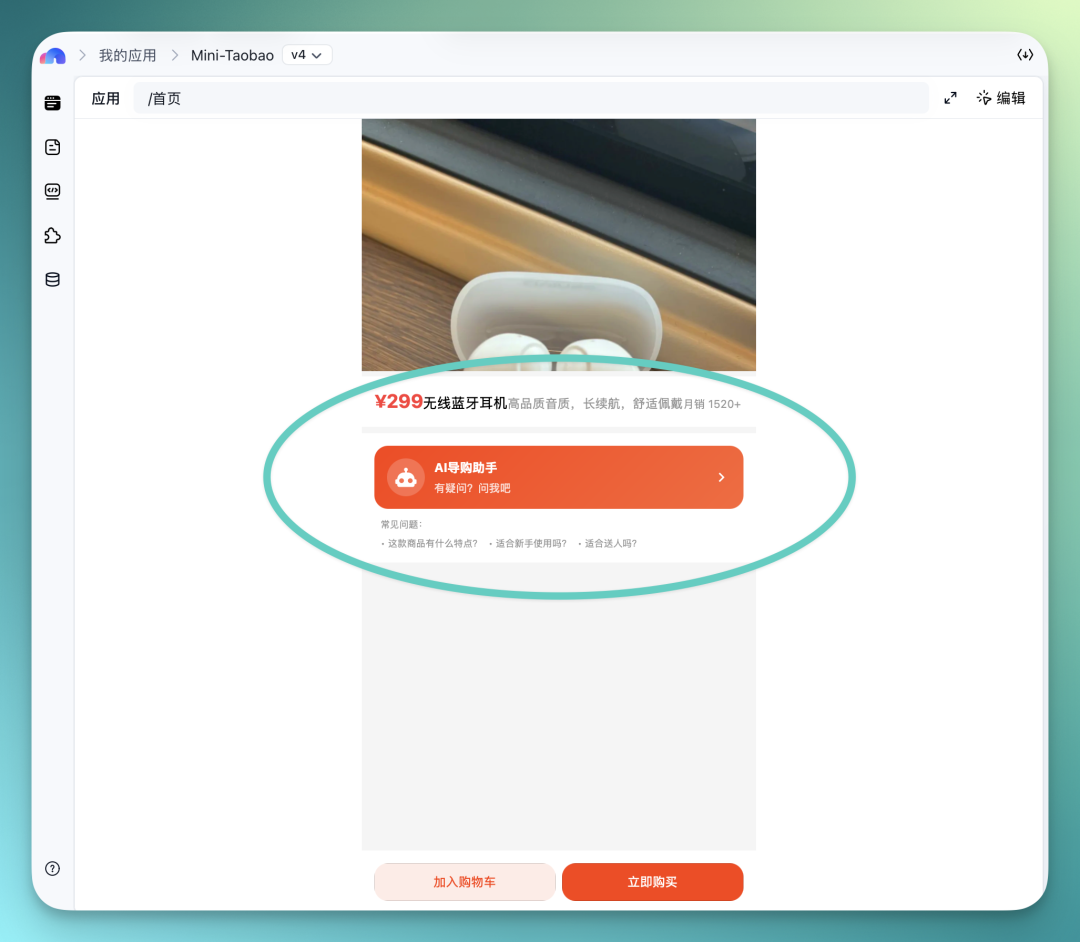
When you enter this AI Shopping Assistant, it starts with some preset questions, though you can also ask your own directly.
The text module's backend is actually connected to Baidu's AI capabilities. For example, when I ask about this product's features, it thinks for a dozen seconds or so, then gives a response.
And this response isn't one-and-done — you can keep iterating, like adding a preset prompt or having it supplement with AI search, all of which is supported.
You can even add an AI Compare + Search capability, letting AI generate a comparison table in something like Markdown format for you.
While the table doesn't look particularly polished at first, it can be continuously optimized through subsequent iterations.
Here's the prompt:
Support users triggering "Compare Mode" with one click on the product page. AI automatically selects 2–3 same-price/similar-category products and generates a comparison table across [price, core specs, suitable audience, common pain points].
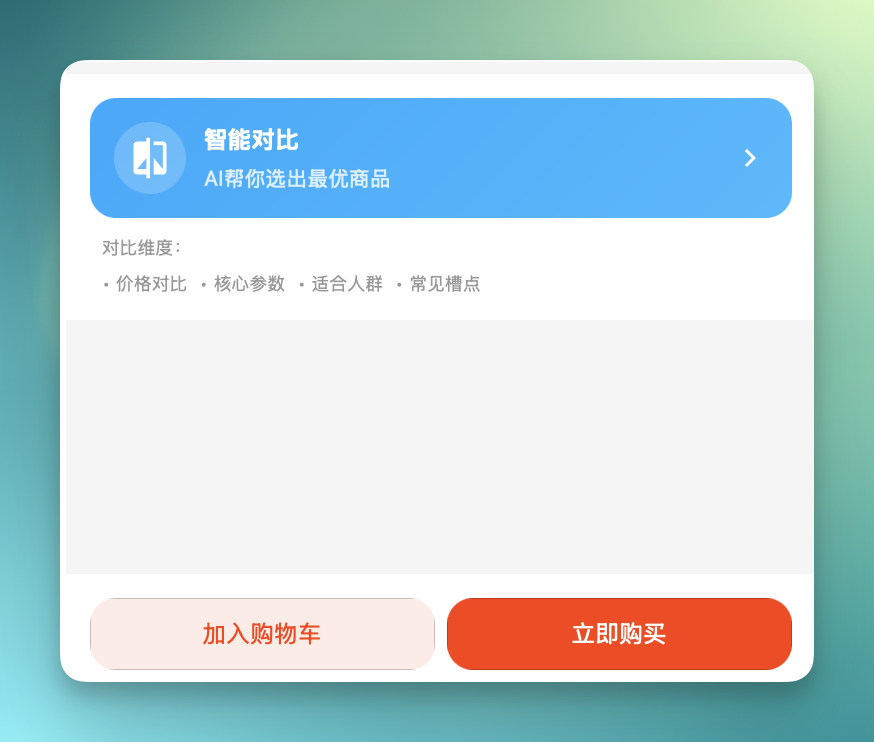
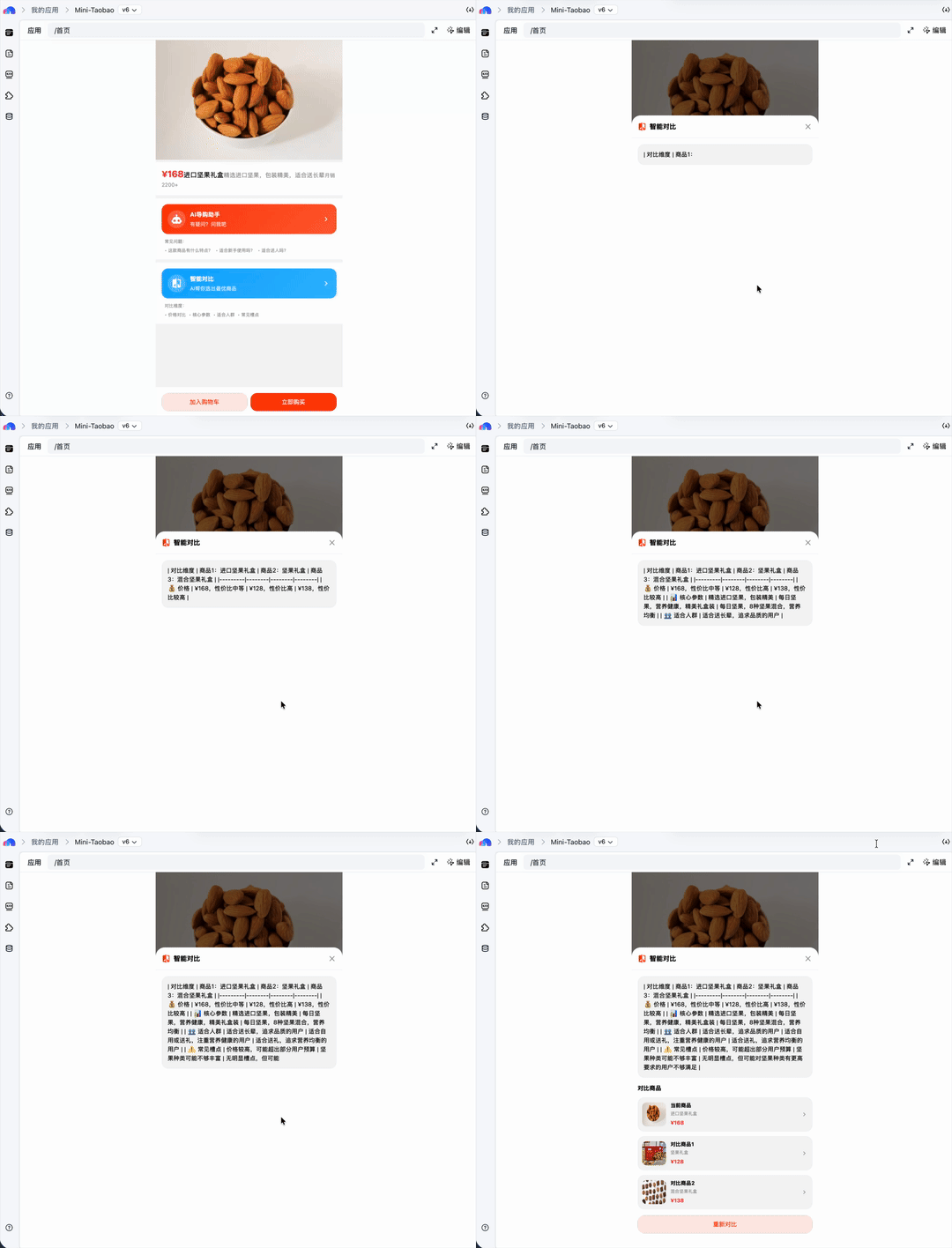
For example, I click into a product detail page, then tap the "Smart Compare" feature.
It first generates a table-formatted comparison for me, covering product name, price, some core specs, and suitable audience among other key info.
Then it supplements with comparison images of related products and their corresponding detail page links, making it easy to keep browsing.
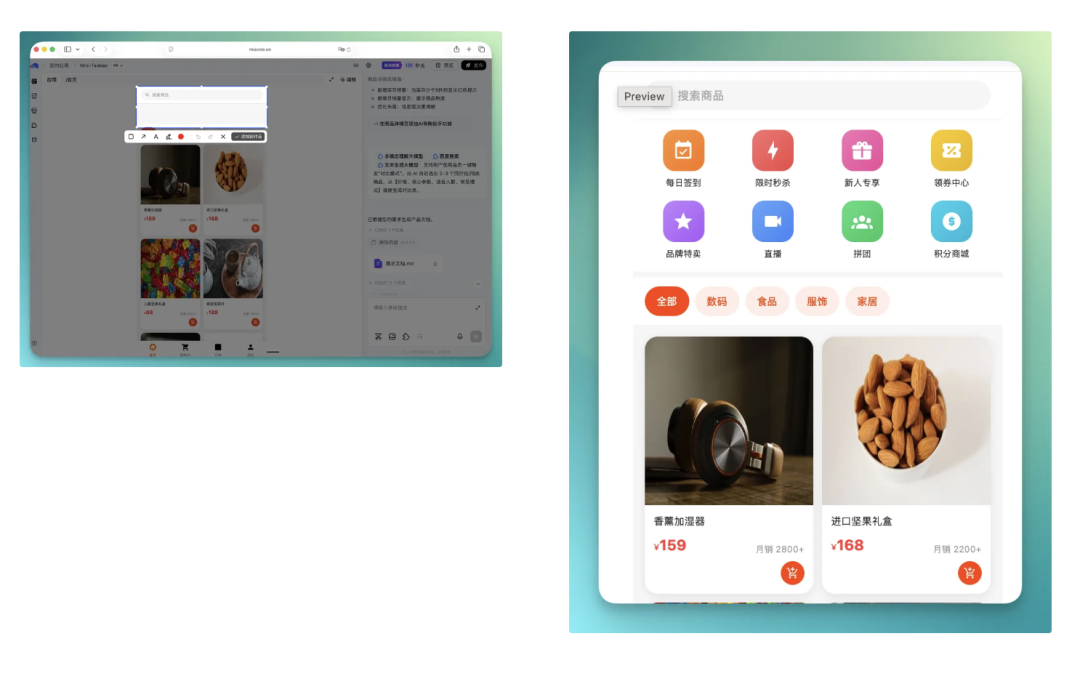
Baidu Miaoda has another interaction point I quite like.
You can directly take screenshots of the product pages you've built in the text box on the right.
For example, capture a small section, add it to the conversation, and iterate on just that specific part.
At the time, I selected a blank area on the homepage, dropped it into the conversation, and asked it to fill in some features — the response speed was actually quite fast.
Of course, the icons generated at this stage still look fairly basic. Later on, you can also upload your own images to replace these default feature display images.
Deep AI Search Engine
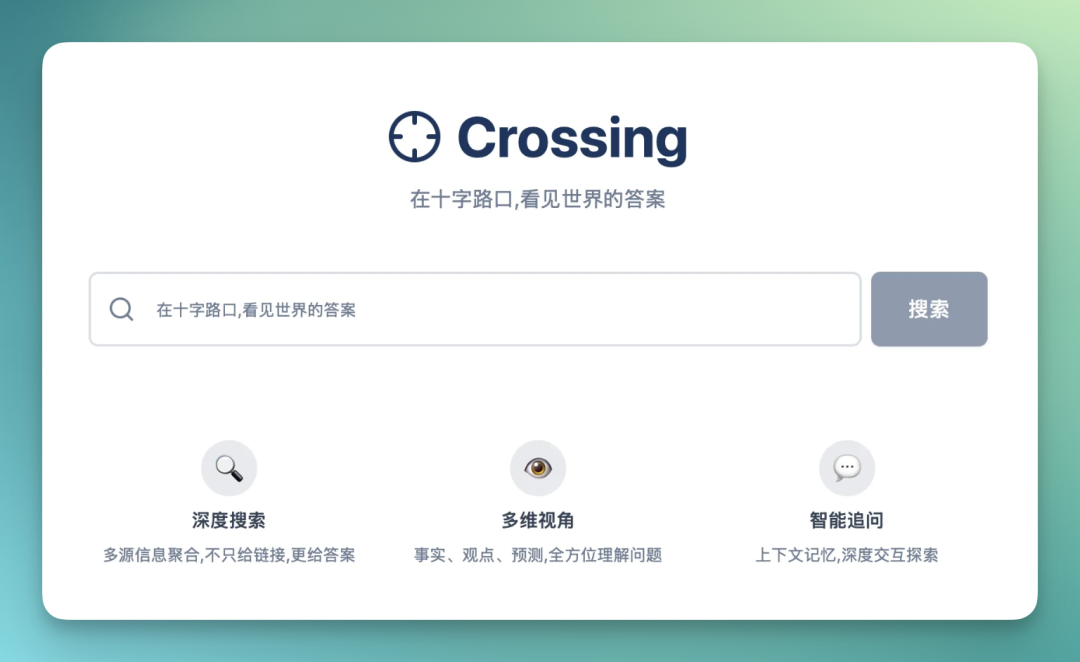
Next, I built something myself: a Crossing Deep AI Search Engine. This little tool connects to Baidu's AI search and text generation capabilities.
The overall logic is simple: first do a full-web AI search, then organize the results for me in my specified format.
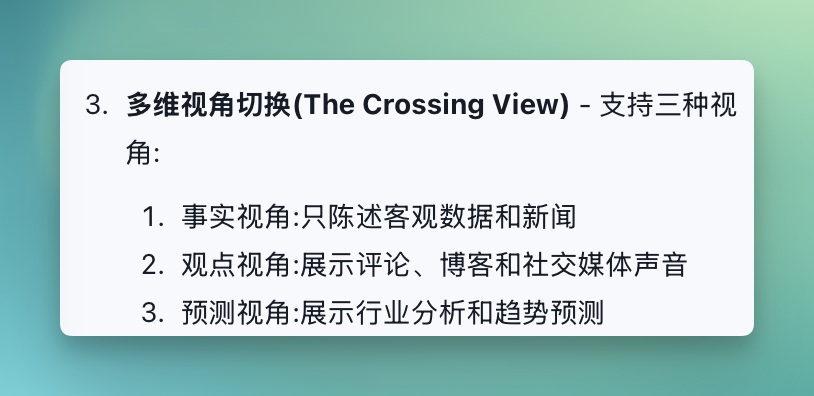
Here I set 3 preset prompts for its output:
🚦 Facts: Default view, only stating objective data and news.
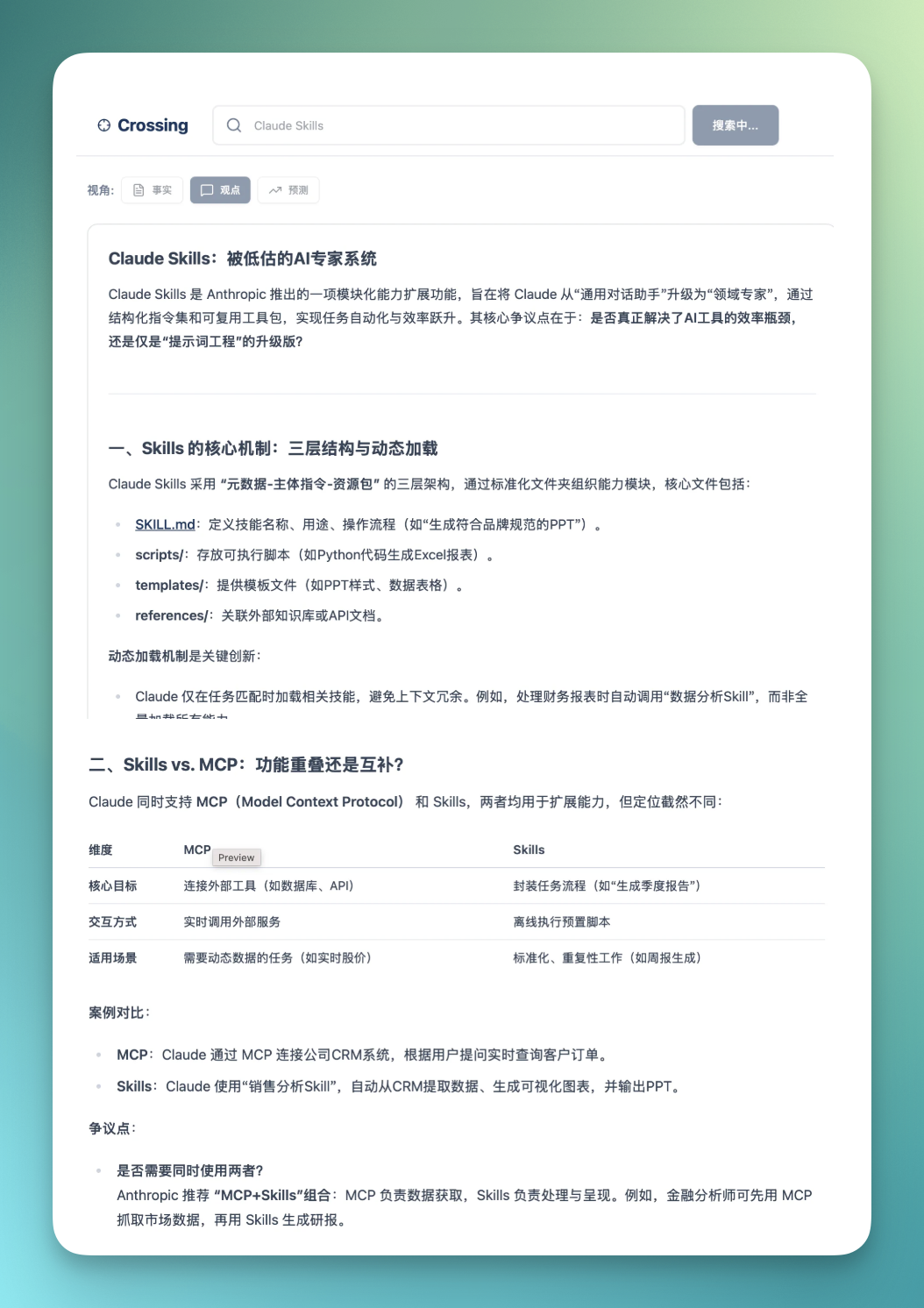
🗣️ Opinions: Focuses on searching comments, blogs, and social media voices, displaying different points of contention.
🔮 Future: Focuses on searching industry analysis and trend prediction content.
The homepage overall effect is fairly clean:
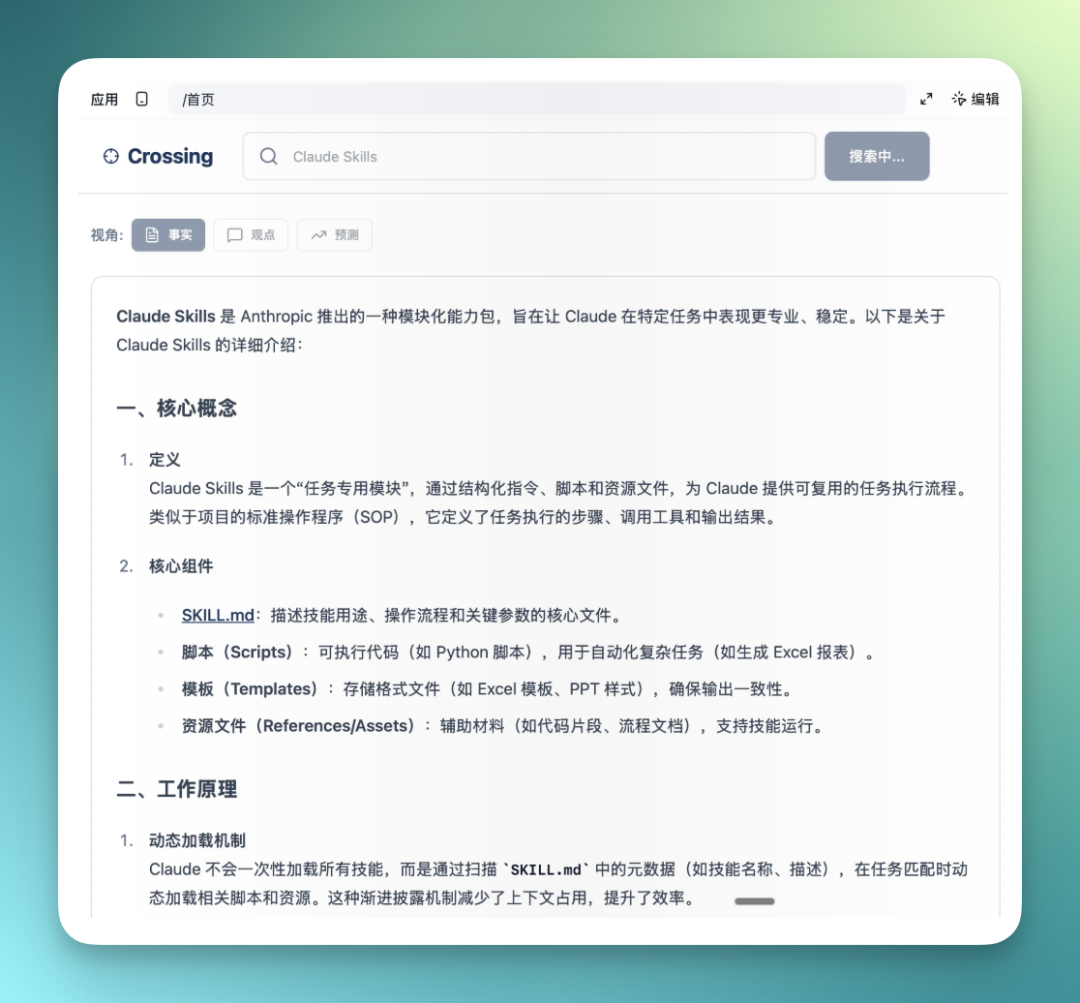
Next comes the core feature of this deep AI search engine: providing 3 different formats and styles of responses.
The first is "Facts" style, only stating objective data and news information.
The "Opinions" module focuses more on searching comments, blogs, and social media voices, displaying different viewpoints and points of contention.
The "Future" module mainly focuses on searching industry analysis and trend prediction related content.
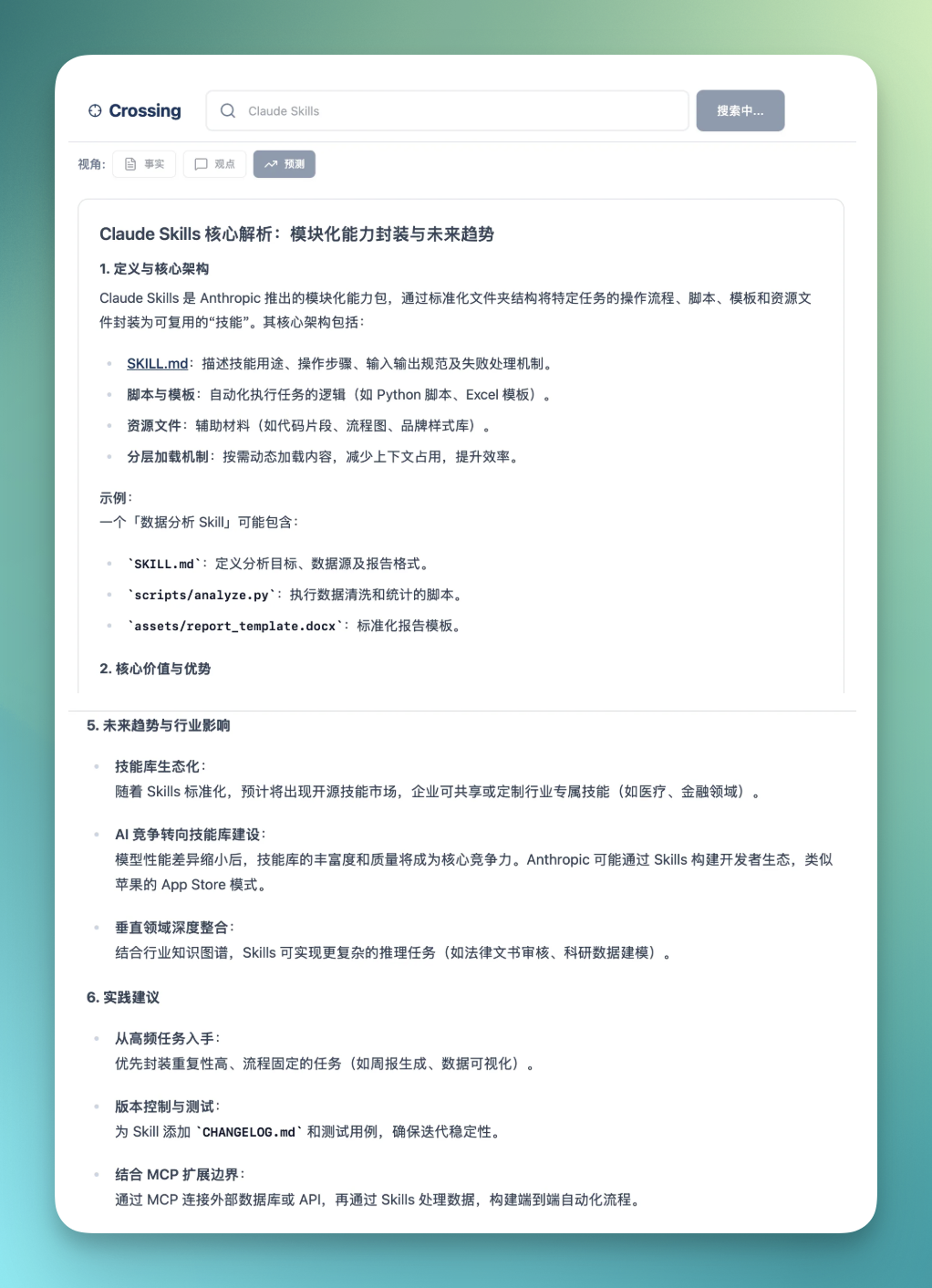
Just these three styles of deep AI search, plus information synthesis — I felt that still wasn't quite rich enough.
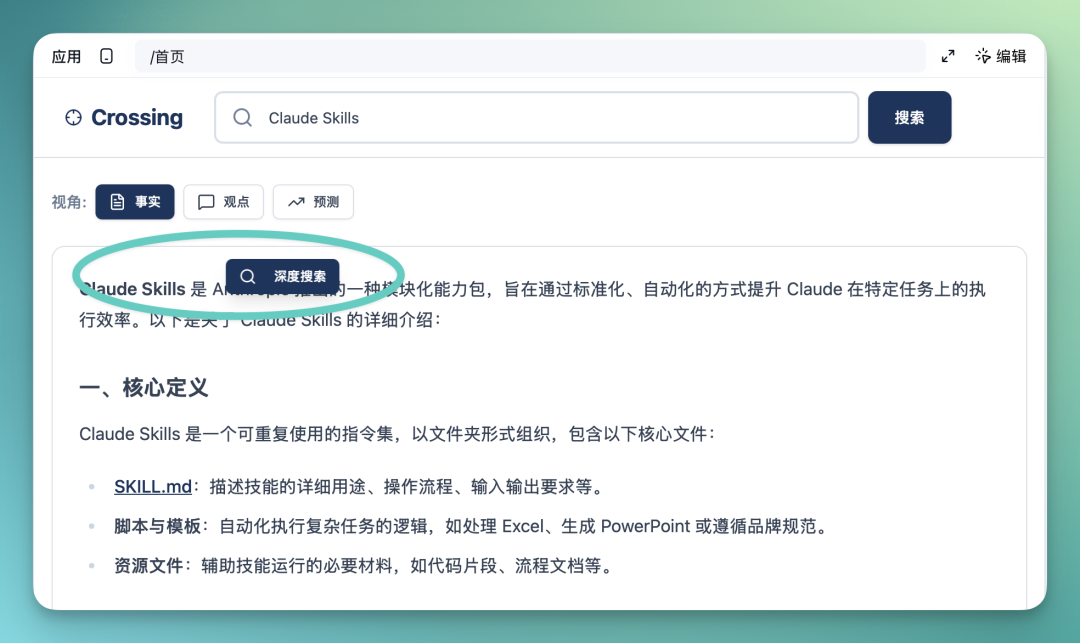
So I added some more interactions, like this "Text Selection Deep Search" feature below.
Its corresponding feature prompt is also included here:
Select text — On the search results page, use your mouse to select any text in the AI answer (max 200 characters)
Click button — After selecting, a floating "Deep Search" button automatically appears above the text
View results — Clicking the button opens a popup showing deep search results for the selected text
Continue exploring — In the popup, you can view source citations, follow-up suggestions, and also initiate new searches
For example, when I select a sentence on the page, it automatically pops up a "Continue Deep Search" prompt window.
If you click this feature module, it automatically continues deep searching in a small popup.
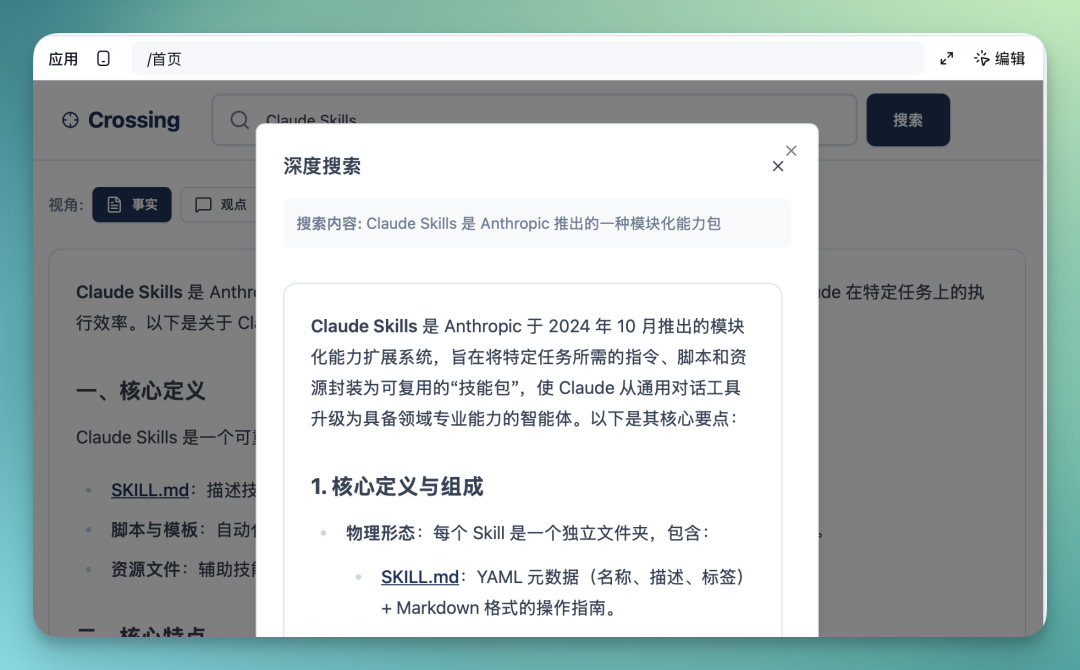
Afterward, you can also clearly feel that Baidu Miaoda is genuinely smooth when it comes to feature iteration, so you can quite naturally keep adding more features going forward.
Prompt Manager
The scenario below is actually something I've personally wanted to build for a while: a prompt manager.
Because once you start using AI deeply, you quickly accumulate a massive pile of prompts, and managing them gets pretty inconvenient — so I just went ahead and built this tool.
In this prompt manager, it's roughly divided into several functional modules:
First, it supports creating new prompts and categorizing different prompts. The large middle area is for displaying specific prompt content, including titles and corresponding tags.
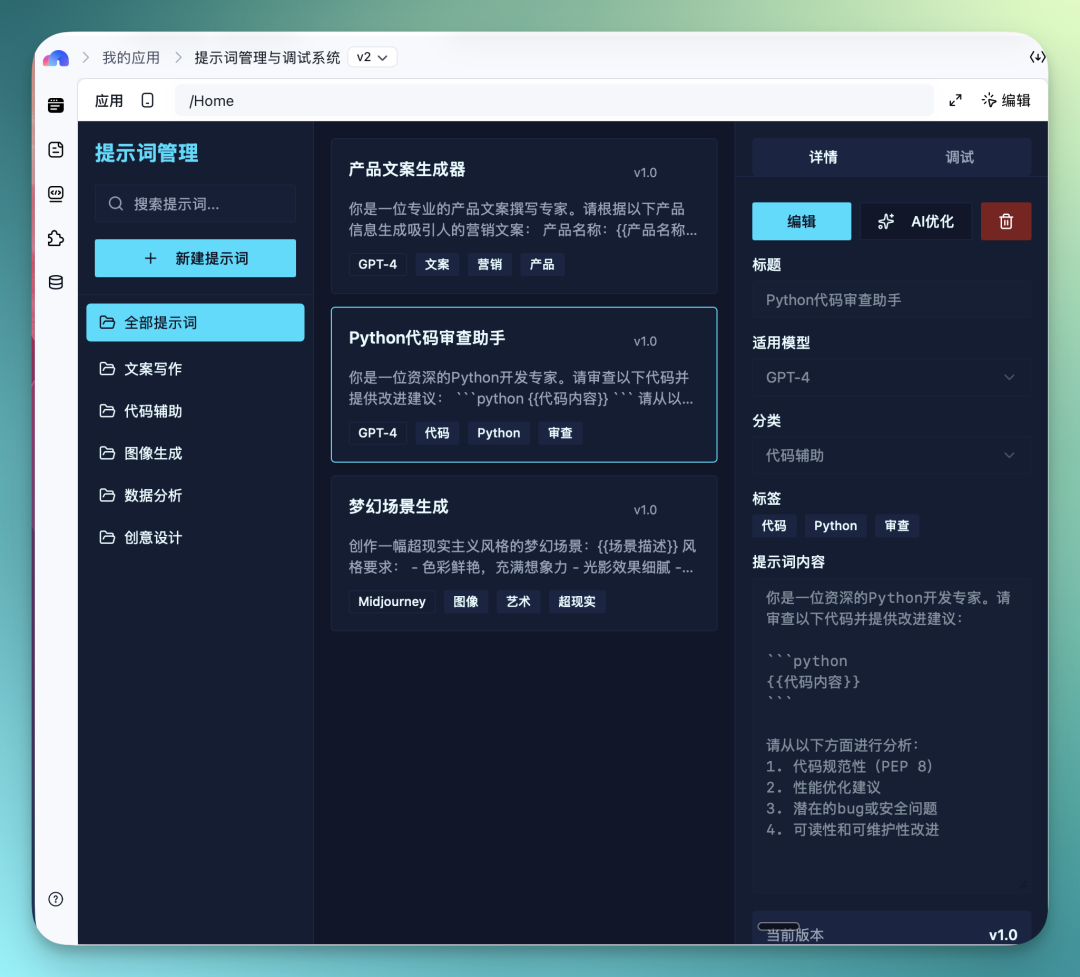
On the right, there's a details plus debugging module, mainly for showing the specific content of a prompt.
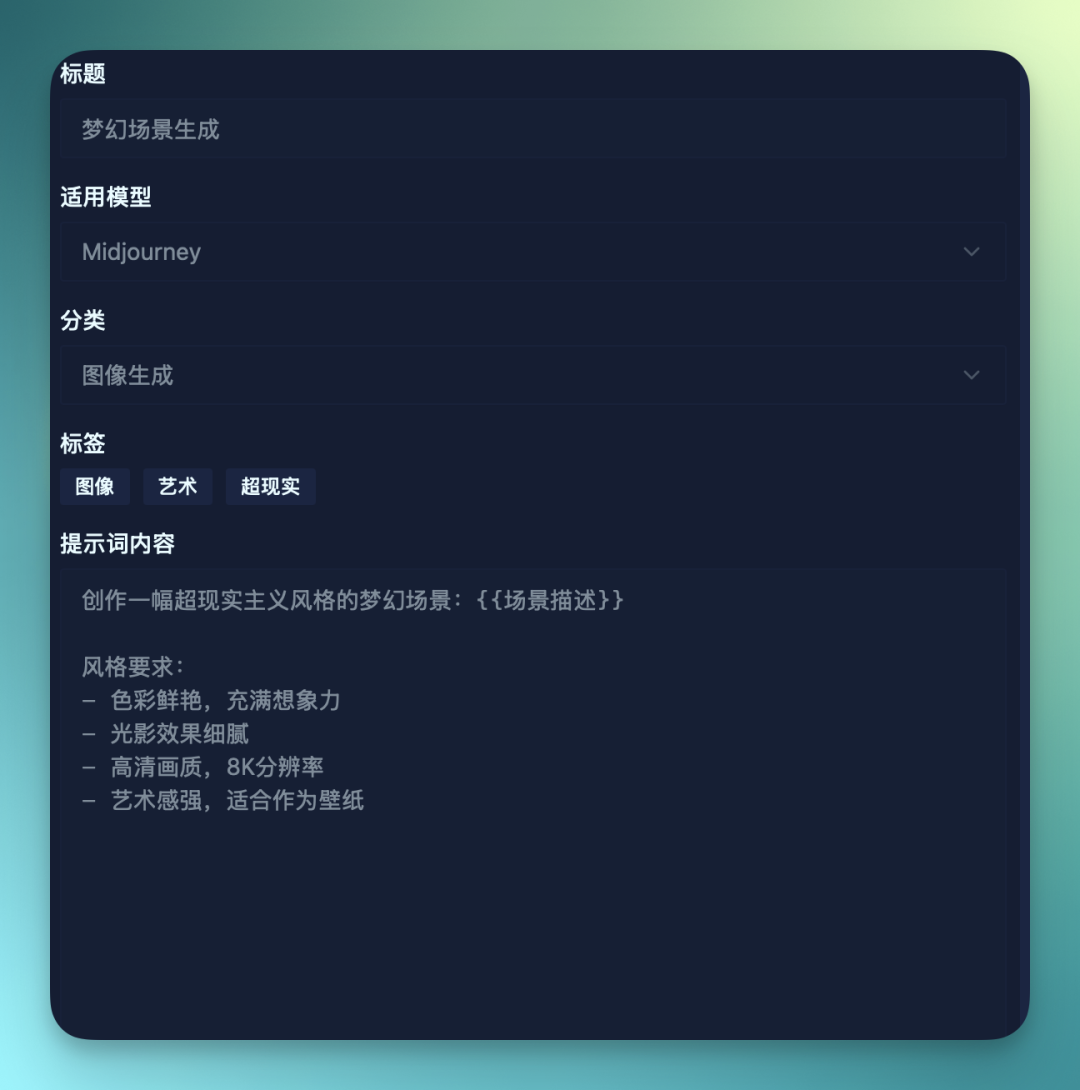
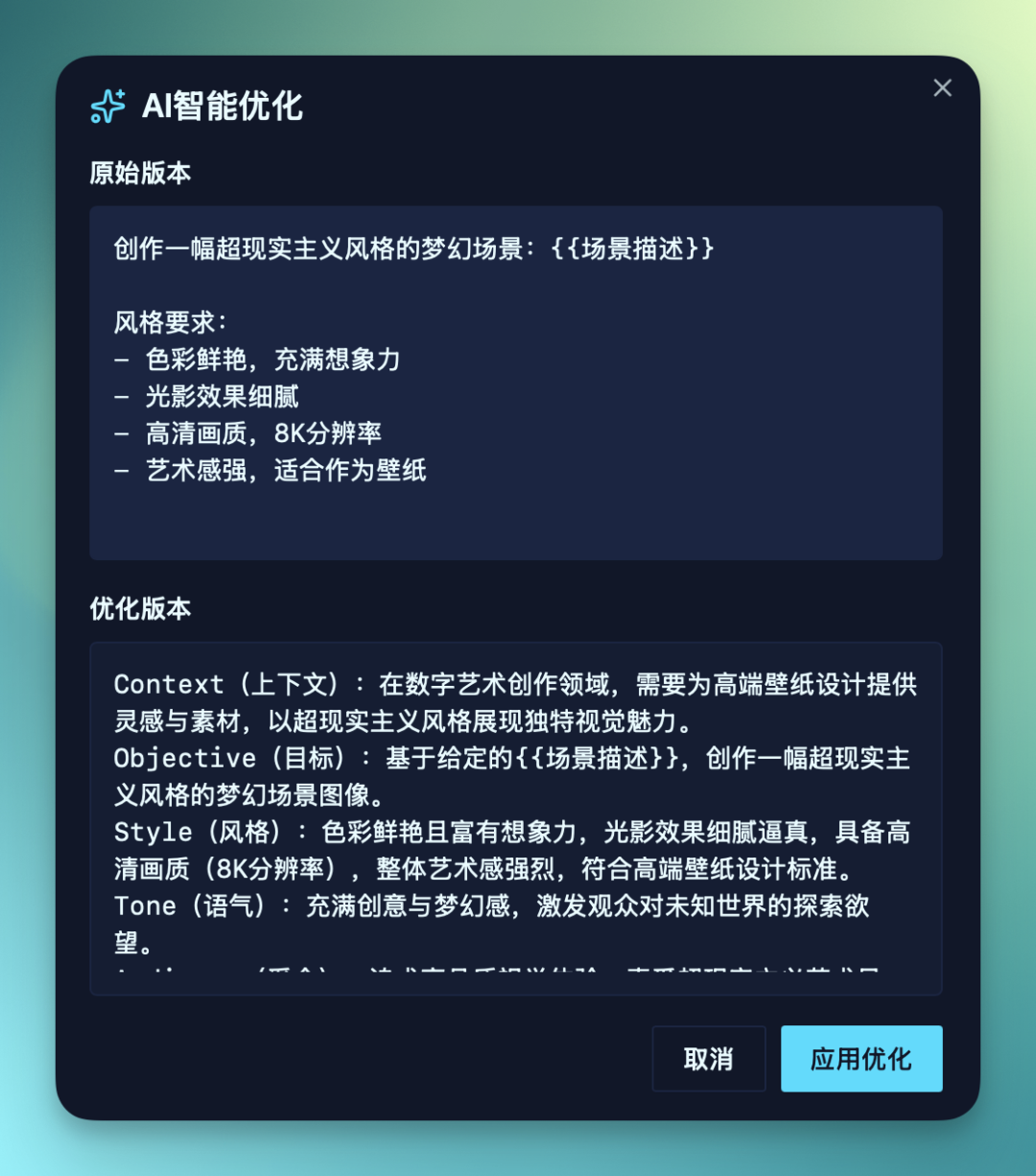
Then in this detail page, I also added an AI Optimize feature.
Meaning, after you input a prompt, it calls Baidu's own AI capability to re-optimize your prompt and restructure it into a more organized version.
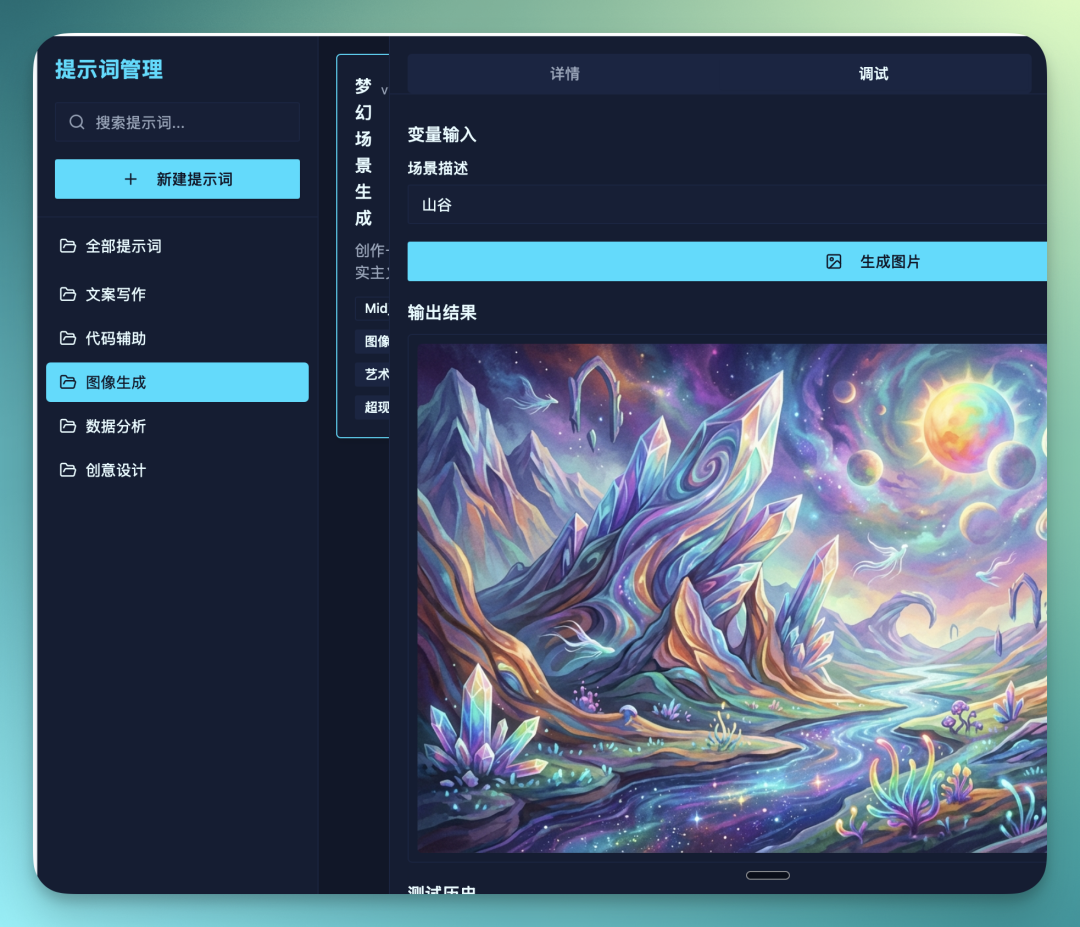
Additionally, in the debugging module, this is a feature I specifically added.
My thinking was: after I input a prompt, I can enter debugging mode at any time and directly see what results this prompt actually produces.
This way, I can very conveniently and quickly judge whether this prompt is okay or not, and whether it needs further adjustment.
For example, in the original prompt framework, I only needed to fill in one variable. Here I entered "valley," and it directly calls Baidu's AI image generation model to generate a corresponding image for me.
Then, these completed "little products" can all be published quite smoothly. Here I tried clicking "Test Publish WeChat Mini Program."
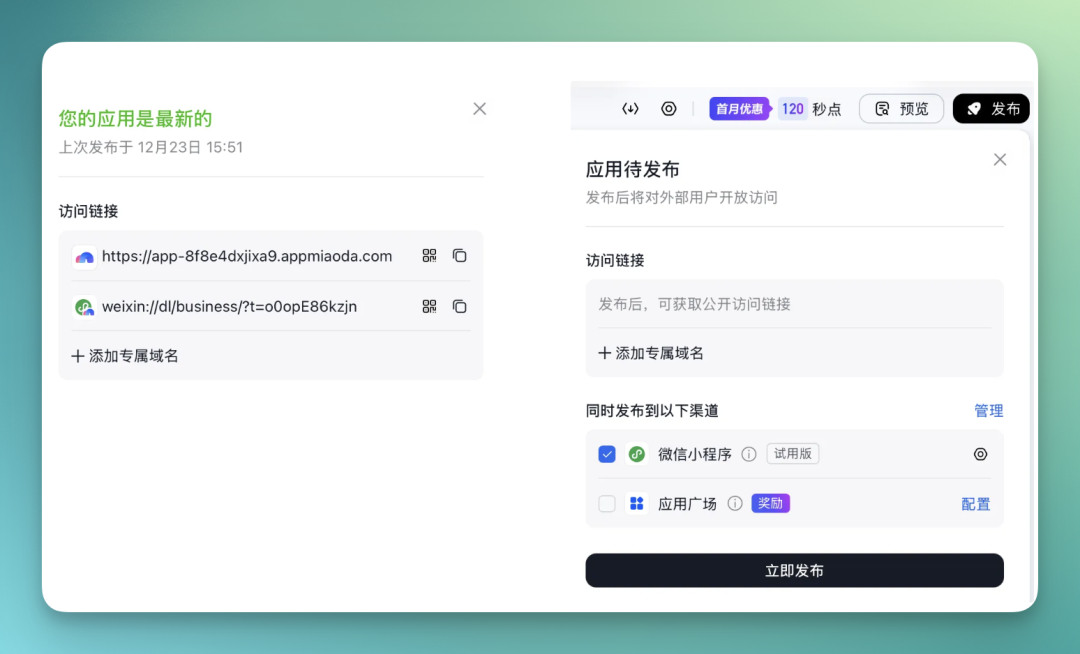
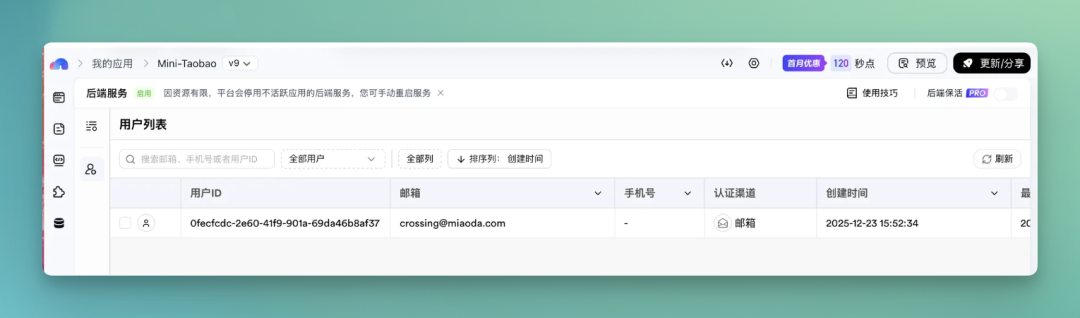
After publishing, I also tried registering in the WeChat Mini Program — all data generated from these operations syncs to Baidu Miaoda's backend services.
For example, user ID, email, authentication channel, creation time, and so on — all relevant information gets recorded and stored uniformly in the backend system.
Overall, my impression of Baidu Miaoda is quite simple: it feels smooth to use, and smooth to iterate on.
First, capability-wise.
Miaoda has a full set of composable capabilities built in — data structures, frontend and backend fundamentals (login, permissions, page states), AI capabilities (text generation, AI search, AI image generation), and some more practical ecosystem plugins (like WeChat login, mini programs, payments, etc.).
These capabilities don't require me to wire up from scratch; they can be plugged in like building blocks as needed.
Second, the usage logic.
Its core interaction isn't actually "writing code." Repeatedly aligning on requirements is the key.
You first state your goal clearly in natural language → Miaoda gives you a runnable v1 → you keep refining through "add feature, change page, screenshot and point to modify" → then gradually embed AI capabilities to make the product more complete.
The whole process really emphasizes taking it slow. Use it enough and you'll find it's more like training you in "how to break down requirements, how to judge whether a feature is useful."
From writing prompts, generating requirements documents, to running the first version, to constantly adding features and tweaking details — the whole path flows smoothly, with no obvious sticking points.
For many people who normally just "have some ideas but can't be bothered to act on them," this experience itself is already a big plus.
The things I built with it were mostly ordinary, everyday stuff.
From this perspective, Miaoda is more like helping people develop a habit: when you run into a problem, first try building a tool yourself to see. Whether it can become a big project — that's a question for later.
🚥
Looking back at these 4 products we "hand-built" on Baidu Miaoda: from the "lunch voting app" to "Mini-Taobao," the deep AI search engine, and the prompt manager — throughout the entire process, we didn't write a single line of code or configure any complex environments once.
In 2025, the barrier to developing an application is being rapidly lowered to the level of "being able to speak."
Baidu Miaoda is a representative product of this trend.
It doesn't promise that everyone can make great products. But even if it's just a small tool, an internal team app — as long as someone is willing to use it and put in a little patience to refine it, the thing already works.
In a sense, this sentiment might capture the shared mindset of the people it's aimed at:
I don't want to just be a user. I want to try being a creator.
And when this mindset starts becoming common, change has usually already happened.
P.S. Finally, we recommend going to "Miaoda" and building a small product yourself. Official site: https://www.miaoda.cn, or click "Read Original" below.