Office Is the Main Battleground for 2026 Agents | Moonshot AI K2.5 Goes Open Source, Agents Score First Victory

3, 2, 1, action!
**
3, 2, 1, Action!

👦🏻 Author: Jingshan
🥷 Editor: Koji
🧑🎨 Layout: NCon

On January 10, a panel discussion at Tsinghua University suddenly found itself in the spotlight.
Jie Tang, Qiang Yang, Zhilin Yang, and Shunyu Yao shared the stage, with some in the audience dubbing them the "Four Horsemen of China's Foundation Models." What was supposed to be a roundtable turned into more than 70 minutes of sustained interrogation at the AGI-Next conference. The conclusion was unambiguous: the path of building nothing but chatbots and differentiating through benchmarks has grown narrow, nearly exhausted.
The question then becomes blunt: where to next?
The answer:
Action.
Zhilin Yang of Moonshot AI kept returning to one point: AI can't stay trapped in dialog boxes, spitting out text forever. What really matters is the ability to call tools, run complete workflows, and see complex tasks through from start to finish.
Viewed through this lens, Moonshot AI's recent moves take on a clear direction.
Four months ago, in our article "Is Kimi's 'OK' Actually OK? | Moonshot AI Agent 'OK Computer' Launches Today," we put Moonshot AI's Agent, OK Computer, through its paces.
Over the following four months, this Agent has continued to evolve and upgrade. Today, Moonshot AI officially released and open-sourced the Kimi K2.5 model, capable of processing text, images/screenshots, and screen recordings/video. Visual understanding, reasoning, coding, and decision-making happen simultaneously.
The focus of coding capability has shifted from "can the model write code" to whether the Agent can handle real-world tasks. Through an internal Agent cluster, K2.5 can tackle complex tasks spanning 1,500+ steps, outperforming Gemini 3.0 Flash / Pro on multiple Agent-specific benchmarks.
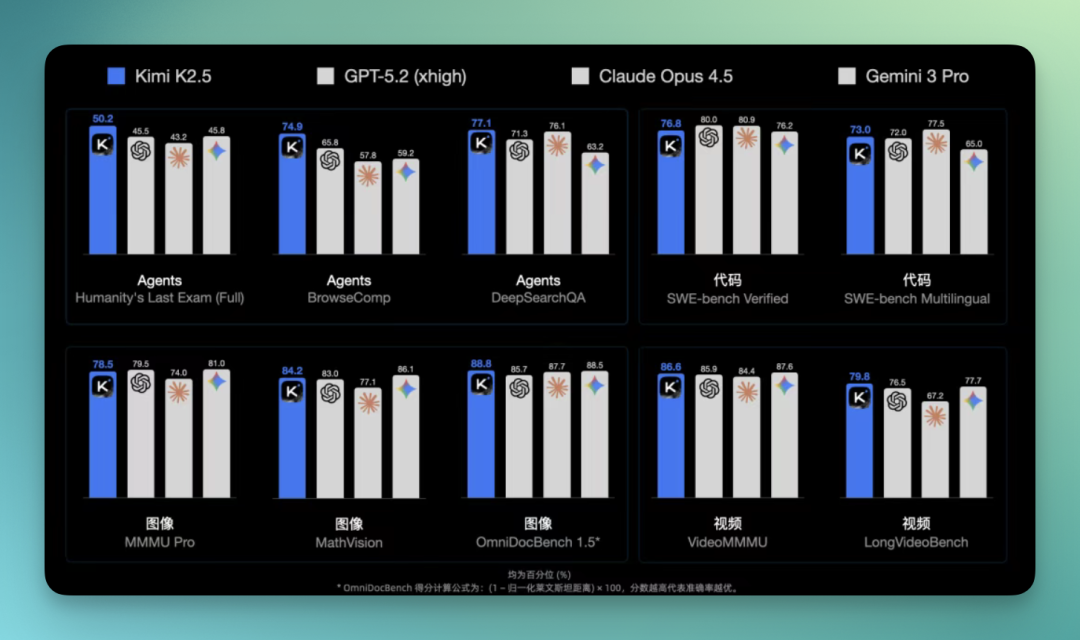
The Kimi Agent features integrate these model capabilities, expanding into Office functions that working professionals urgently need.
The upgraded Kimi Agent now systematically understands how Office works: cell relationships in spreadsheets, structural hierarchies in presentations, layout logic in PDFs. By generating files directly on the web, it enters Office — still the foundational layer where most people do their work.
🚥
Below, we share our hands-on testing of Kimi Agent's capabilities in Office scenarios.
1) Multi-Sheet Linked Excel Capabilities
After using it myself for a while, one immediate impression stands out: Kimi's Agent can already handle Excel at considerable depth.
It's not just simple data entry. When working with complex spreadsheets, it preserves number and text formatting as much as possible, and proactively uses functions to link multiple sheets within the same file.
I tested it with a fairly demanding scenario: having it build a three-year dynamic financial forecasting model for a B2B AI company, output as an Excel file.
This Excel uses multiple interconnected sheets — revenue, costs, cash flow, and assumptions are separated but linked. Change one assumption, and the other sheets update accordingly.
Here's the prompt I used:
Role Setting: You are a top-tier venture capital analyst specializing in TMT (Technology, Media, Telecom), deeply versed in SaaS valuation frameworks and AI company cost structures (Token Economics). Mission: Build a 3-year dynamic financial forecasting model for a B2B generative AI company named "GenWriter AI." Output format: Excel. Logic Constraints: The model must reflect "economies of scale": assume that as user volume increases, unit token costs decline significantly from 2027 onward through fine-tuning of proprietary models. Output: [GenWriter_AI_Financial_Model_v1.xlsx]
It didn't take long — Kimi Agent quickly constructed the core structure, five sheets in total.
The assumptions page broke out customer growth, token usage, and operating costs separately, with all manually adjustable inputs highlighted in yellow.
The P&L was stretched across 36 months, with third-party API costs and cloud compute costs clearly separated.
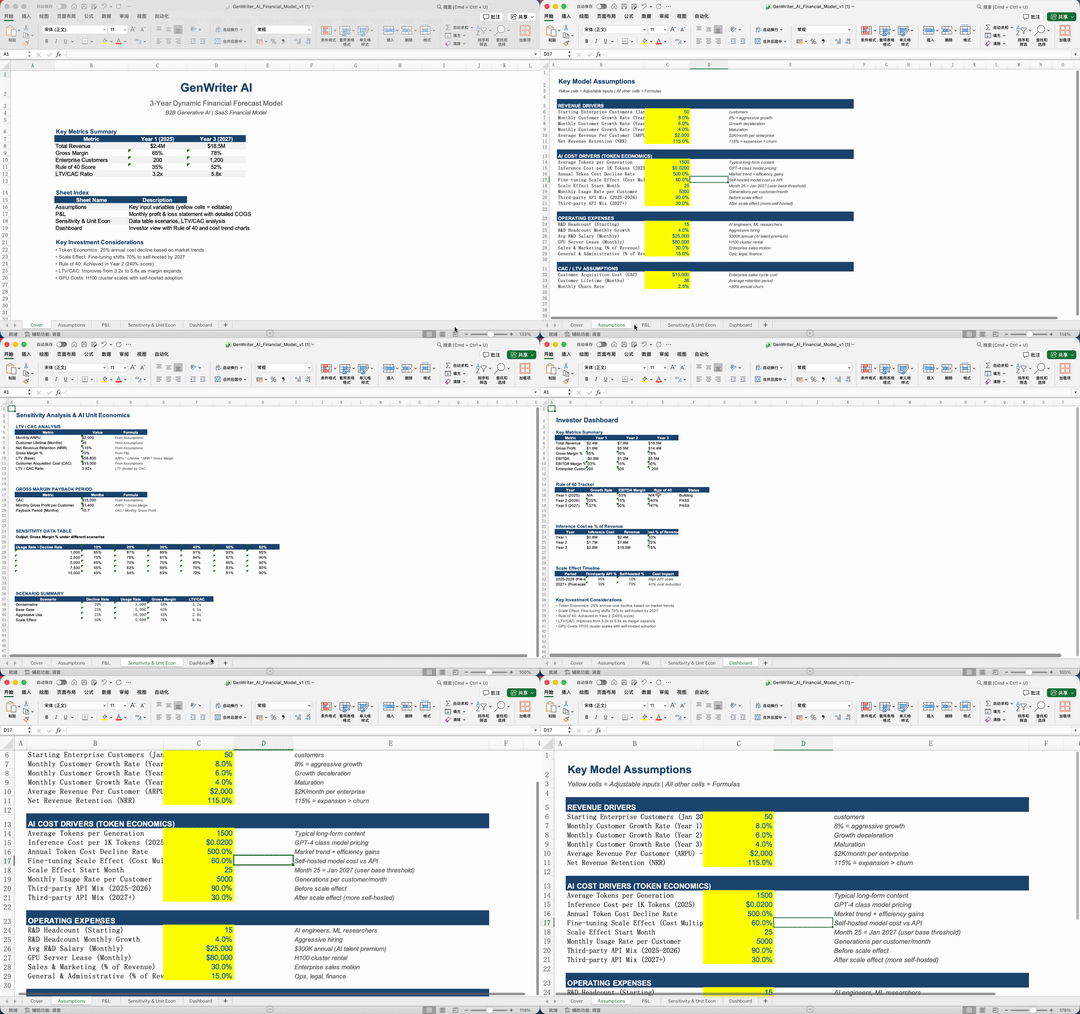
Because these sheets are interlinked, jumping between several worksheets to view them is still somewhat cumbersome and not intuitive enough. So I asked Kimi Agent to consolidate the core content from these five sheets into a single summary sheet.
It understood quickly, pulling out key metrics and placing them together. Open it and you see the full picture at a glance; change an input, and the summary updates in sync:
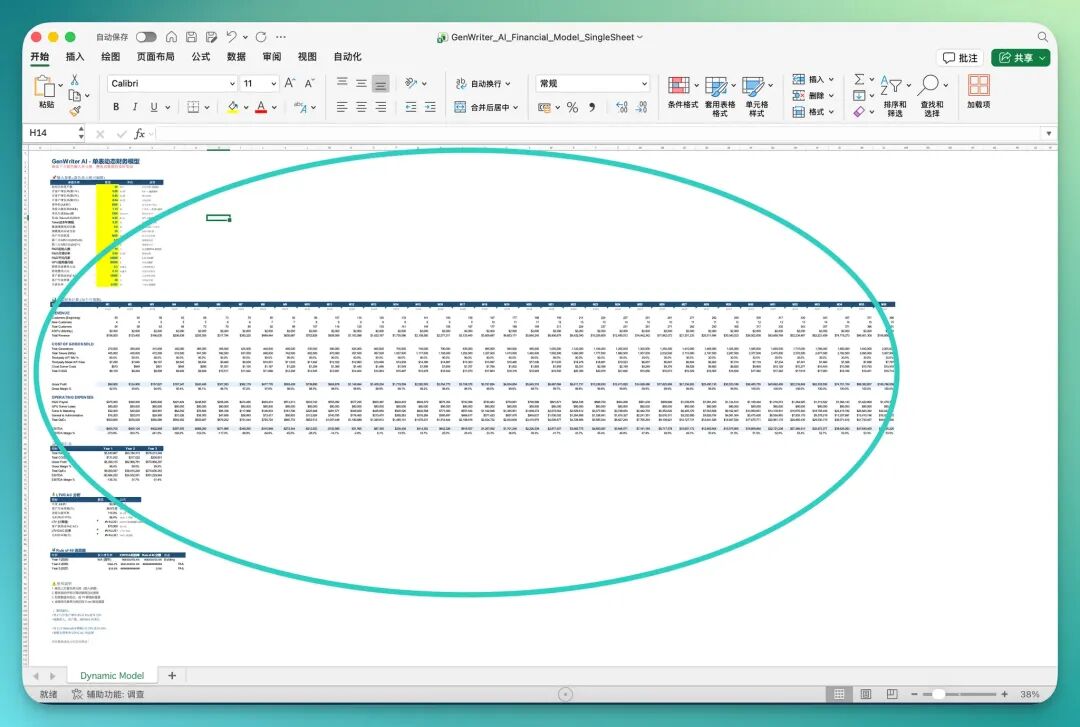
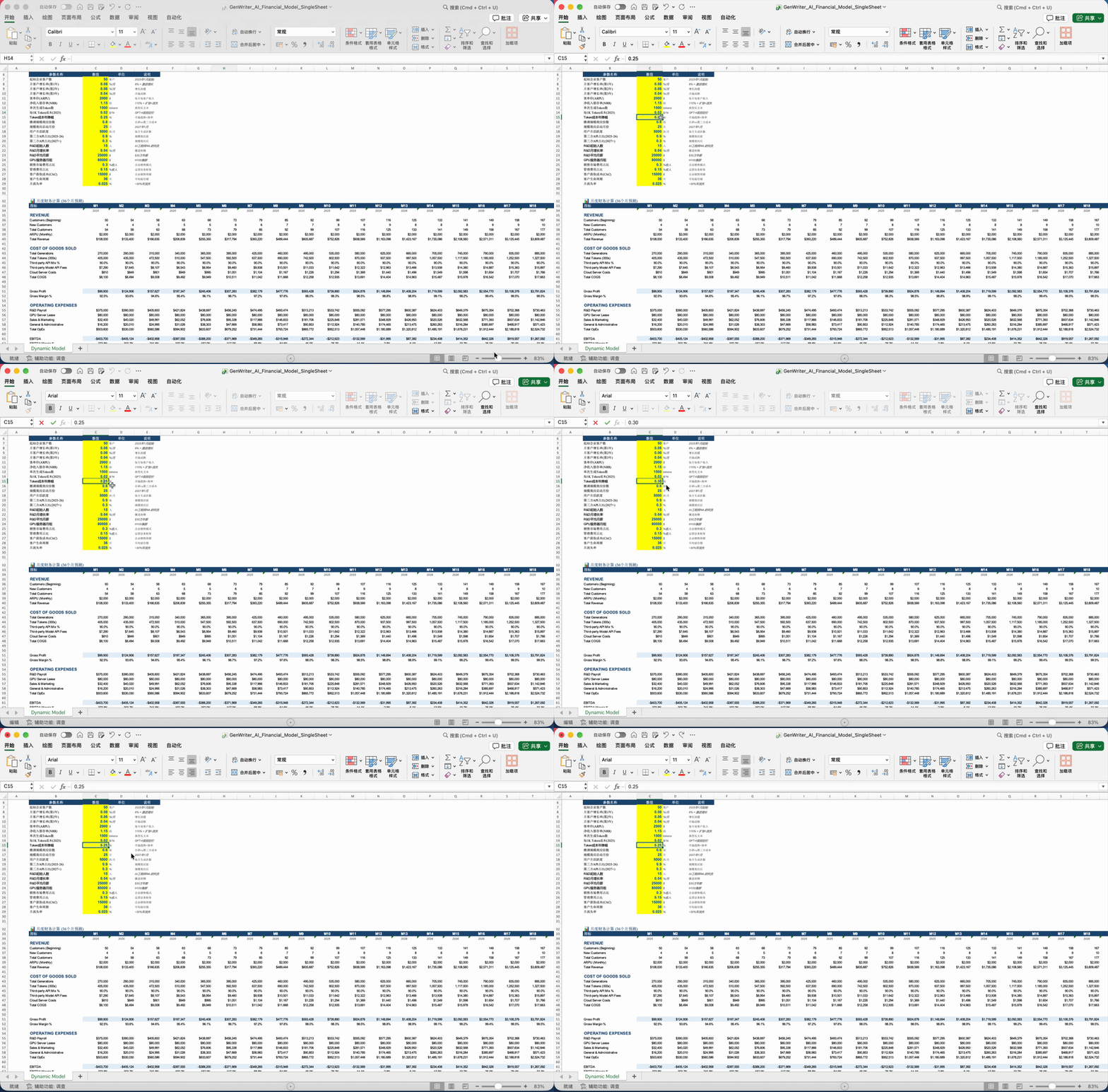
In this summary sheet, one variable is particularly critical: the AI cost driver. For AI companies like this, cost changes typically start with token costs — once this number shifts, it triggers a whole cascade of downstream effects.
I directly adjusted the annual decline rate for token costs, and the financial projections across the entire sheet updated together, the whole model running in lockstep:
2) Layout, Precision Editing, and Insertion Capabilities
I later discovered that Kimi Agent also performs quite reliably with PDFs, especially long-form PDFs.
Late last year, the Museum of Art Pudong in Shanghai held a highly anticipated exhibition featuring masterpieces of Indian, Iranian, and Ottoman art from the Louvre.
On a whim, I tested Kimi Agent by having it create a curatorial guide PDF for the Museum of Art Pudong, to see whether it could handle both content and structure together.
Here's the prompt:
Role Setting: You are a senior Louvre curator deeply versed in Islamic art history and semiotics, and also a seasoned art publishing editor with exceptional aesthetic sensibility. You have just completed installation for the "Miracles of Pattern" exhibition at the Museum of Art Pudong (MAP) in Shanghai. Mission: Your task is to produce an in-depth exhibition guide PDF. The core objective: "teach viewers to read patterns." You must shatter the prejudice that "decoration is superficial," using images and text to help viewers understand how patterns functioned as a universal diplomatic language, symbol of power, and spiritual vessel, circulating among the three empires of India, Iran, and the Ottomans. Output Requirement: Organize content according to PDF generation logic (please provide a download link or generate the file at the end).
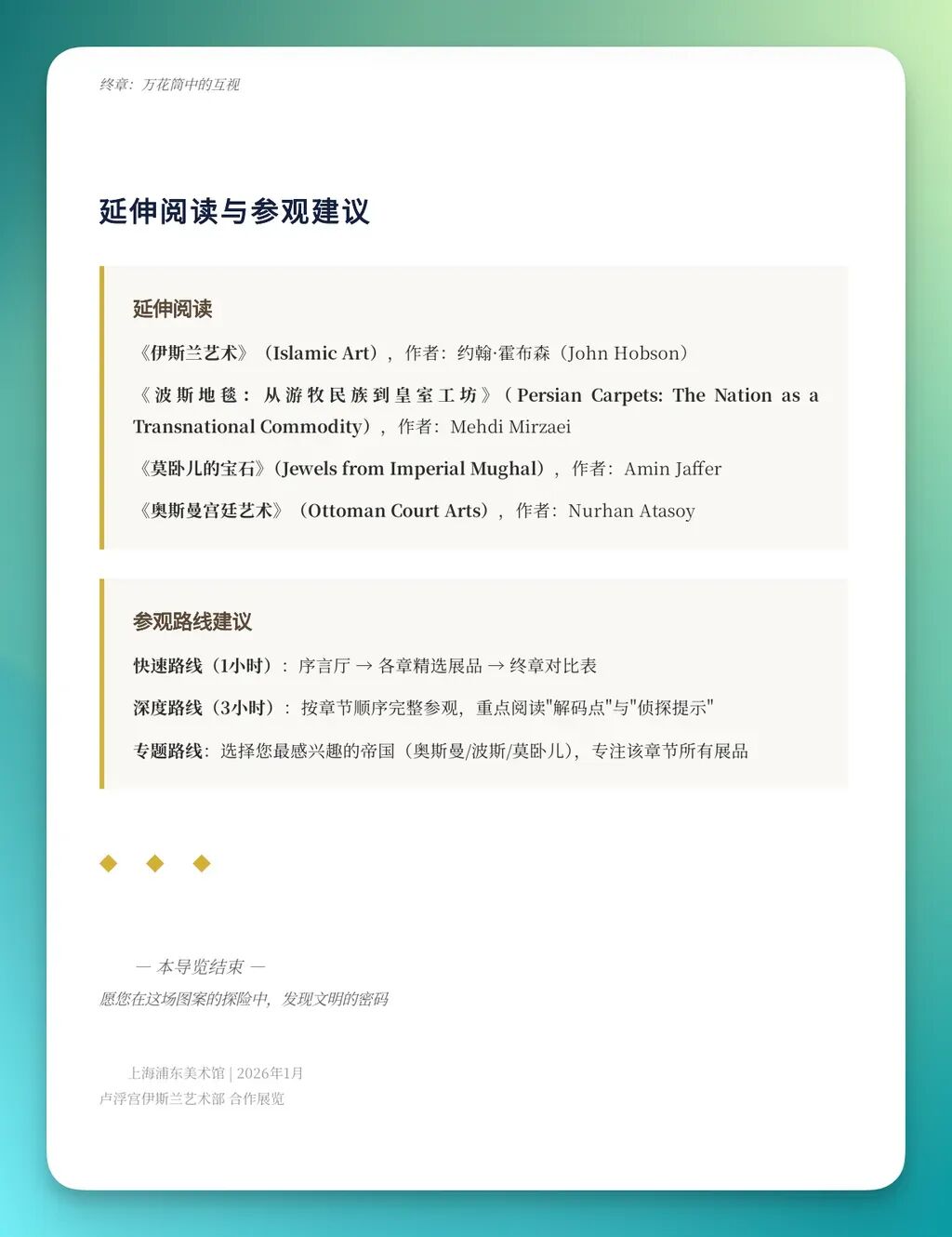
I grabbed a few screenshots — one of the cover page, plus several interior pages. Overall, the PDF's completion level is quite high.
You can see it employs multiple layout styles within the same document. Headings, body text, and different text hierarchies are clearly distinguished. English sections use italics or bold for differentiation, quotations have their own formatting, and it uses black background boxes, borders, and other elements for emphasis.
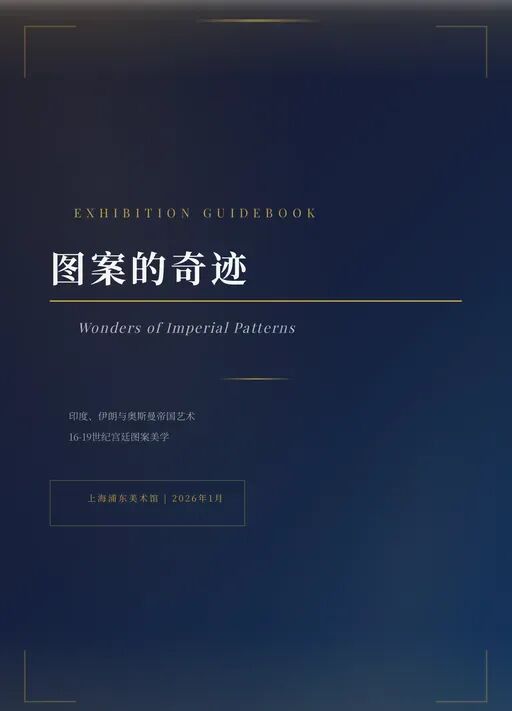
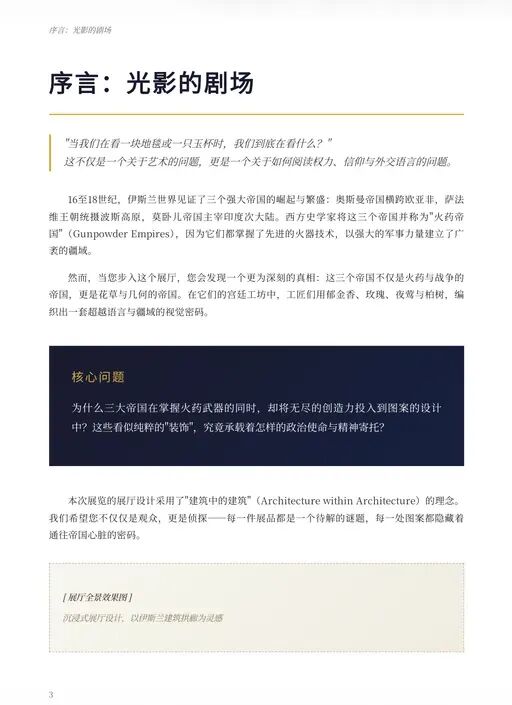
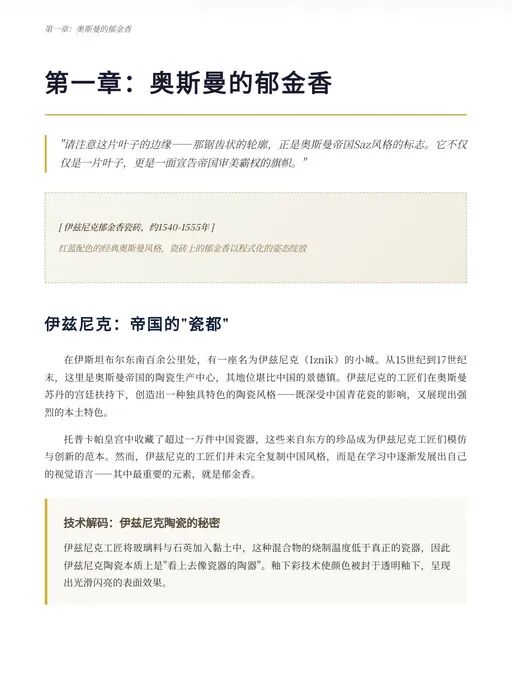
I later flipped through the PDF more carefully and noticed it uses quite a few tables in the body — standard three-line tables, appropriately tidy for organizing exhibition information without looking cluttered.
The quotation block sections are also well-executed in terms of layout, with clear hierarchy and obvious distinction from body text:
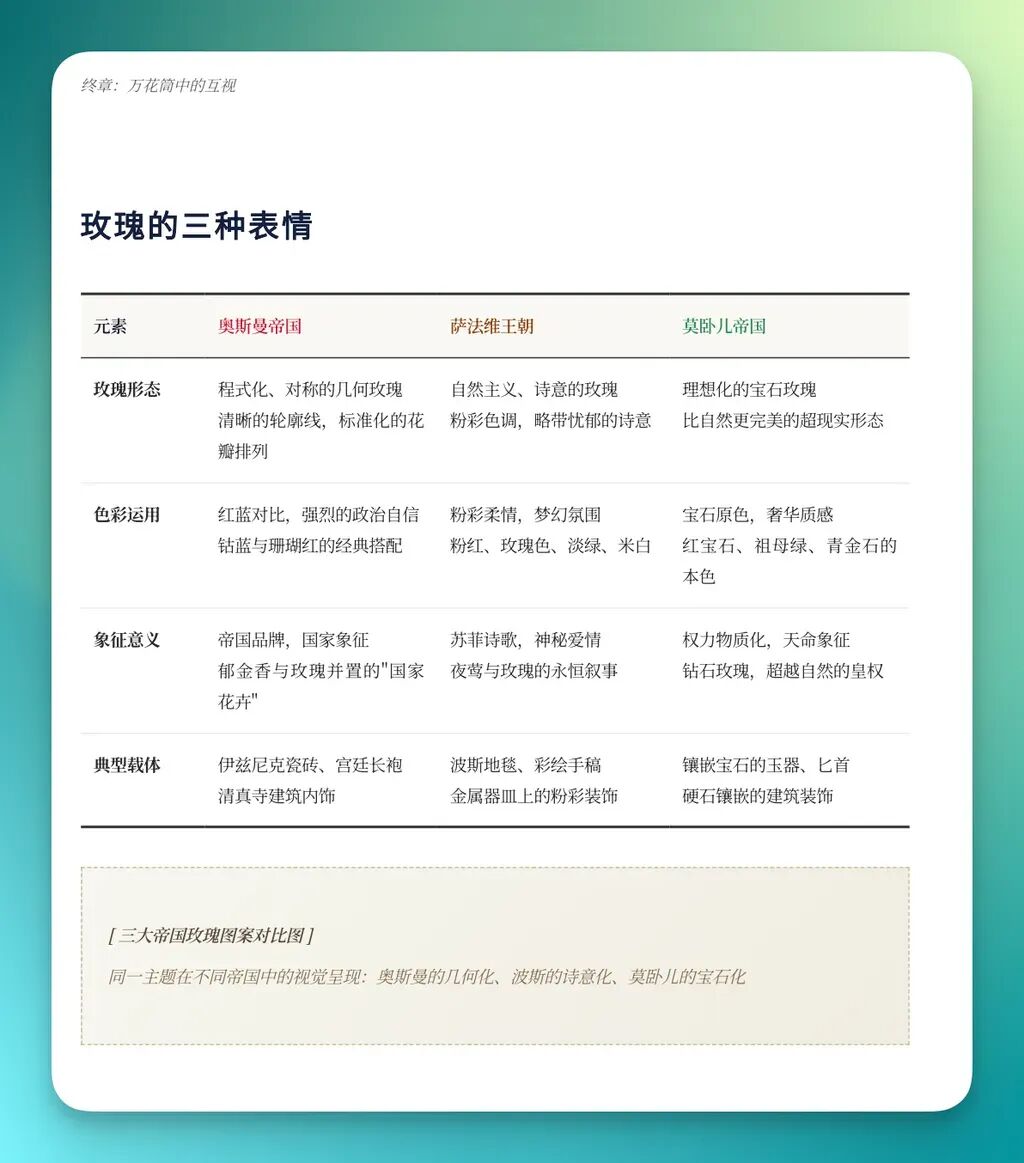
Of course, this version didn't include images, since I hadn't asked for them initially.
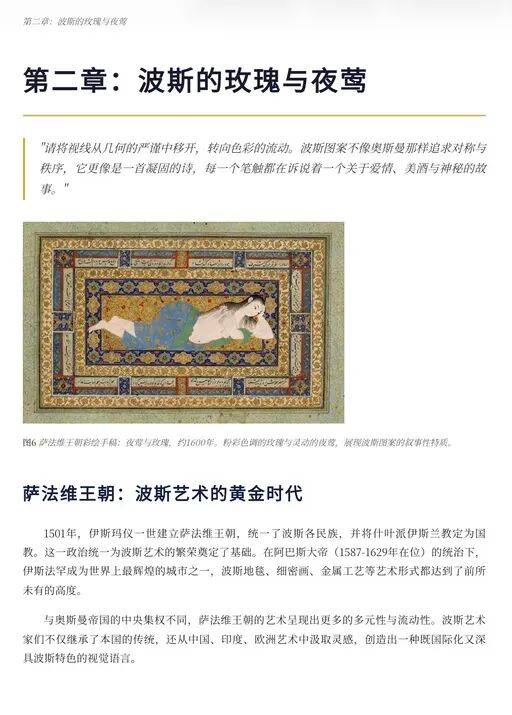
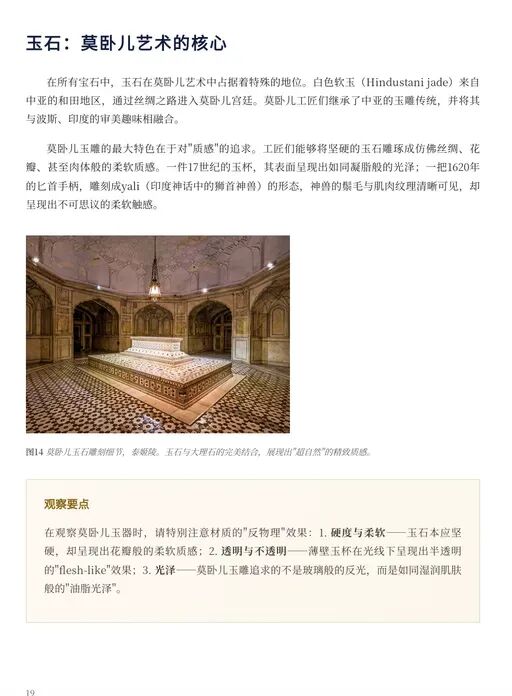
Later I deliberately added a requirement: insert images into the existing PDF without altering the original structure, to test its ability to modify existing files.
The results were solid.
The images went in, but the original text, tables, and quotation formatting remained largely intact, with virtually no obvious layout disruption:

3) Long-Text Capabilities
One final point, something I gradually noticed through actual use.
The current Kimi Agent has grown quite robust in handling extremely long texts — whether 10,000-word Word documents or PDFs of equivalent volume, it processes them with reasonable stability.
I first had it create a white paper on global embodied intelligence AI for me, in Word format, mainly to see whether it could handle both formatting and content when the length and complexity were pushed to extremes.
Here's the prompt:
Role Setting: You are a seasoned technology industry consultant, skilled at writing in-depth industry insight reports (white papers), with a style benchmarked against McKinsey & Company or Gartner. Mission: Write an in-depth report titled "2026 Global Embodied Intelligence Industry Development White Paper." Output format: Word. Output: [Embodied_AI_Whitepaper_2026.docx]
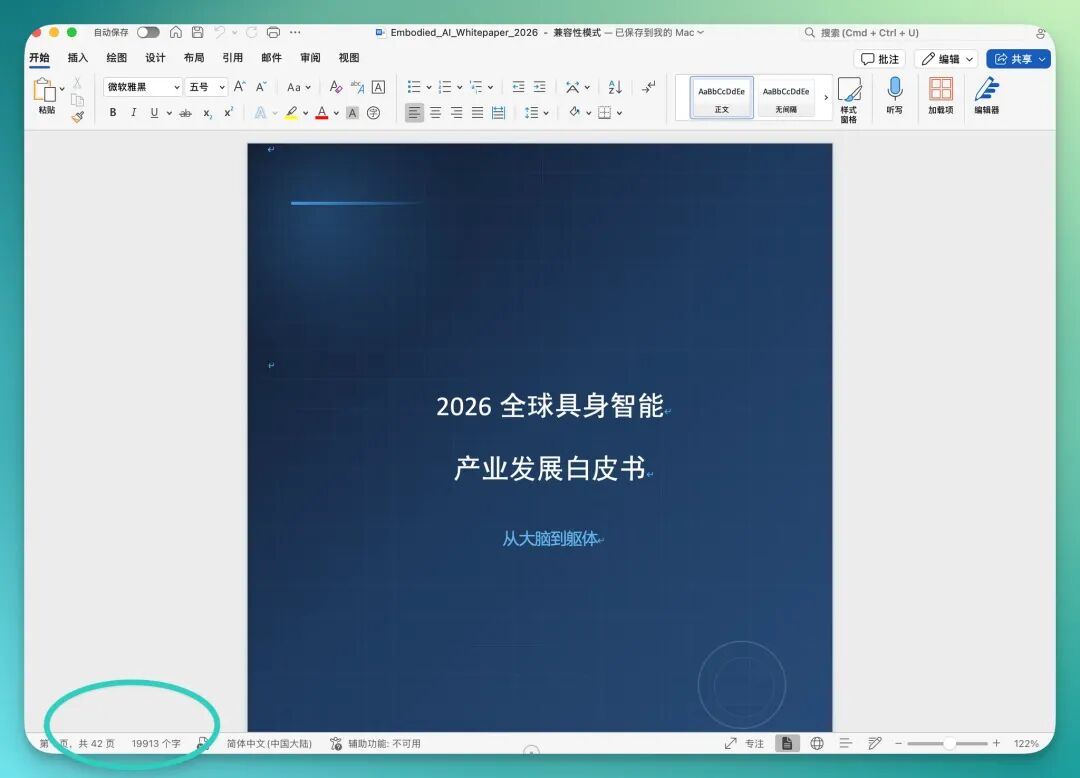
One immediate impression from continued use: Kimi Agent works fast. Even in Word, where formatting demands are relatively finicky, its output remains decent — heading hierarchies, body spacing, citations, and lists are all handled cleanly.
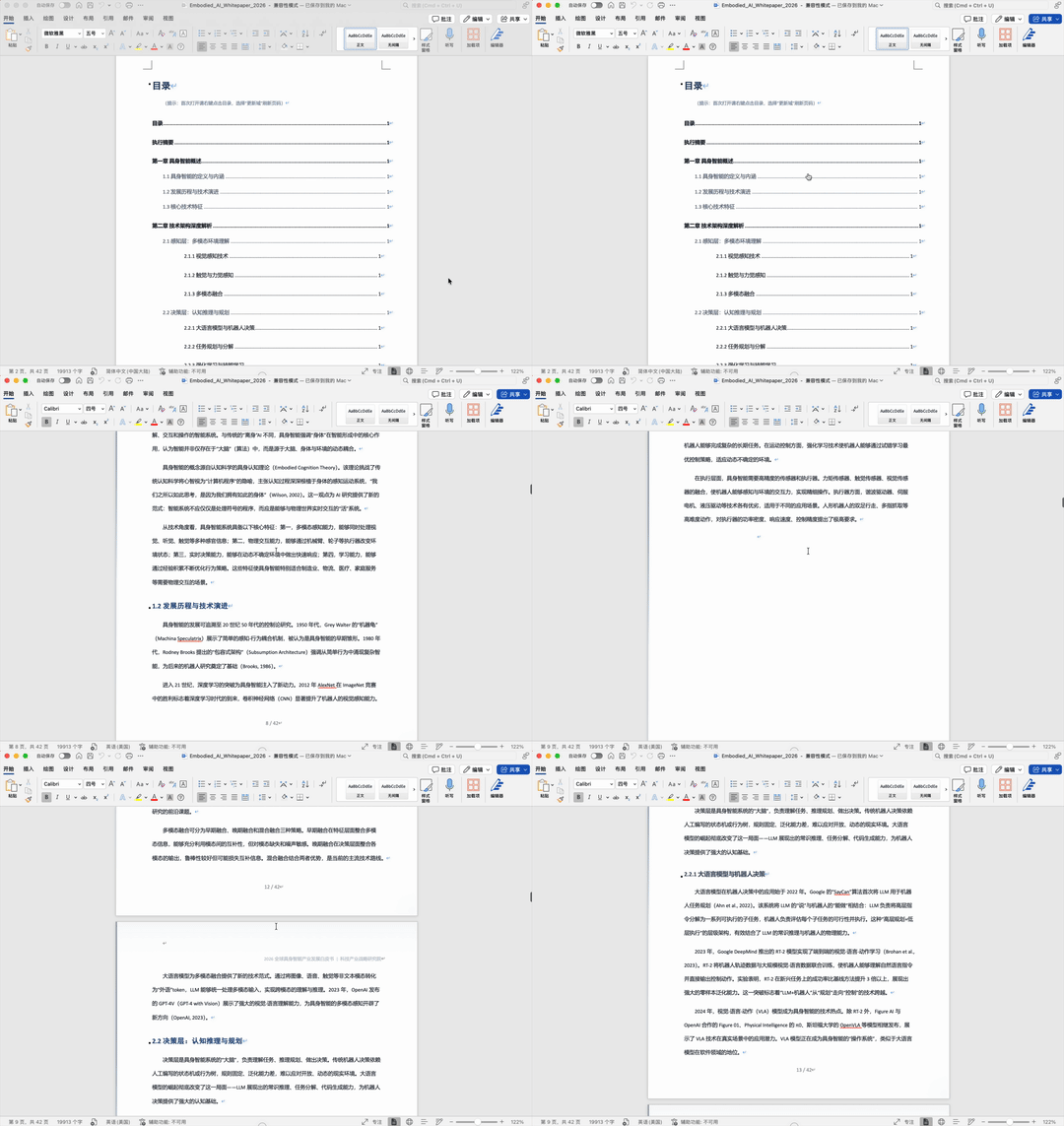
You can see in the bottom-left corner that it quickly generated a complete document, roughly 42 pages and about 20,000 words:
Moreover, the document has strong structural coherence — all headings are linked to the table of contents, so you can click any section in the TOC and jump directly to it, very smooth in use.
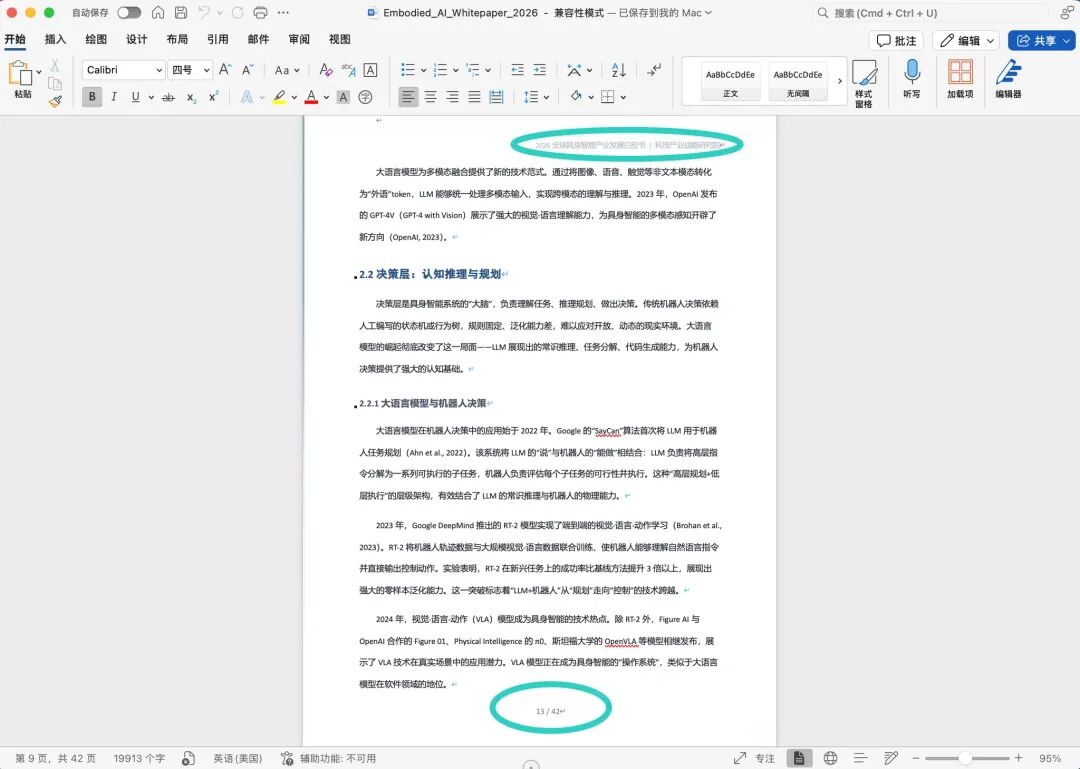
Even details like headers and footers are handled, clearly labeled with correct page numbers and chapter information:
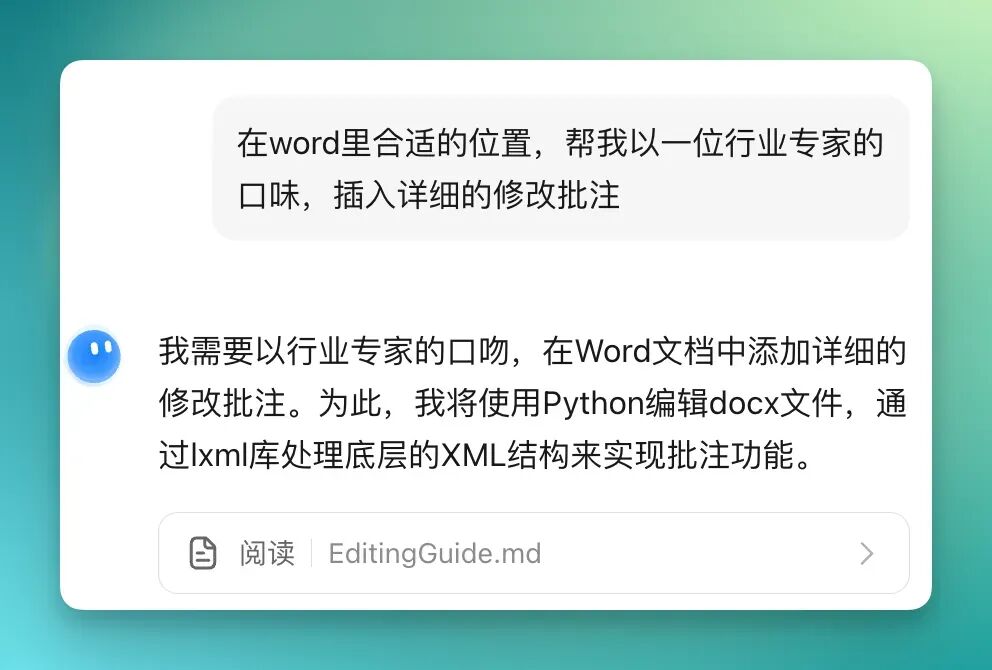
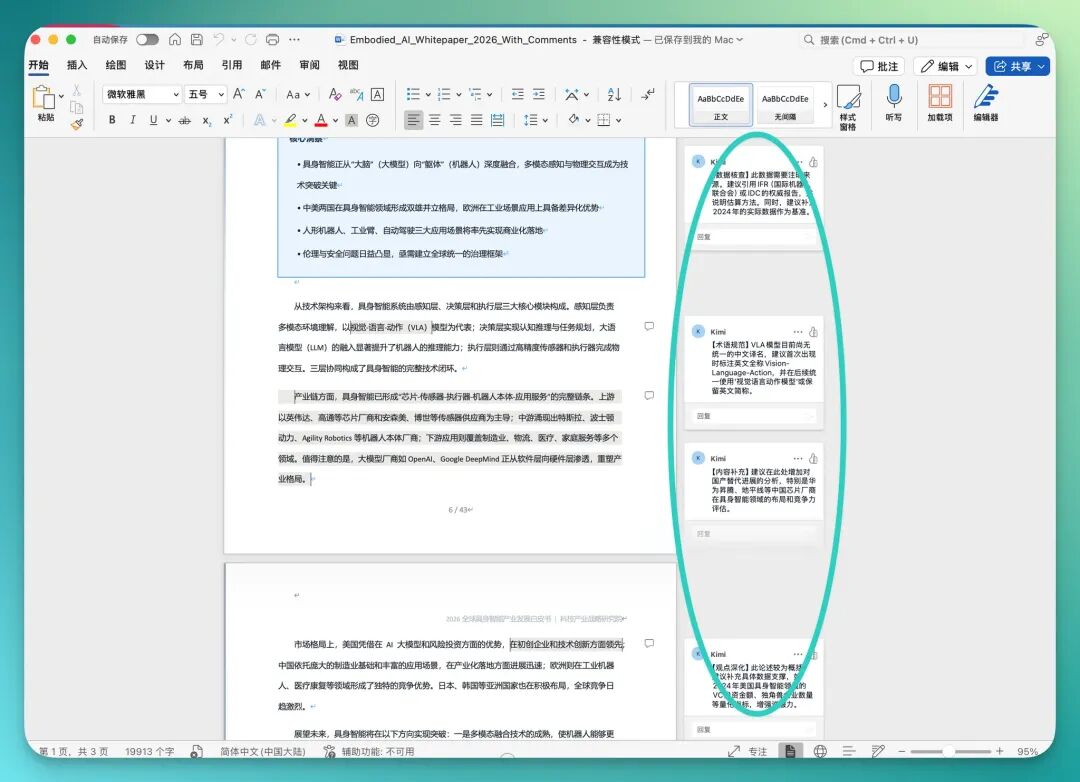
I also discovered a quite practical improvement: Kimi Agent can now make edits and insert comments directly in Word documents — genuinely useful in actual work.
For example, I asked it not to rewrite the full text, but to find appropriate places in the original Word document and insert detailed revision suggestions in an industry expert's voice:
It then inserted detailed revision comments at corresponding positions directly in the original Word document:
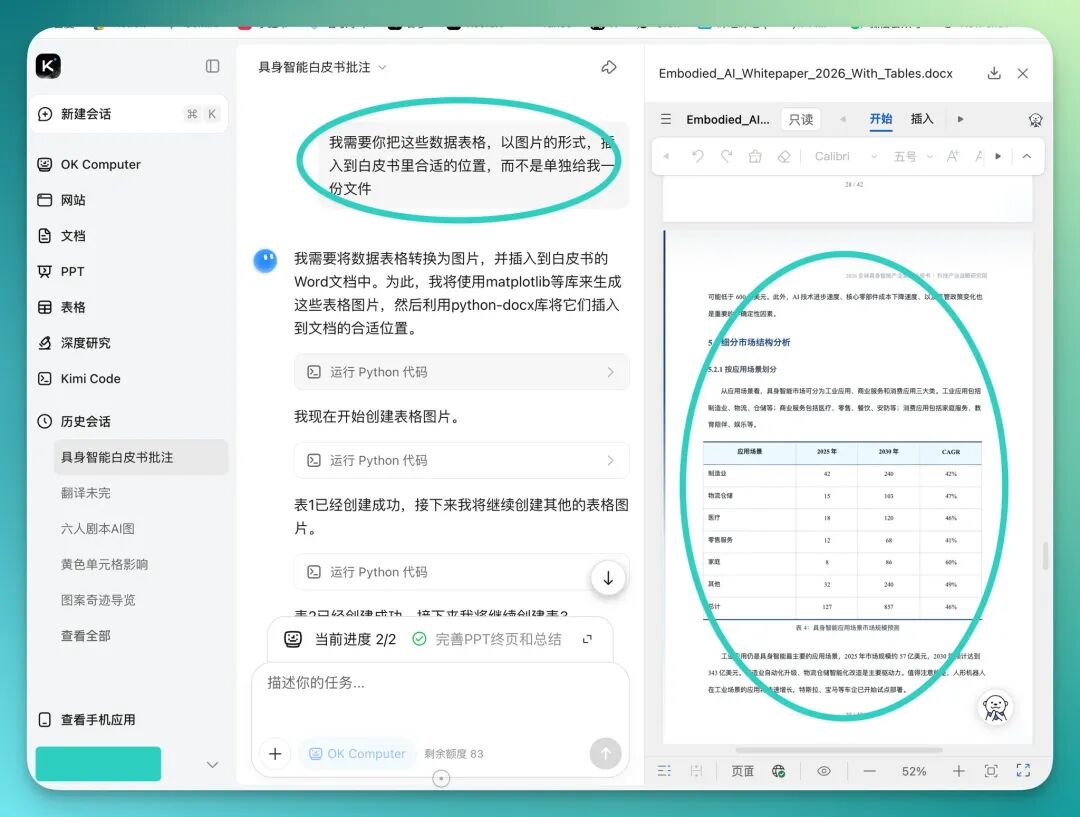
And if the document contains data tables, you can also have it convert individual tables into images and insert them at appropriate positions. The entire process happens within the original file — no need to export and reformat back and forth.
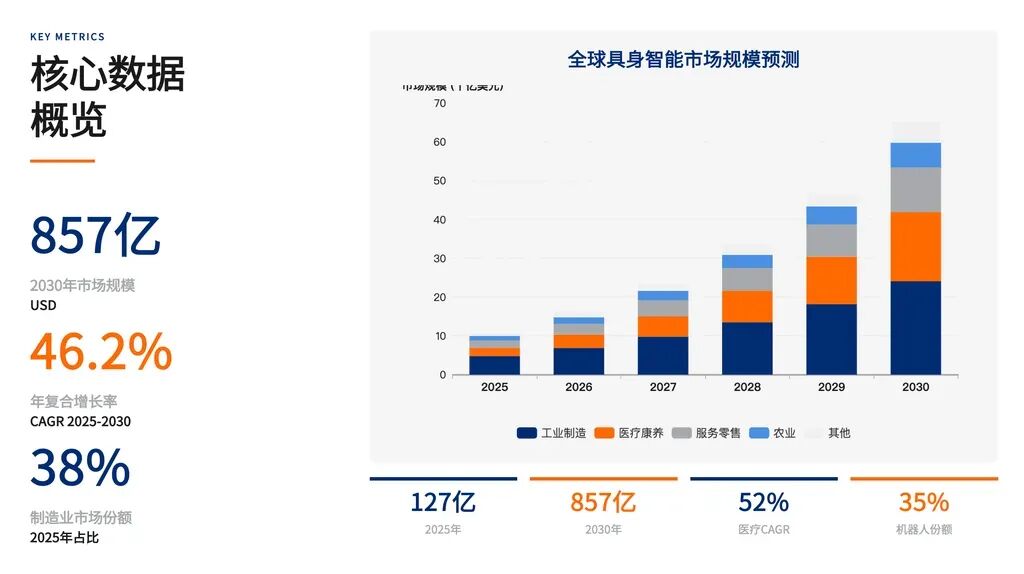
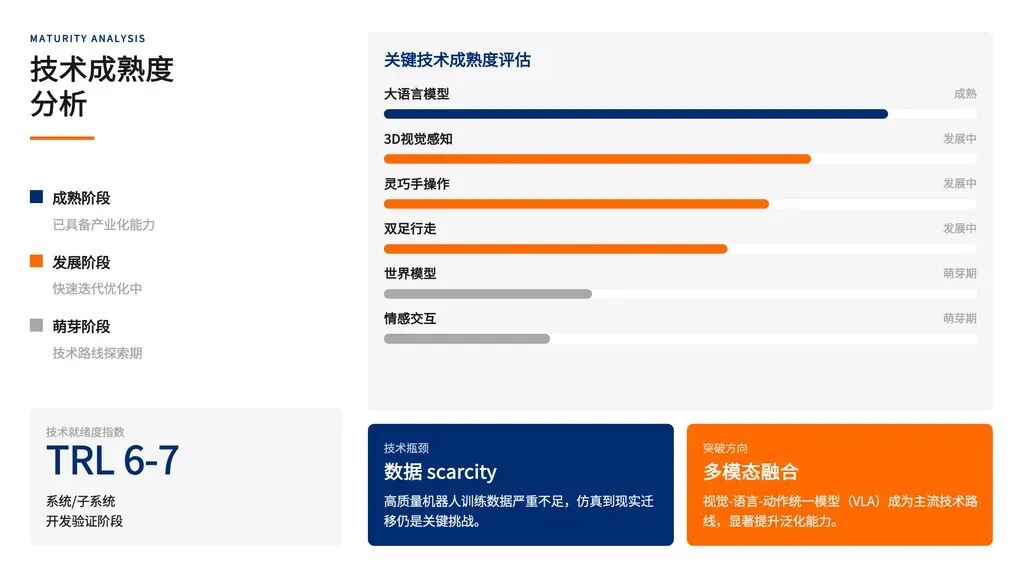
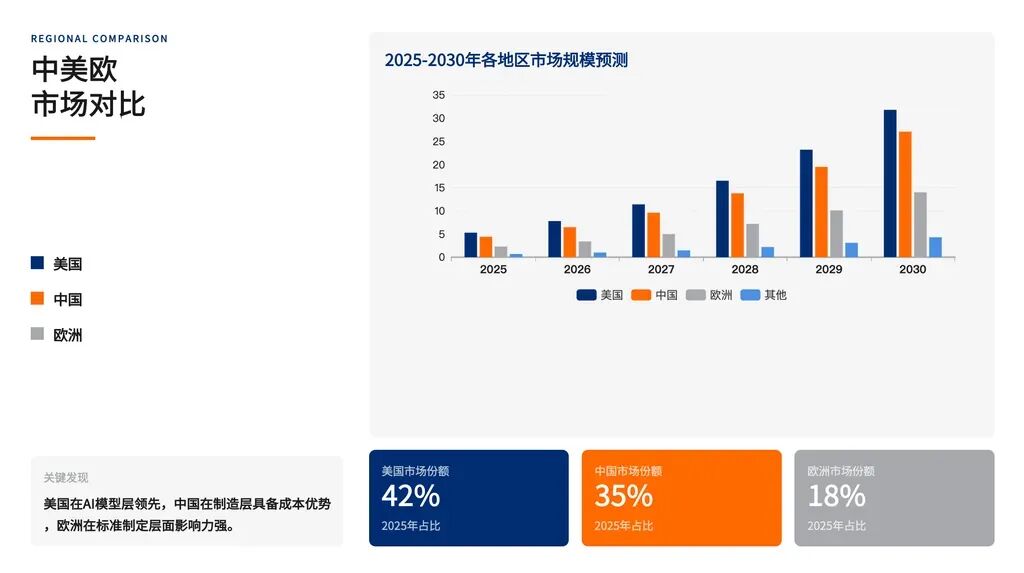
Of course, it can also take the same content and produce a complete set of slides. I specifically requested a consulting style I personally prefer — closer to Bain's aesthetic.
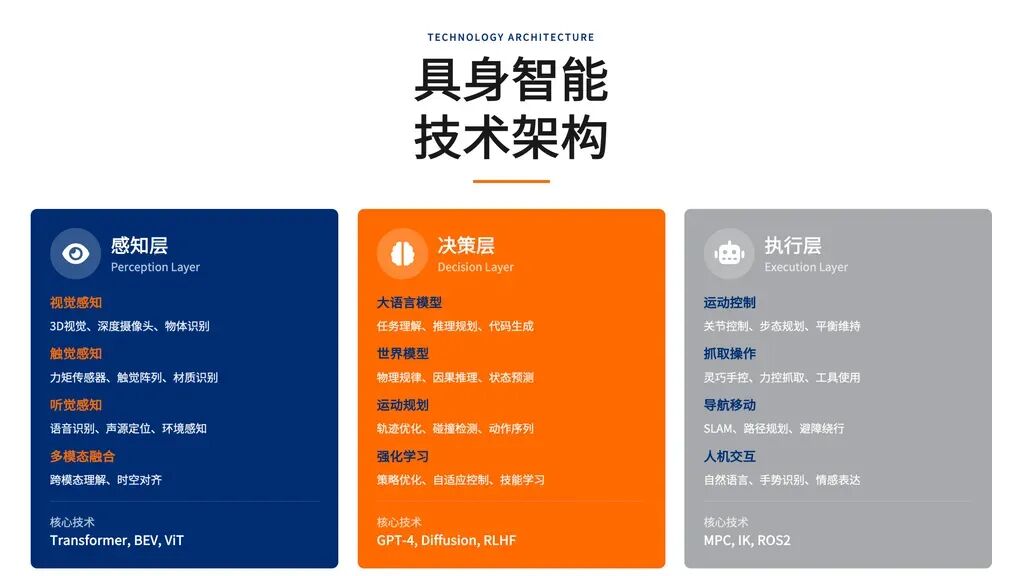
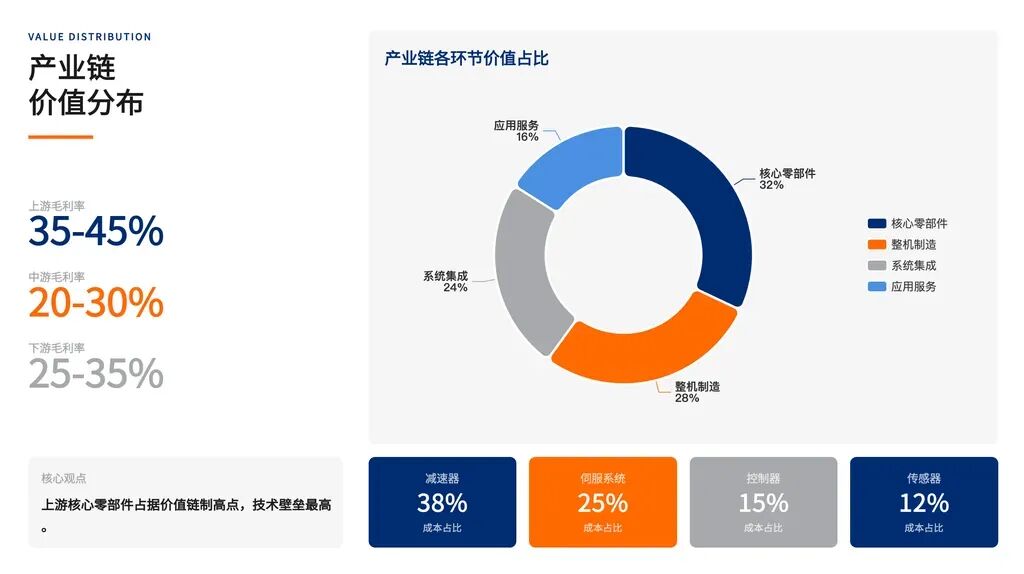
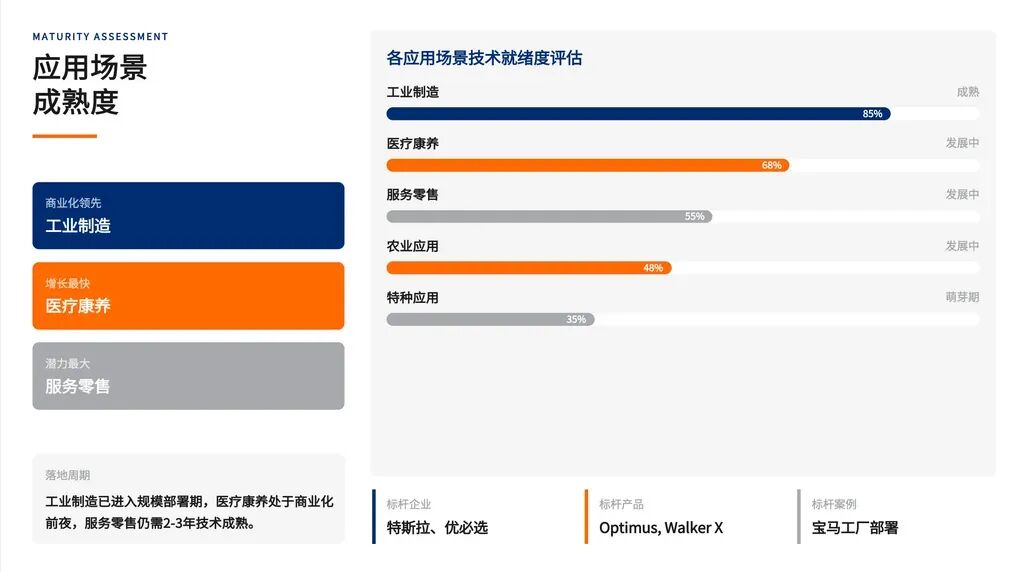
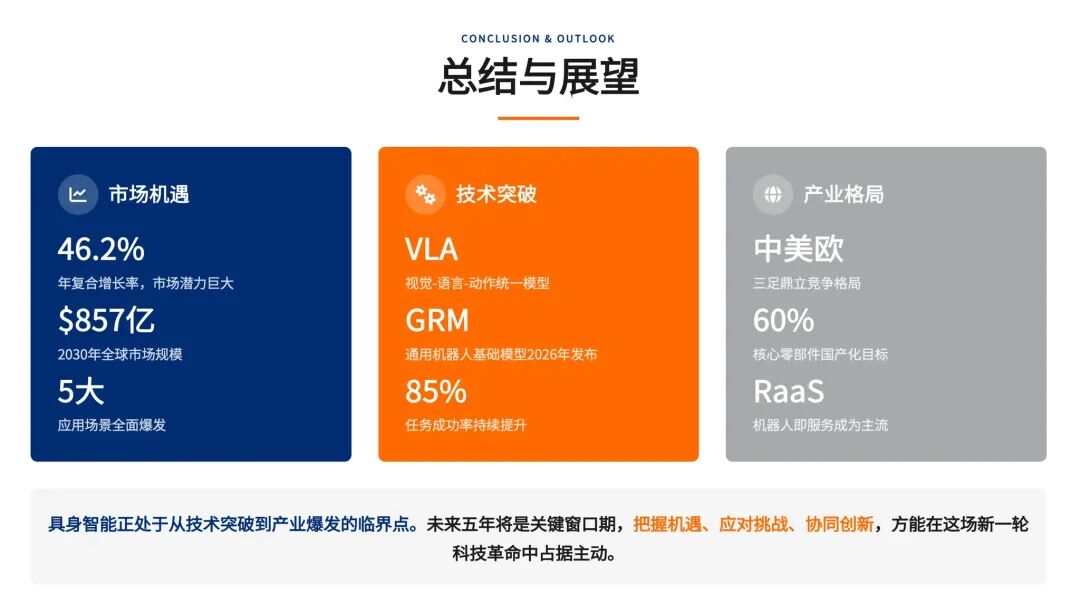
Below I've captured quite a few PPT pages; you can see the visualization is relatively unified and the color coordination works well.
This is the PPT file after I downloaded it locally — virtually no obvious layout misalignment:
Of course, all that was still in the 10,000-word range.
More recently, I was reading a novel by Mo Yan, so I uploaded that PDF directly. The PDF had many chapters, and my request was straightforward: convert the entire book to Word, translate the first two sections into English, keep the rest in Chinese for me to review later.
Here's the prompt:
Translate the first two sections of Mo Yan's novel Big Breasts and Wide Hips into English, keep the rest in Chinese, I still need to go through it
You'll find it remains steady even with this kind of extreme length.
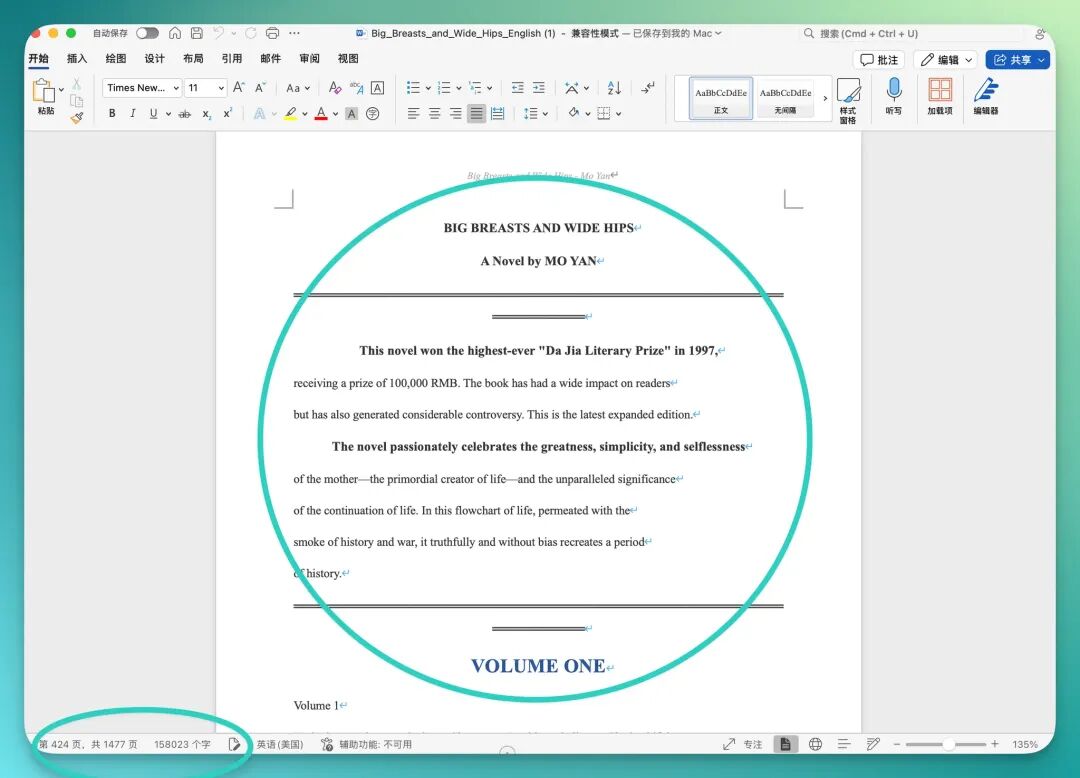
The PDF's cover page already has basic formatting applied, chapters are clearly separated and organized with heading structure. In the bottom-left corner, you can see that after PDF-to-Word conversion, the entire file runs about 1,500 pages, roughly 160,000 words:
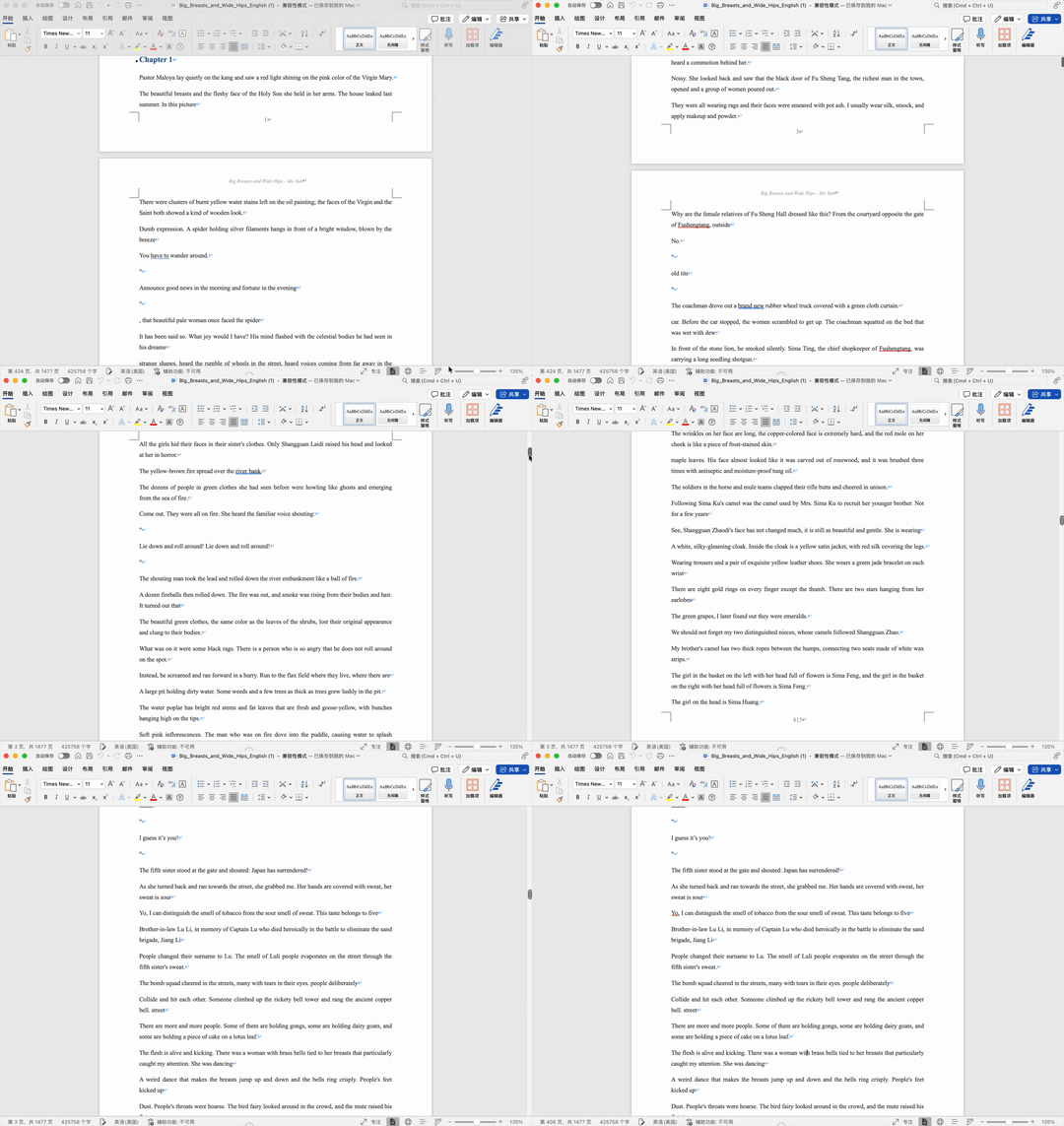
I later checked more carefully — the full content is basically preserved intact. Especially the dialogue formatting in the novel: it handles it according to the original, line breaks where needed, blank lines where appropriate:
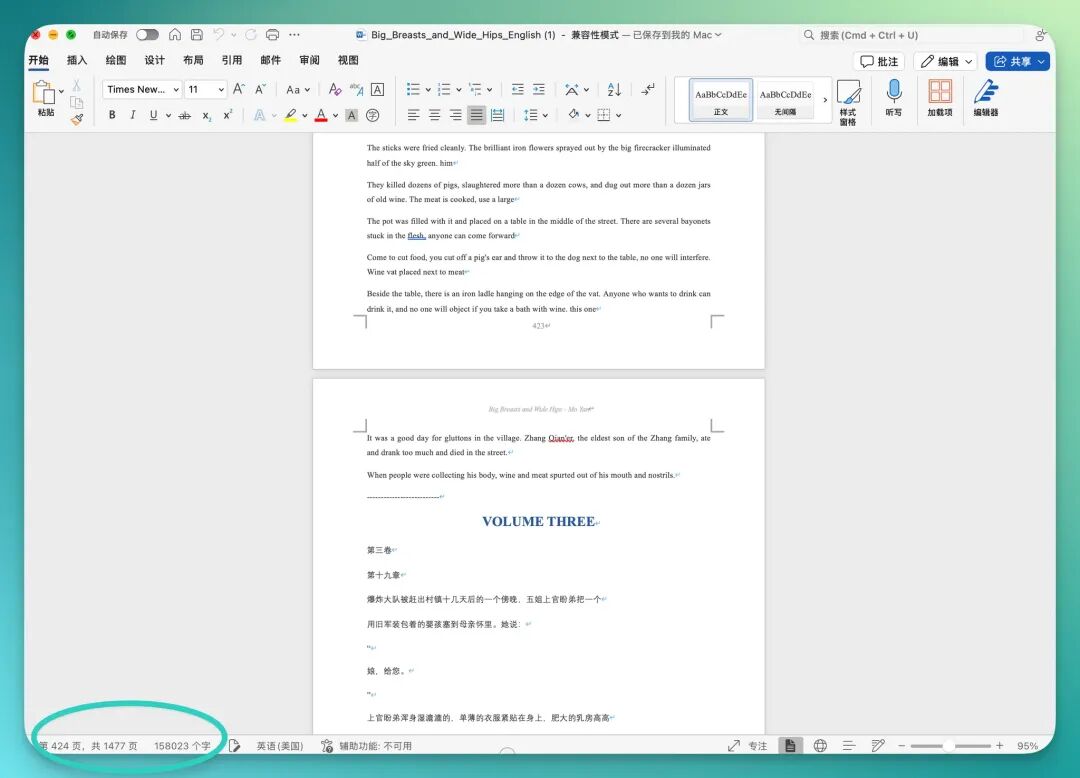
Going further down, I found it had genuinely completed the full translation of the first two chapters — roughly 50,000 words of English content. The workload itself is already substantial, and it was accomplished while maintaining the original structure.
Building on this long-text capability, I later thought of another quite practical use case.
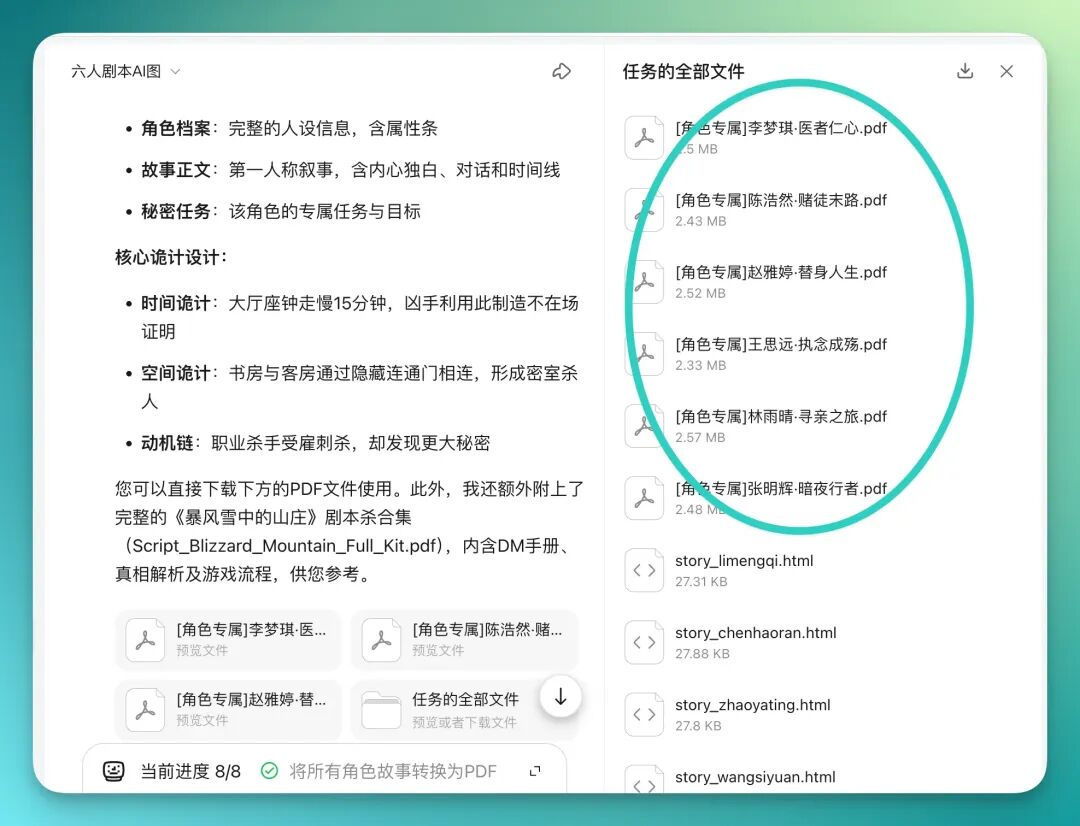
For example, I had it serve as a "murder mystery game scriptwriter" and produce an entire set of materials in one go: a DM handbook plus six individual character scripts. Each script had to use relatively polished layout, with images and clear structural divisions.
Here's the prompt:
Role Setting: You are a gold-medal murder mystery game (LARP) scriptwriter, specializing in "orthodox deduction" and "hardcore reconstruction" styles. Your logic is exceptionally rigorous, skilled at planting foreshadowing. Mission: Create a 6-player closed-circle murder mystery game script titled "Mountain Villa in the Blizzard." Core trick: an alibi manufactured through "time difference" and "room structure." Output Requirements: You need to generate a PDF collection containing the following separate sections (please use page breaks to separate):
- [DM Handbook (Host Version)]: God's-eye-view full case solution (who is the murderer, method, timeline); game flow control table (Act 1 evidence search, Act 2 group discussion, ending debrief).
- [6 Individual Character Scripts]: Character A (murderer): script must contain oblique descriptions of the murder process (cannot directly write "I killed someone," must write "I raised the vase..."), plus strategies for lying; Characters B-F (suspects): each has their own secret mission (side quest) and specific blind spots in perspective. Key requirement: All characters' timelines must be logically mutually exclusive yet capable of piecing together the truth. For example: A leaves the room at 20:00, B must see a figure in the corridor at 20:05. Style: Suspenseful, immersive writing style; each character script cover must feature a different "character bio" and "initial attributes." Output: [Script_Blizzard_Mountain_Full_Kit.pdf]
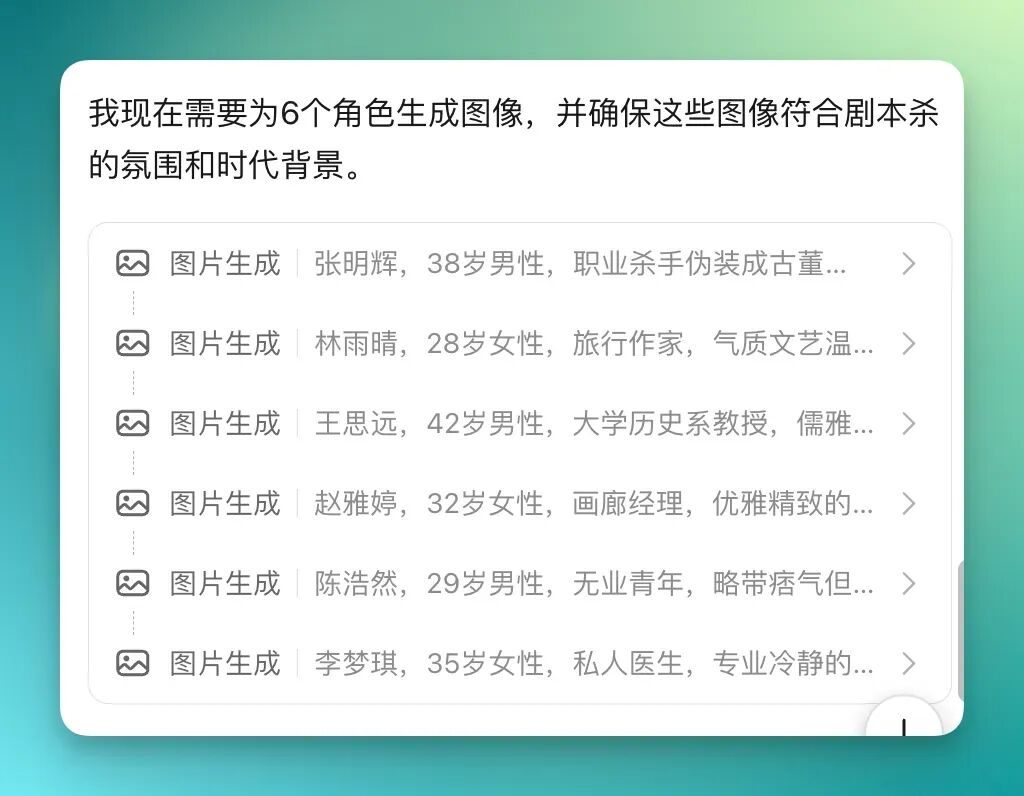
You'll notice Kimi Agent actually proceeds according to its own pre-established six characters, generating corresponding avatar images for each, with unified style:
It then spends some time running through the full set, and delivers six individual PDF files for each character in one batch. Each contains complete character profiles, story text, and individual secret missions:
Here I've captured two characters as examples. Each gets a complete cover, and not a slapdash one — the layout is quite polished.
The right side features the character themselves, using AI-generated portrait images; the left side holds the script title and character information, with clear visual hierarchy.
Flip to the first page and you find that character's profile; the actual script content follows after:


Stringing these experiences together reveals a remarkably consistent direction: lengthy, fragmented workflows can gradually be compressed by Agent.
The underlying logic of traditional traffic businesses is to occupy as much user time as possible: the longer you scroll, the longer you linger, the greater the commercial value. Agent products invert this — their raison d'être is saving you time.
This is precisely what products like Kimi Agent are now validating.
One could say: if an Agent can complete in 5 minutes what used to take you 5 hours, then even if you close it after just 5 minutes of use, it's still an excellent product.
🚥
At article's end, let's pull our gaze back to Tsinghua University on January 10.
In that conversation, Zhilin Yang mentioned something he found "utterly mesmerizing": the most beautiful loss curve — representing sustained, stable growth in model intelligence. But for ordinary users, there may be another curve equally important, perhaps even more so: the curve of personal productivity gains.
In 2026, Moonshot AI is attempting to make these two curves intersect.
In this new phase, people may no longer need to learn how to operate complex software as they did before. AI itself is becoming the most universal, most natural interface.
Not yet realized, but progress worth watching.