The Next Stop for AI Apps: Scenario-Based Integration | A First Look at Tencent Meeting's New Features

In the pairing of "meetings and AI," AI is increasingly calling the shots.
In the "meetings plus AI" pairing, AI is increasingly calling the shots.

👦🏻 Author: Jingshan
🥷 Editor: Koji
🧑🎨 Layout: NCon

These days, people increasingly can't run meetings without AI. Some use it to auto-generate notes. Others have it summarize key points in real time. Some even treat it as a "second brain," organizing their thoughts on the fly while they listen.
Meetings, as we know them, are being rewritten by AI — bit by bit.
Back in June 2025, we tested Granola, an overseas star product, in our article "How Is an AI Meeting Notes App Worth $250 Million? A Deep Dive into Granola's Product Philosophy." It made an elegant marriage of AI and meeting notes, and it's been hot overseas.
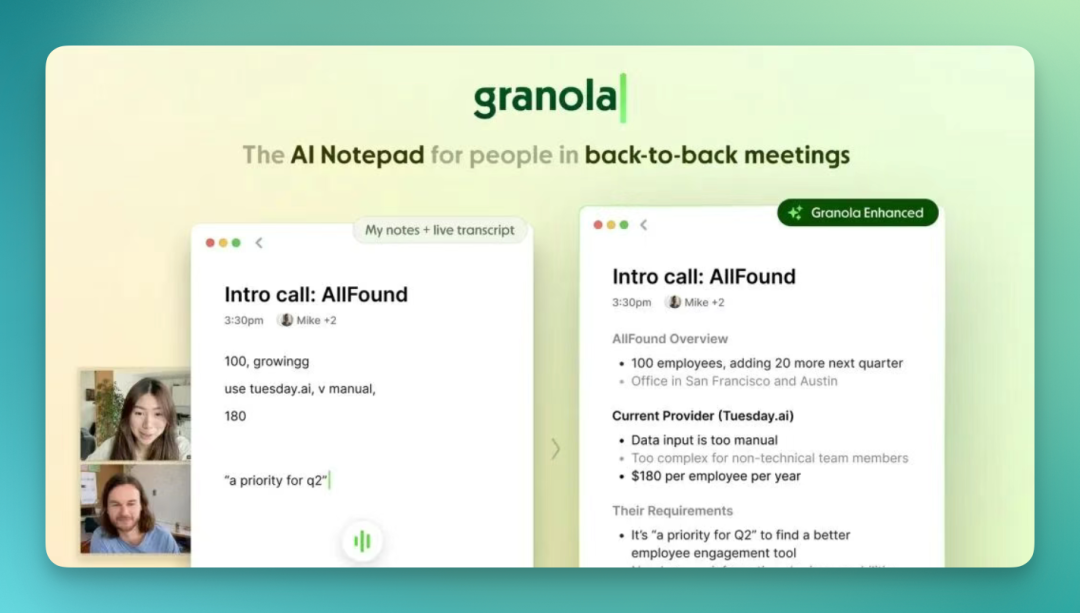
Meanwhile, this space has been moving fast domestically too. Every major tech company's meeting product is in some stage of "AI transformation."
Tencent Meeting has been among the more active ones.
Over the past three-plus years, from cloud recording that generates notes, to an AI assistant for summaries, to Yuanbao Notes and then AI delegation, it's been steadily weaving AI capabilities into the meeting workflow. Recently, Tencent Meeting's smart recording got a comprehensive upgrade.
🚥
After going hands-on, here's what we found.
Notes have always had one unsolved problem
First, if you want to use Tencent Meeting's latest upgraded capabilities, there are plenty of entry points. You can start "cloud recording" during a meeting as before, and afterward the recording files are automatically saved to your "Recordings."
Past recordings (MP3, video) can also be directly imported into "Recordings."
Before diving into this round of upgrades, we want to start with something basic: meeting notes.
Notes are fundamentally information compression. They take raw, complex, context-rich discussion and distill it into a few clean conclusions. Something always gets lost in this process — and what's lost is often the most critical part: context.
This is a universal problem for all AI meeting products. AI summarization keeps getting stronger, but user trust in AI output hasn't kept pace.
Many AI recording apps and AI meeting products are now tackling this head-on. Tencent Meeting's smart recording upgrade, for instance, makes a direct response: every piece of AI output should be traceable.
Below, we use a podcast recording — featuring Koji and Haoran Zhang, co-founder of Moxt, set to go live next Monday — as a demo of a two-person meeting.
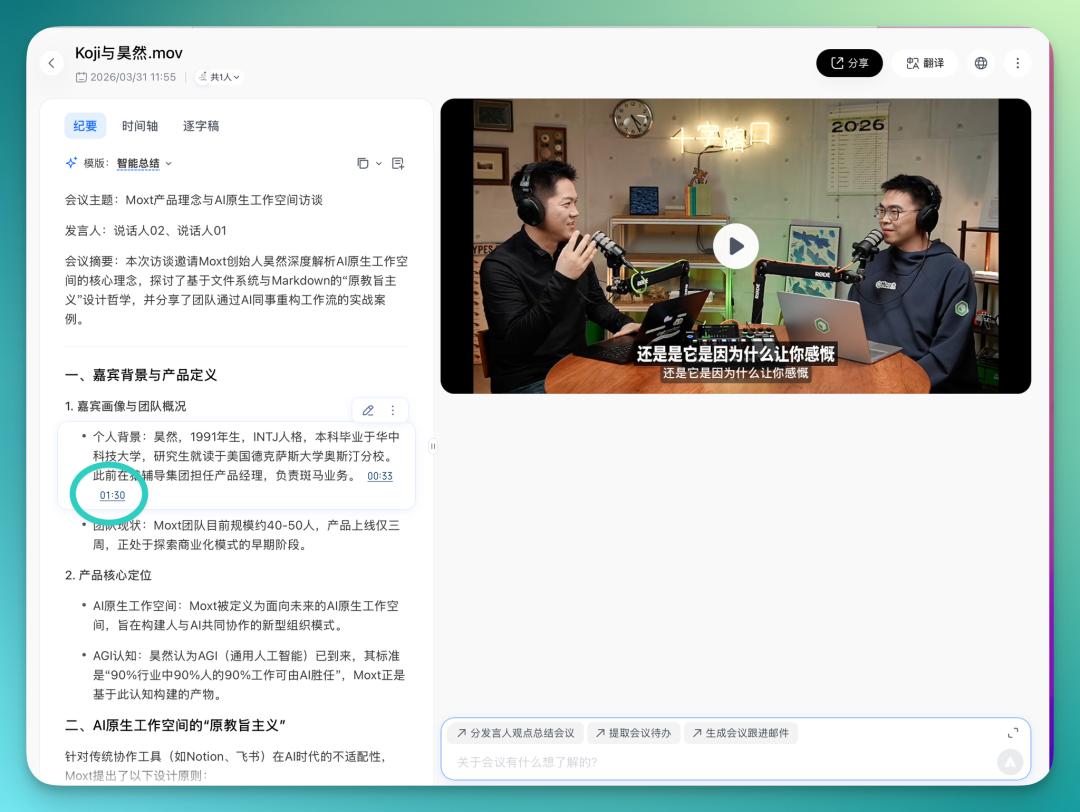
Specifically, every summary you see in "Notes" carries a clickable timestamp. Click it, and you jump straight to the corresponding segment in the recording. You can hear for yourself who said what, how they said it, and how others reacted.
The "timeline" gets similar treatment. AI automatically segments a meeting into chapters based on semantic content. Each chapter has a title, summary, and corresponding time range.
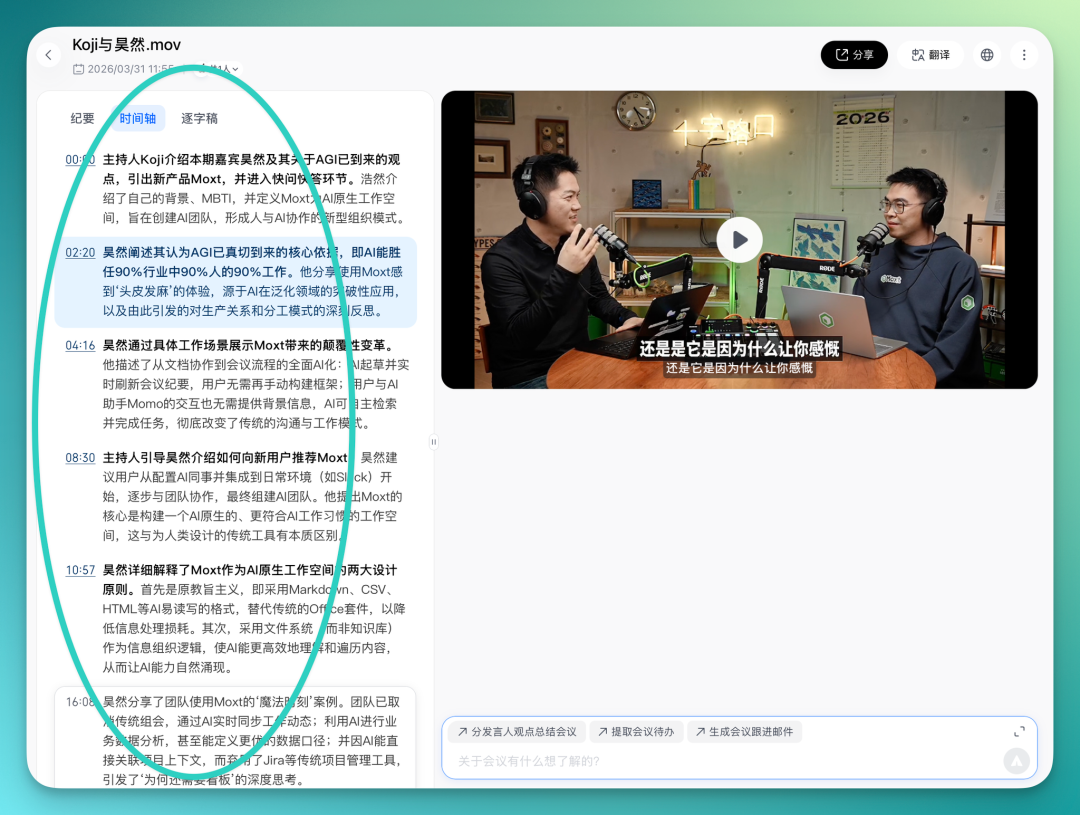
No more dragging the progress bar back and forth. You can locate the discussion you care about just by scanning chapter titles.
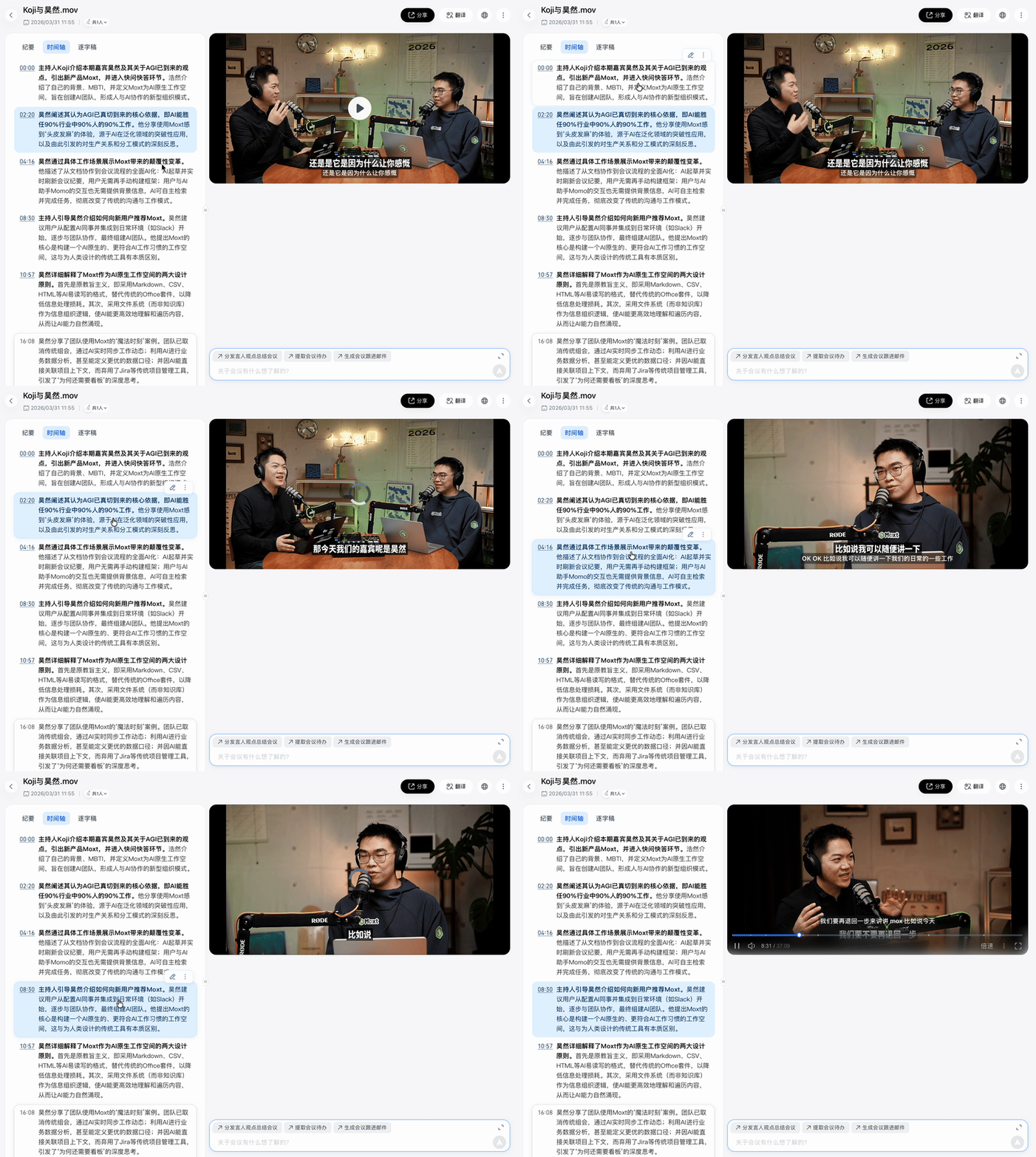
"Traceability" is becoming an increasingly important product design principle.
Whether it's AI overviews in search engines citing sources, or AI writing tools supporting citation tracking, the logic is the same: users need to know where a conclusion came from, and be able to verify it at any time.
What Tencent Meeting does in smart recording is exactly this — except what it's tracing back to is a real meeting discussion. Think of it as AI adding a "reference link" to every note it writes.
How long is a meeting's shelf life?
How long does a meeting stay "fresh"? The night of, you probably remember about 80% of what was discussed. Three days later, maybe a few key conclusions. A week later, likely just a vague sense of direction: "I think we said we'd go with Plan A first." The specific reasoning? Can't recall. Who proposed it? Not sure.
In this smart recording upgrade, Tencent Meeting added a small but practical feature: you can add personal notes to recordings, and edit existing text.
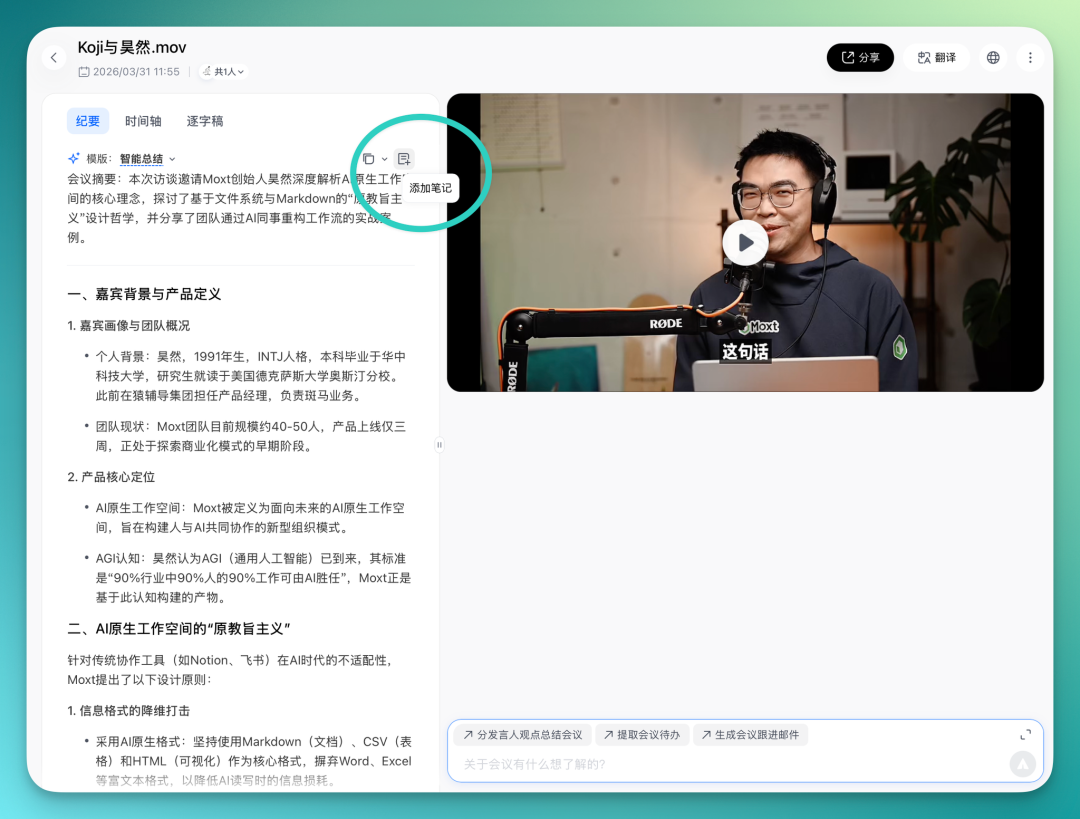
Specifically, while reviewing a recording, if a discussion point sparks a new thought or reminds you of something you didn't mention at the time, you can drop a note right there. Your annotation anchors to that exact timestamp.
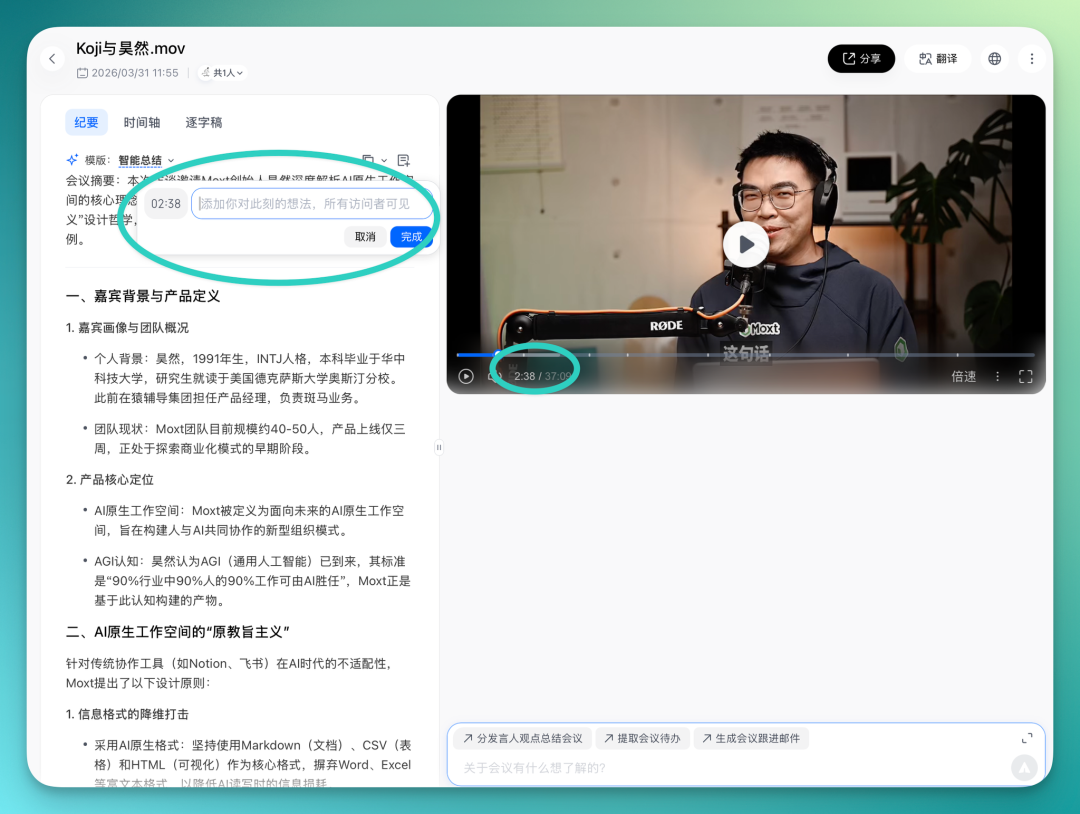
You can mark it up, jot ideas, add supplementary info. Every revisit lets you add more. A month later, you'll find you've created something with your own thinking embedded in it — a processed, personalized document.
Take a concrete example: our guest Haoran suddenly mentions in the podcast that "AGI is coming, Jensen Huang said so too." You can conveniently note this for later reference:
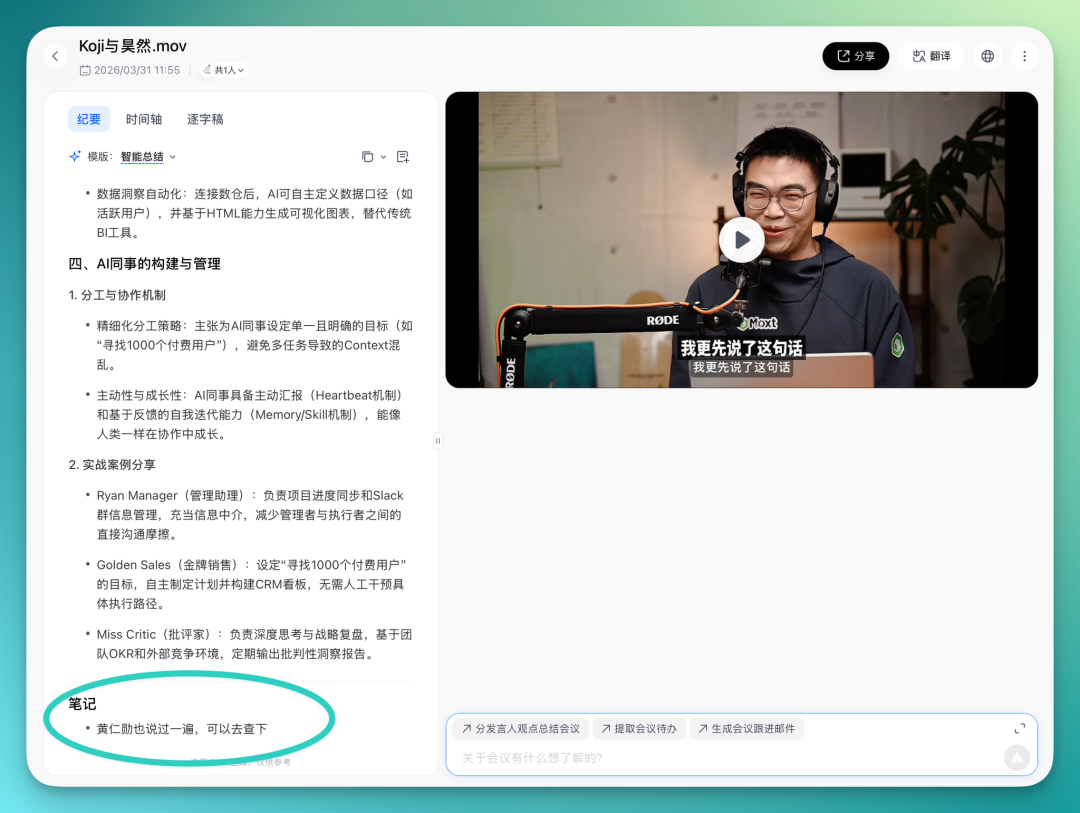
Past discussions of "meeting efficiency" focused on the meeting itself — how to shorten it, cut fluff, keep discussion focused. All important. But there's another half of efficiency hiding in the aftermath: how you process, digest, and convert that information into next steps.
So from this angle, "taking notes" remains a solid product choice.
AI's role in meetings keeps deepening
If you zoom out and look at what Tencent Meeting has done with AI over the past few years, a clear thread emerges: AI's role in meetings has been getting deeper. Back in 2023, Tencent Meeting's AI assistant could already do meeting summaries.
Later, Yuanbao Notes launched. Its distinguishing feature: during the meeting, it refreshes the summary every two minutes. So instead of waiting until adjournment, you can glance at it anytime to know where discussion stands and what conclusions have been reached. If you zoned out for a few minutes, no need to fake it — check the real-time notes and catch up.
Then came AI delegation. This goes further: users can skip the meeting entirely and have Yuanbao attend on their behalf. It records everything and delivers notes afterward.
One very real scenario: you've got multiple meetings scheduled at once, so you send Yuanbao to one while you attend another. Or something urgent comes up mid-meeting — delegate to AI, and Yuanbao takes your seat to keep listening.
From transcription to notes, from real-time summaries to AI delegation, AI's depth of participation in meetings has only grown.
But all of this essentially stays in one phase: helping you "record." Whether transcribing, summarizing, or proxy-attending, the core action is information capture and organization. What you get is a processed meeting document. What you do with it afterward is still up to you.
Using Tencent Meeting's smart recording upgrade as an example, it builds Yuanbao's conversational capability directly into the recording page. You don't need to export meeting content, copy-paste it into another tool, then query AI. Right in the smart recording interface, you can ask Yuanbao questions based on the full meeting content.
You can converse with it as you would a colleague who attended the entire session.
For instance, ask AI to summarize by speaker:
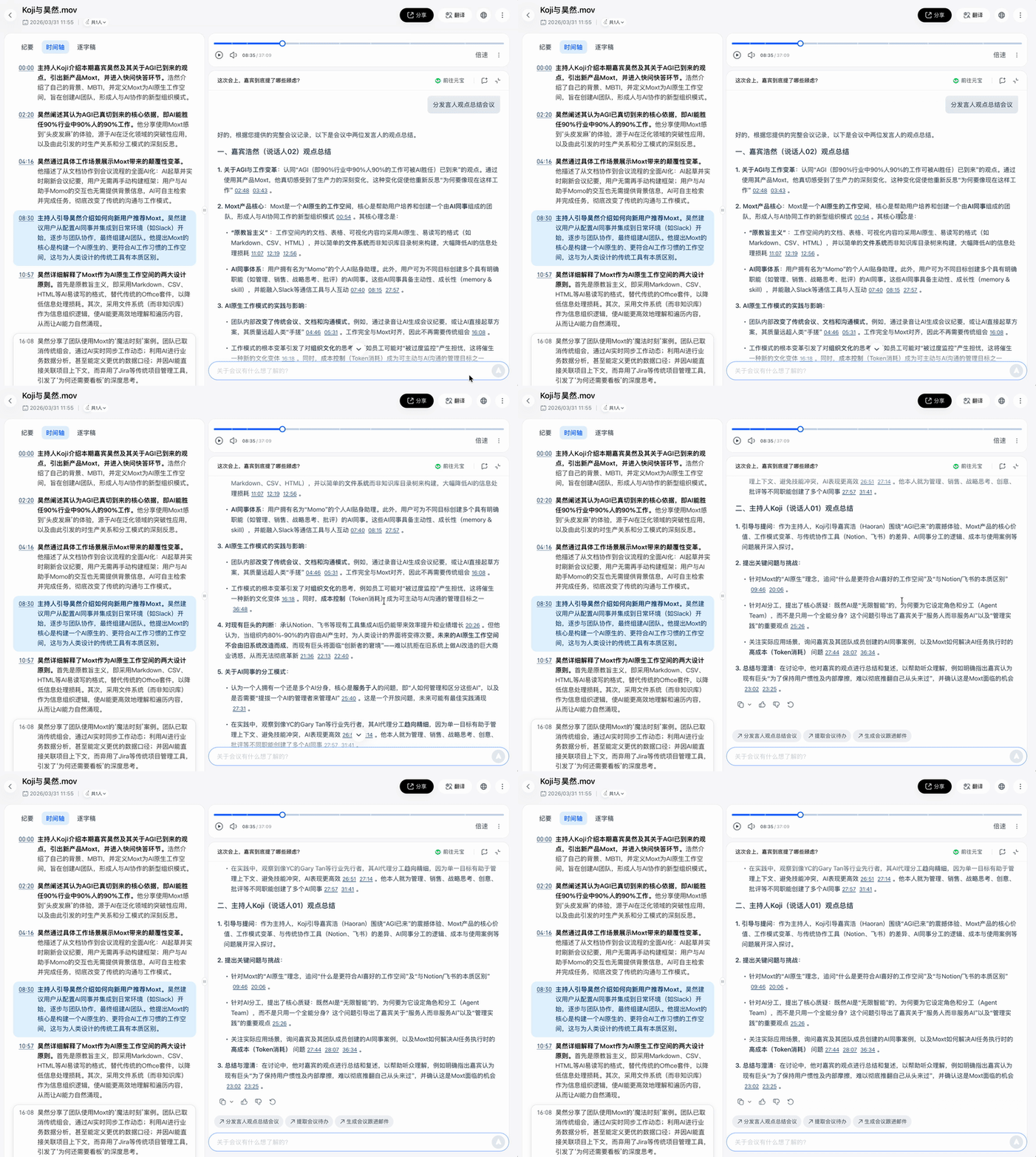
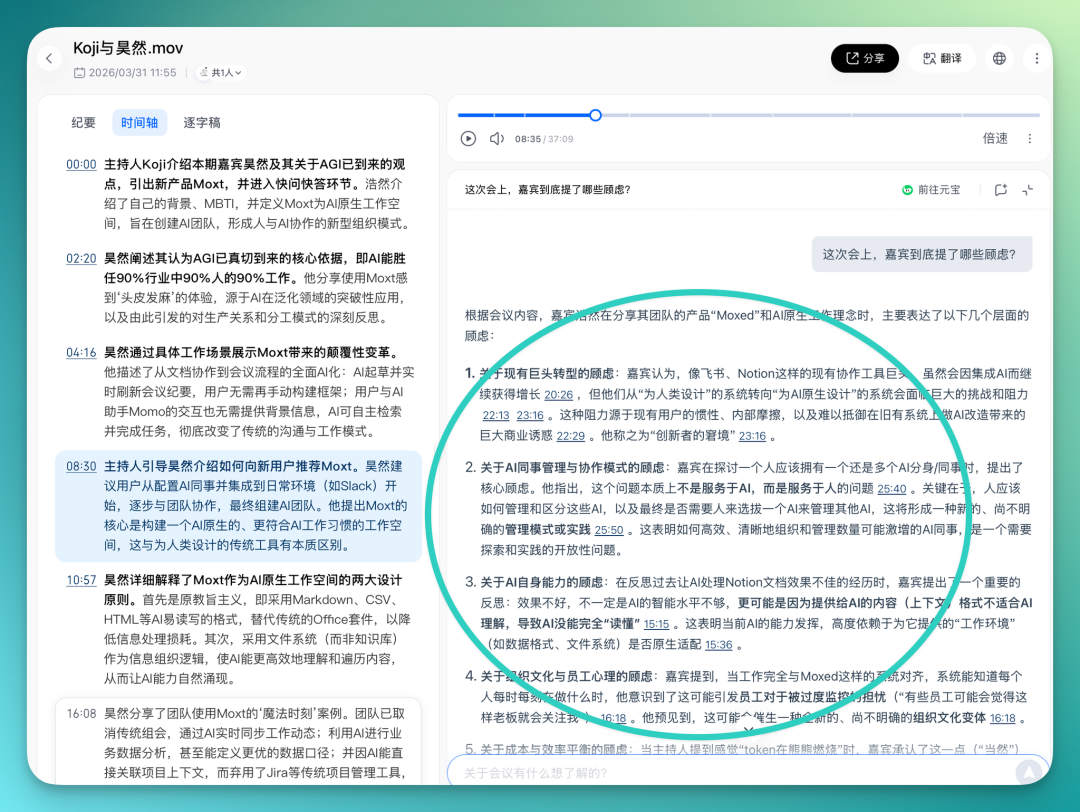
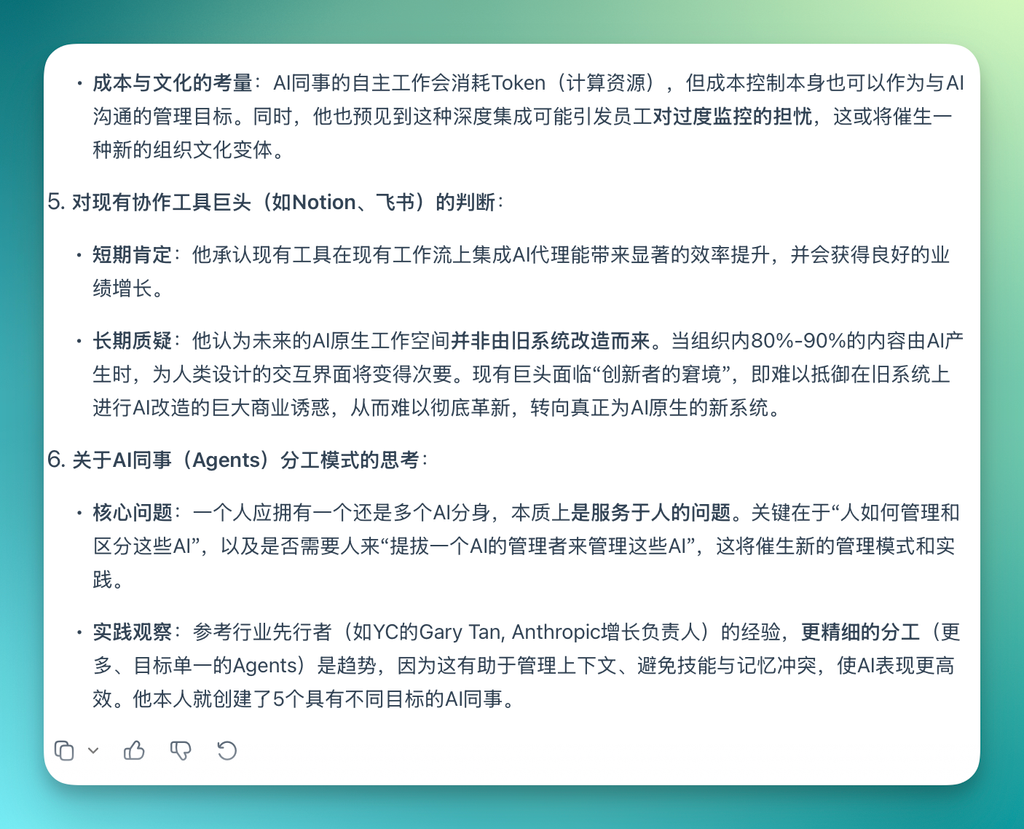
Or ask: "What concerns did the guest actually raise this time?" It extracts relevant content from the full discussion, attaches corresponding timestamps, and organizes it for you.
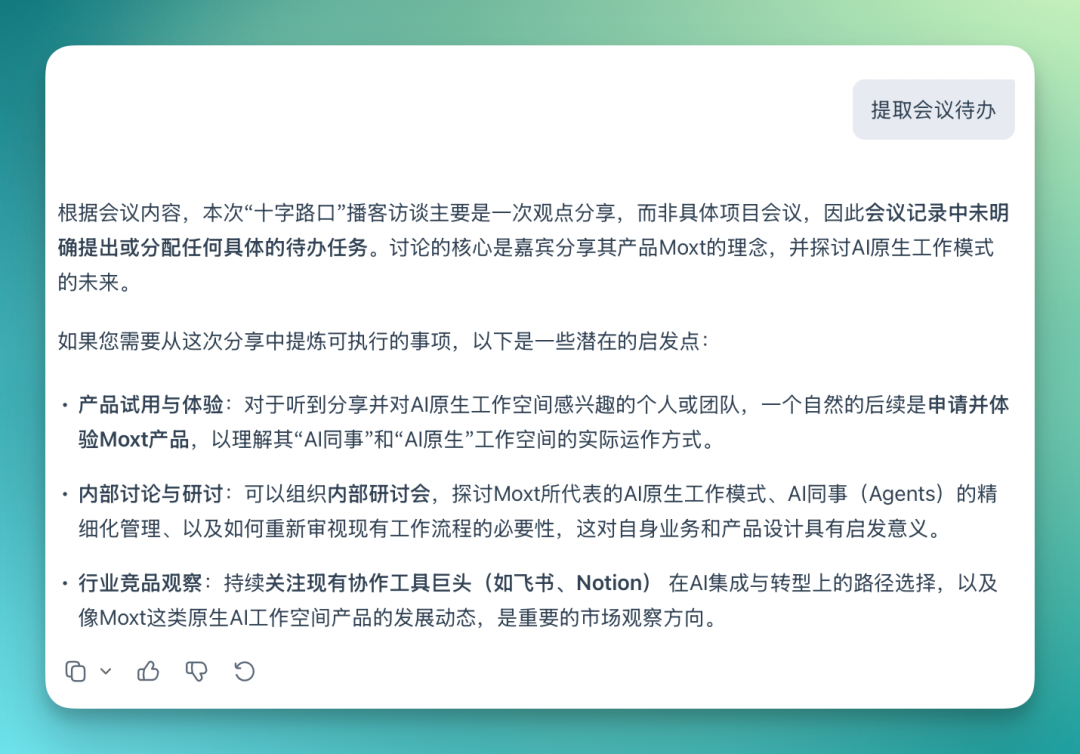
I also noticed that Yuanbao in Tencent Meeting sticks fairly strictly to actual meeting content. It often displays tags above the chat box — quick shortcuts like "generate action items," "generate email," etc.
Since this particular session was a podcast with no actual tasks, the result it gave was appropriately "realistic" — reminding me this was just a perspective-sharing session, not a concrete project meeting, so there were no action items:
Overall, this represents a meaningful step up from the old "AI gives you notes, you read them, done" experience. The foundation for all AI meeting interaction is a complete, real meeting, with Yuanbao's AI capabilities woven directly into it.
Of course, many AI recording products are doing similar things. But native meeting products like Tencent Meeting have an advantage: they're where the meeting actually happens. Transcription, understanding, and dialogue are all native to the meeting flow itself, rather than bolting a recording tool onto the outside. For users, one less hop means one less point of friction.
Another quite practical feature: in the transcript, you can directly click a speaker's name:
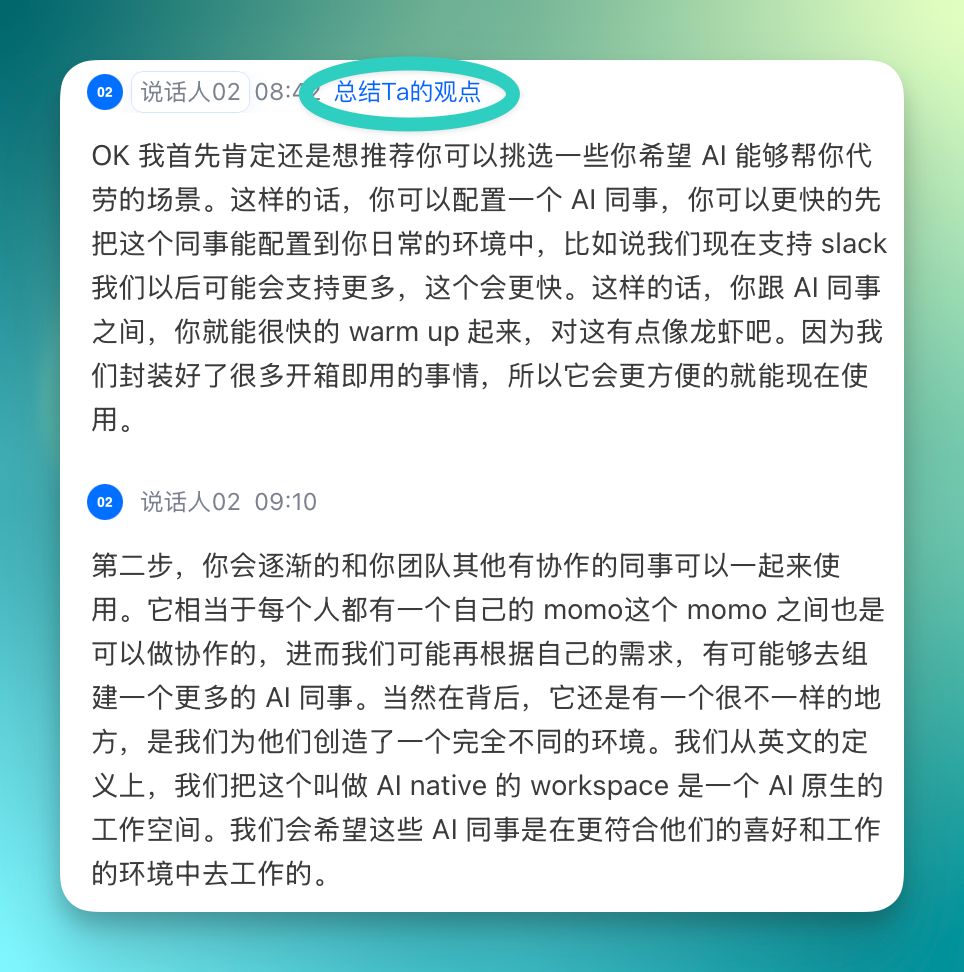
And have Yuanbao summarize that person's views and statements across the entire meeting.
From Yuanbao Notes to AI delegation to this smart recording conversational capability, what Tencent Meeting has done over the past year is use AI to cover a meeting's complete lifecycle.
Before the meeting, AI delegation can attend for you so no information is missed. During the meeting, Yuanbao Notes tracks discussion progress in real time. After the meeting, smart recording lets you review, search, query, and generate action items.
These three stages used to be fragmented: meeting was meeting, recording was recording, follow-up was follow-up. Now they're strung together, with Yuanbao AI as the connective tissue.
One meeting, five ways to read it
Tencent Meeting's smart recording now supports multi-template summaries. The same meeting, different "note templates" — AI reorganizes and presents the content from completely different angles.
Five templates are currently available: Study Notes, Report Summary, Project Kickoff Notes, Client Visit Notes, and Client Analysis. They look similar on the surface; the difference lies in how information is synthesized.
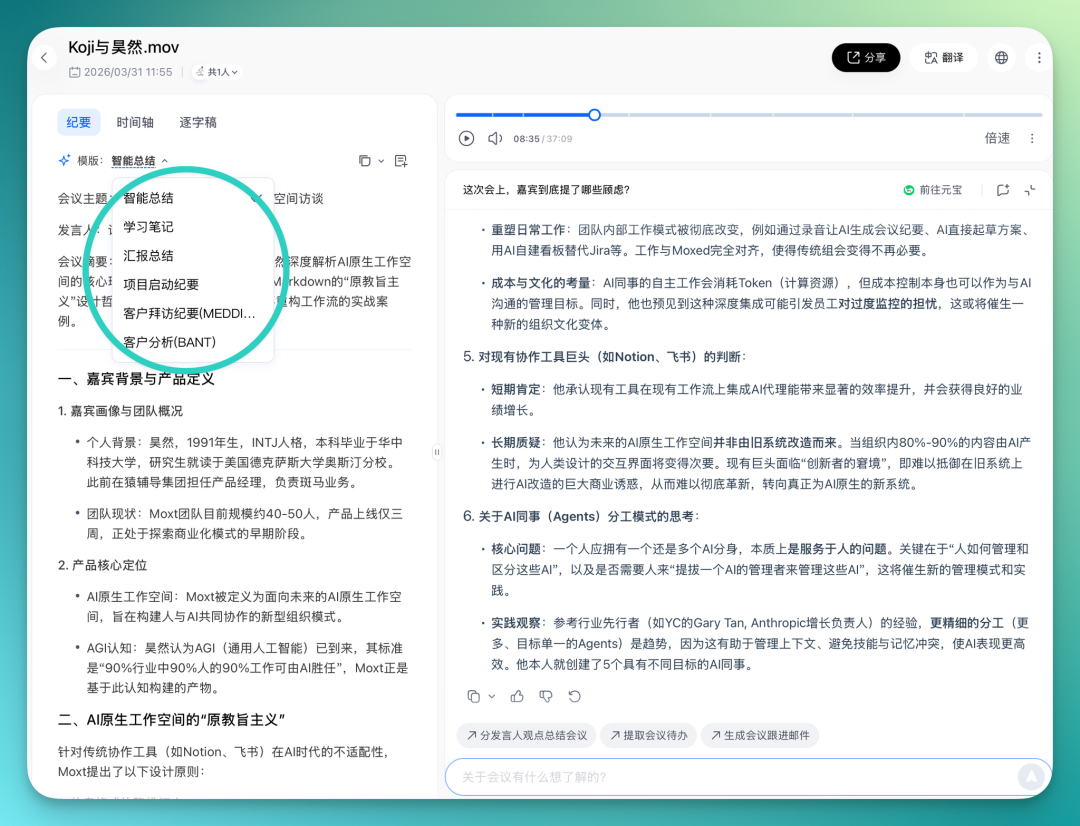
For example, if you run this podcast conversation through the general template, AI organizes by discussion sequence, telling you what was talked about, key viewpoints, guest profiles, and core product positioning.
But switch to the "Study Notes" template, and AI restructures from angles like: core knowledge explained, key difficulties, and extended thinking.
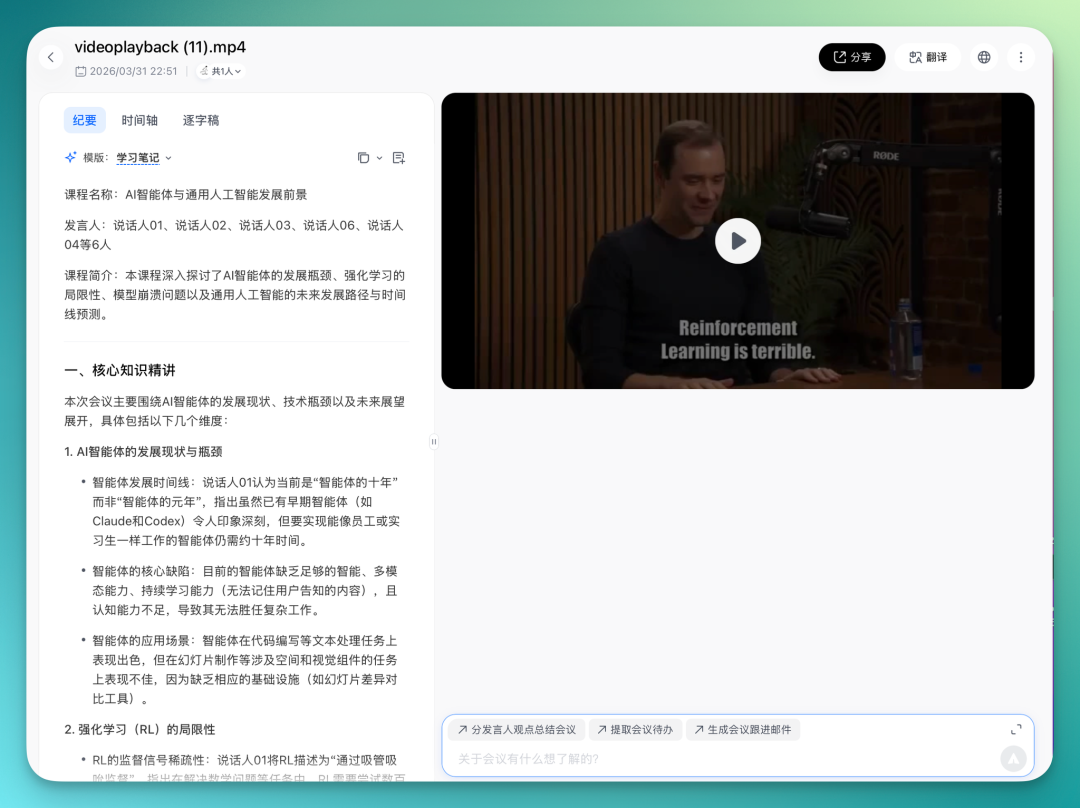
I directly uploaded a previous episode where Karpathy discussed reinforcement learning and agents on Dwakesh Patel's channel. The content gets organized into core knowledge, key point breakdowns, and AI-extended thinking questions.
AI extracts core knowledge points, highlights key difficulties separately, and even generates a few extended thinking questions based on these points — convenient for "post-class review."
The "Report Summary" template organizes information by reporter, helping you quickly review who said what, progress, and blockers. "Project Kickoff Notes" focuses on alignment at project initiation, clarifying background, goals, timeline, division of labor, risks, and Q&A.
Two sales-scenario templates deserve special attention.
Client Analysis uses the BANT framework. Simply put, after every client conversation, it helps you answer four questions: Does the client have clear needs? Budget? Who decides? Timeline? With these answered, you can basically judge whether this client merits continued investment.
Client Visit Notes uses the MEDDICC framework, deeper than BANT. It doesn't just help you decide "whether to pursue" — it helps you figure out "how to pursue": What metrics will the client use to measure results? Who really calls the shots? How do they make decisions internally? What's the core pain point? Is there an internal champion? Who's the competition? With these clarified, you're not guessing your way through a deal anymore.
Why do these two templates feature prominently in Tencent Meeting's smart templates?
Because the biggest problem for SMBs doing sales is: few people, many leads, not enough bandwidth. You can't spend equal time on every client, but you don't have the CRM systems big companies use to auto-filter and prioritize. The result: salespeople make calls by gut feel, and lots of time goes to clients who will never sign.
Use the right client screening methods, and close rates improve significantly. Of course, this growth won't be equally accurate for every company, but the principle holds: the earlier you judge a client's viability, the less wasted effort. Big companies do this through systems — CRM, BI, analytics platforms — a heavy investment.
SMBs don't need to go that route. By embedding BANT and MEDDICC thinking into a meeting tool, every meeting auto-organizes this key information afterward. Low cost, but the judgment framework is all there.
Same meeting, same conversation, but parsed differently.
Overall, this feature carries strong signaling value in the AI meeting space. It means that as AI model capabilities advance, AI's understanding of "meetings" is getting more granular.
In the past, all meetings looked the same to AI: a multi-person conversation needing summary. Now it's starting to distinguish: Is this a sales visit or a class? A project kickoff or a work report? Different meeting types mean participants need different information.
Viewed from a broader perspective, this represents a trend in AI applications: from "general capabilities" toward "scenario-specific capabilities." General AI capabilities are now table stakes. Next comes who can tune these capabilities to fit real user needs in specific scenarios.
Returning to where we started: AI entering the meeting space is happening globally, but angles of approach differ significantly.
Tencent Meeting's path is clear, and in some ways represents the big-tech meeting product perspective: layer by layer, adding AI capabilities onto an existing platform with sufficient user scale.
From Yuanbao Notes to AI delegation to this smart recording upgrade, what it's doing is transforming "having a meeting" from an "attention-consuming process" into a "value-generating process."
This shows that in the "meetings plus AI" pairing, AI is increasingly calling the shots.