TRAE SOLO actually partnered with Insta360? And they even released a Voice Working hardware product?

"Speaking" is finally being taken seriously in AI tools.
"Talking" Is Starting to Be Taken Seriously in AI Tools

👦🏻 Author: Jingshan
🥷 Editor: Koji
🧑🎨 Layout: NCon

Over the past year, a wave of AI tools has quietly broken through: Typless, WisprFlow, Doubao Input Method, and a host of similar AI voice input tools. They all do essentially the same thing: you speak into the microphone, AI cleans up your spoken words into clean text, and drops it directly wherever your cursor is.
The logic behind this category's rise isn't hard to grasp:
The process from "having an idea in your head" to "organizing it into clear text and typing it into an input box" drains a surprising amount of mental energy every day for many people.
As various "experimental" features in AI voice input methods have emerged, vendors and more independent developers have discovered better-fitting scenarios:
Vibe Voice Coding.
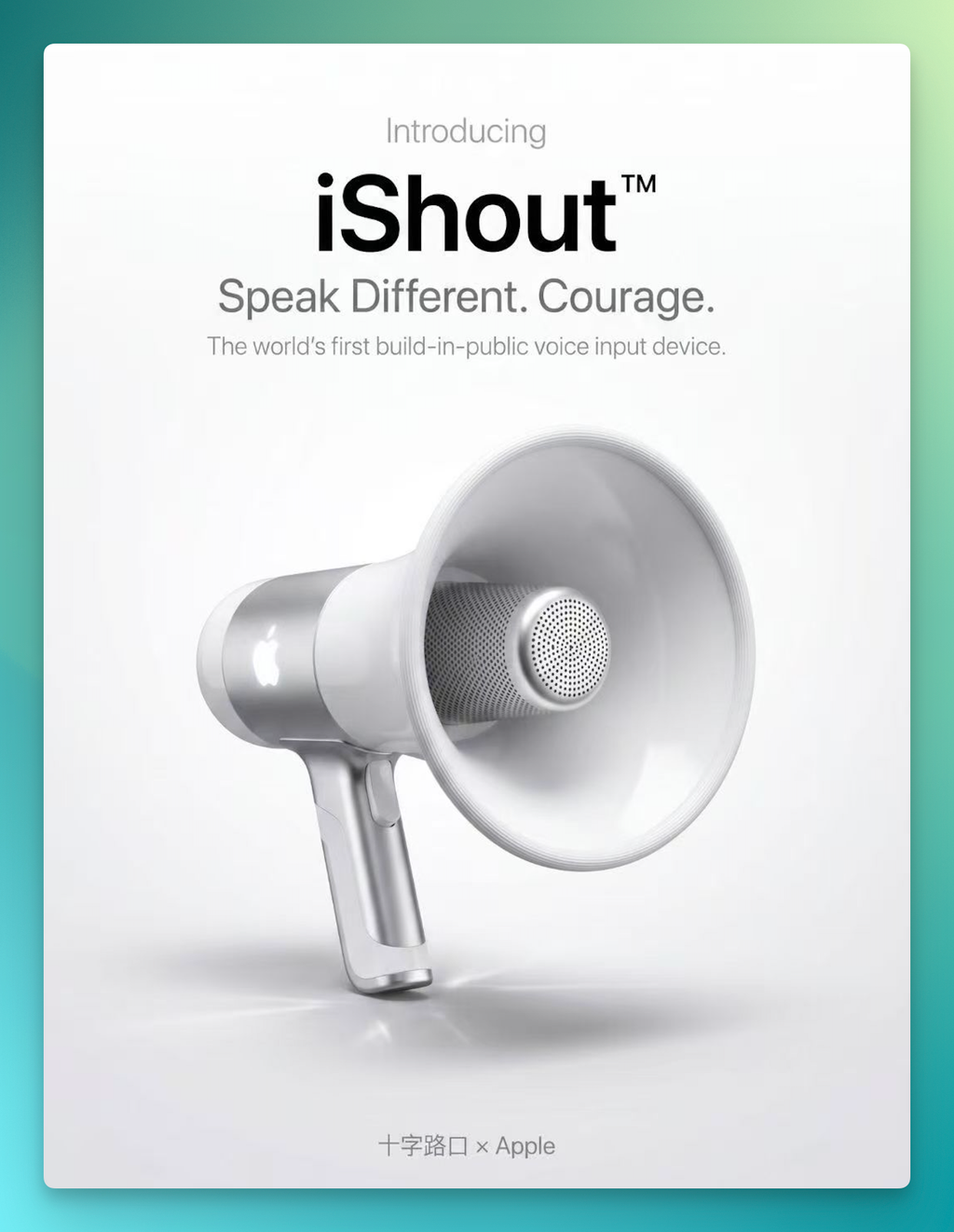
Just last week, the Crossing team rather "aptly" launched a new product concept in collaboration with Apple: iShout™. Minimal aluminum shell, an Apple logo on the side, plug into your Mac and go — "completely avoiding the furtive nature of using voice input, with more Courage" (just kidding 😅😅😅)
And just yesterday, TRAE launched voice input on SOLO desktop and web, building significantly on its previous voice input features in TRAE (IDE + SOLO mode), while also releasing a co-branded bundle with Insta360 Mic Air.
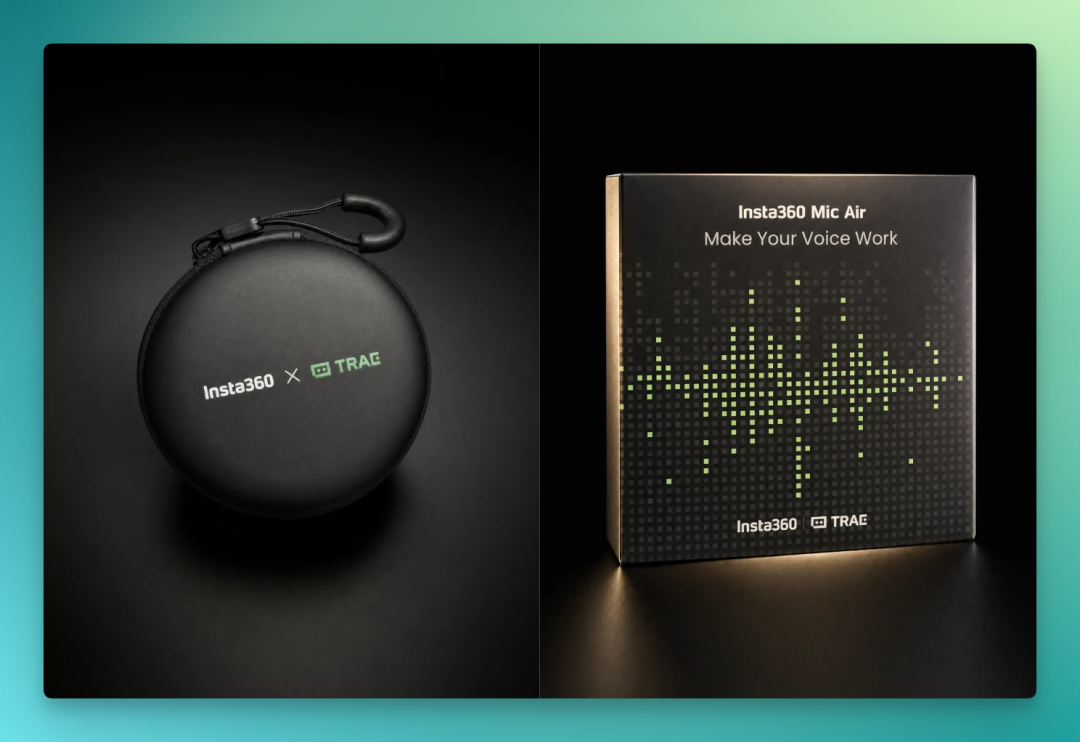
This combination raises some questions:
Insta360 Mic Air already has solid reputation in video creation circles. What's the thinking behind choosing it as hardware partner for Voice Working? And how does it enhance the experience when combined with TRAE SOLO?
🚥
The Crossing team got our hands on this bundle early and have been using it for nearly a week. Here's our observations and "unboxing experience."
"Talking" Is Starting to Be Taken Seriously in AI Tools
First, some background. After OpenAI launched GPT Voice Mode last year, voice and AI interaction took on a different meaning.
But initially, the use cases remained fairly "consumer-grade" — asking questions, quick translations, casual chat. At this level, voice input wasn't fundamentally different from smart speakers.
Next came voice input being treated as a serious feature in AI coding tools.
AI coding tools have evolved rapidly these past two years. From initial code completion, to real-time suggestions like Copilot, then to Agent modes like Cursor, TRAE, Claude Code, and Codex — the scope of what AI can do keeps expanding, and the tasks it can autonomously push forward grow increasingly complex. But one link has never been seriously optimized:
How users properly "feed" requirements to AI.
From this background, the collaboration makes sense. TRAE currently holds very high market share in China's AI coding space, and SOLO is its main push this year: highly automated, AI-led throughout the entire development flow, with users only needing to describe their goals. Bringing voice input in aligns with this same logic.
On the other hand, Mic Air is a wireless microphone for video creators. Its core specs are 48kHz high-precision recording, one-tap AI noise cancellation, and low-latency transmission. These three characteristics matter in video recording scenarios, and they're equally critical in Voice Working scenarios.
That a professional audio device aimed at creators was chosen as input hardware for an AI coding tool signals that voice is becoming a "work method worth seriously relying on long-term."
Our Full "Unboxing" Record
Connecting the Hardware First
Mic Air is a wireless microphone set. The box contains a transmitter, receiver, and charging cables.
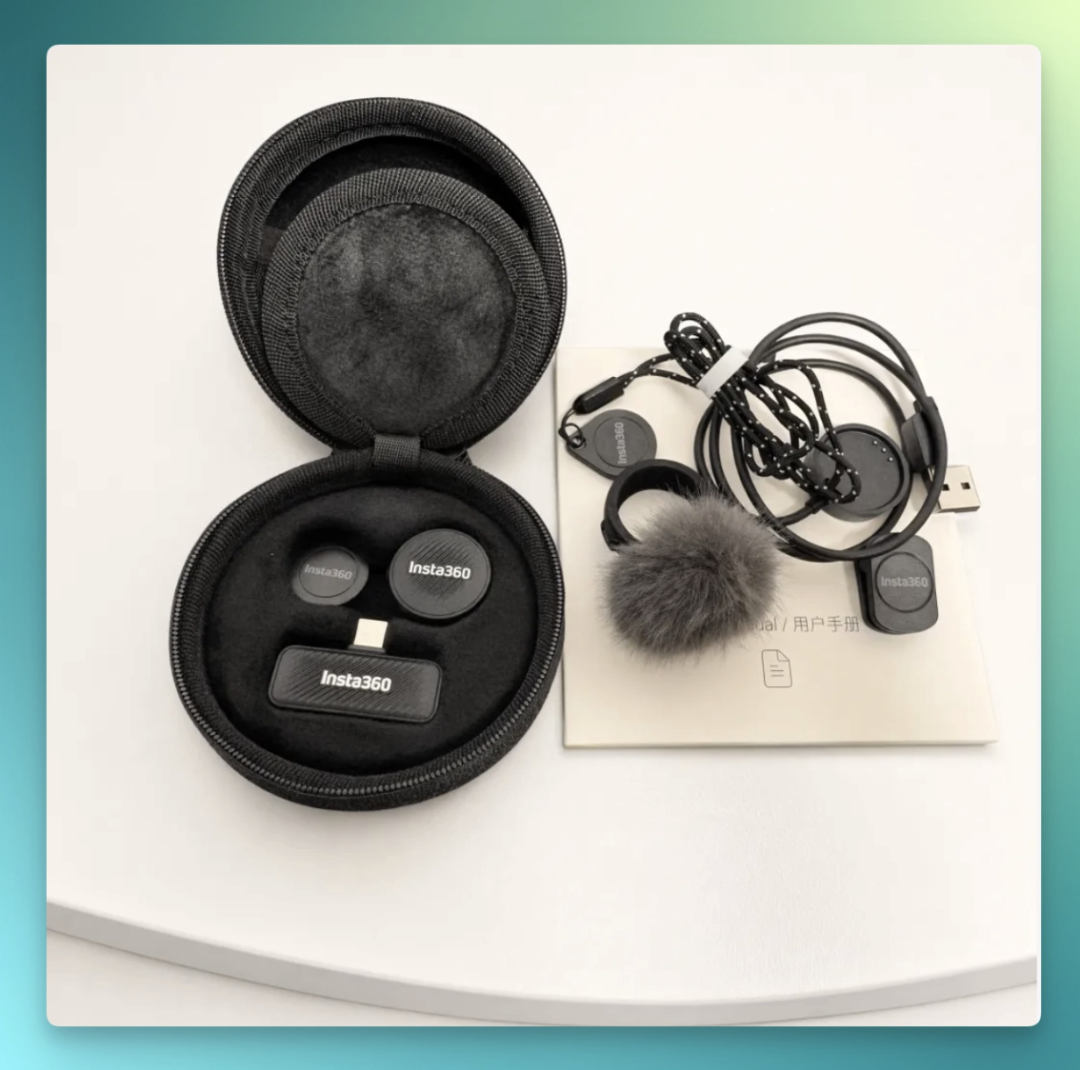
The transmitter assembly is very convenient — everything is magnetic, just align and snap together, very nimble:
The design is lightweight. The transmitter clips onto your collar or sits on the desk; the receiver is USB-C, plug into your computer and it's ready. Factory-paired, no extra steps needed.
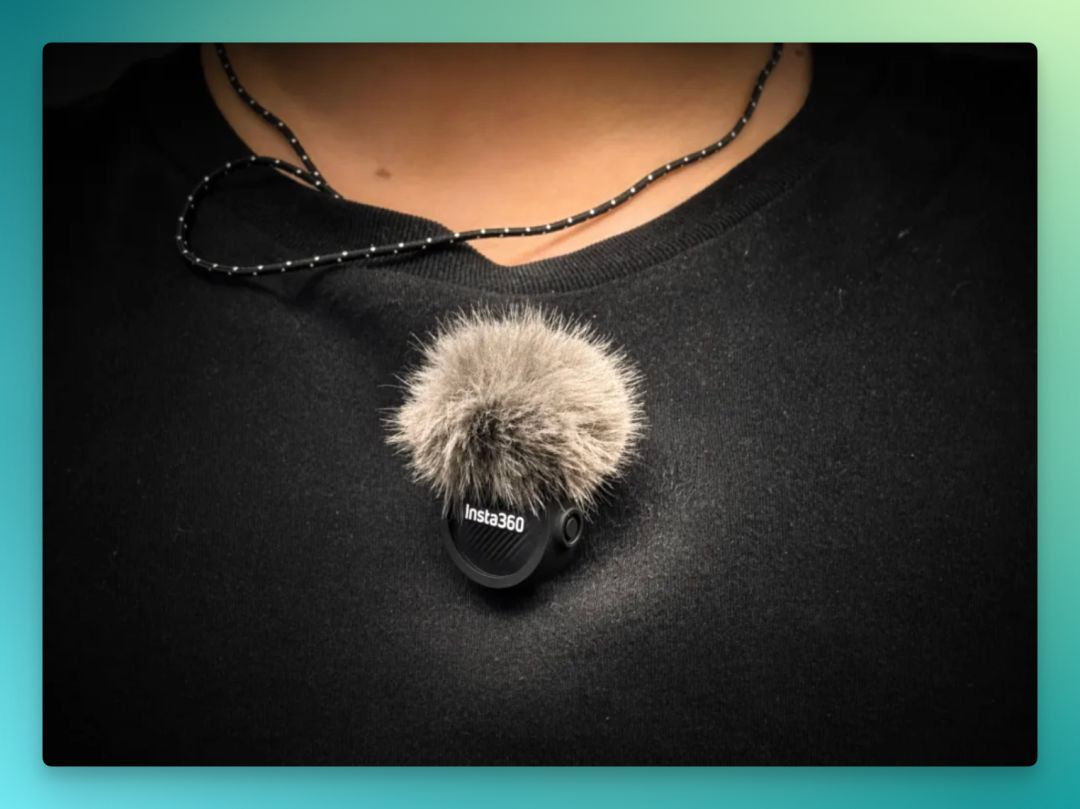
The connection process is simple. Plug the receiver into your MacBook's side USB-C port, and the system automatically recognizes it as an audio input device. For desktop towers, find a USB-C port on the back and plug in — same result.
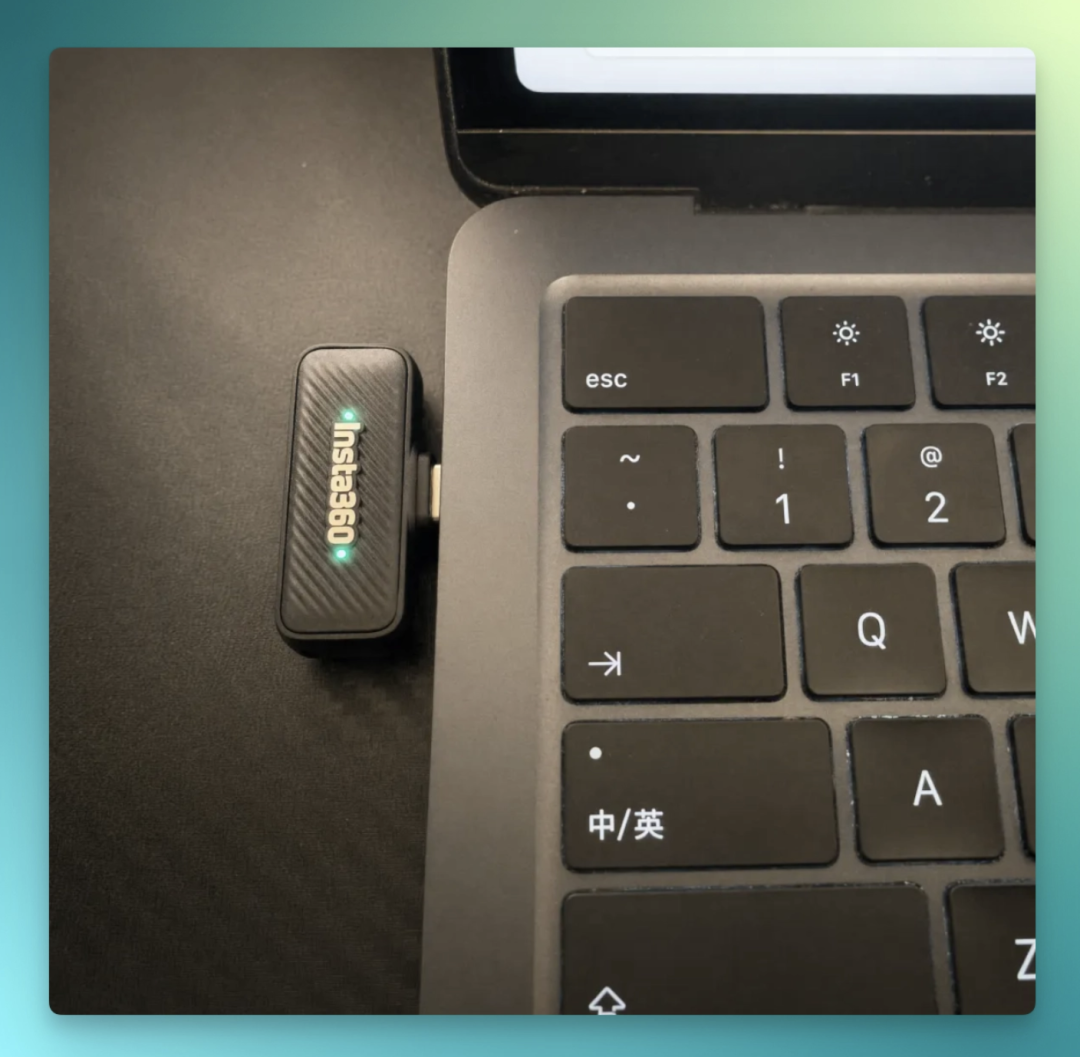
Once plugged in, go to System Settings > Sound > Input & Output, switch input device to Mic Air, and set volume to max. Keep gain within 2 levels — that's 2 white indicator lights on the receiver — for stable recording without clipping.
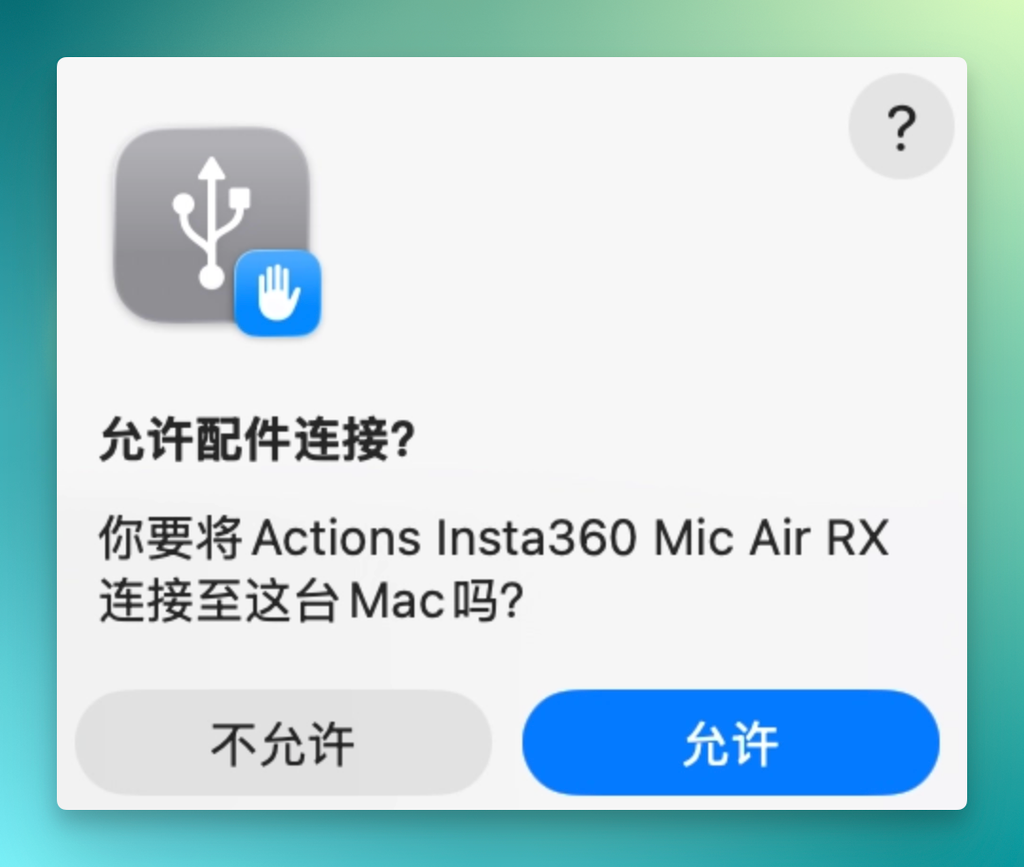
TRAE SOLO has two entry points: macOS desktop app downloadable at trae.cn; web version at solo.trae.cn, no installation needed. I've used both, prefer the local app for faster launch.
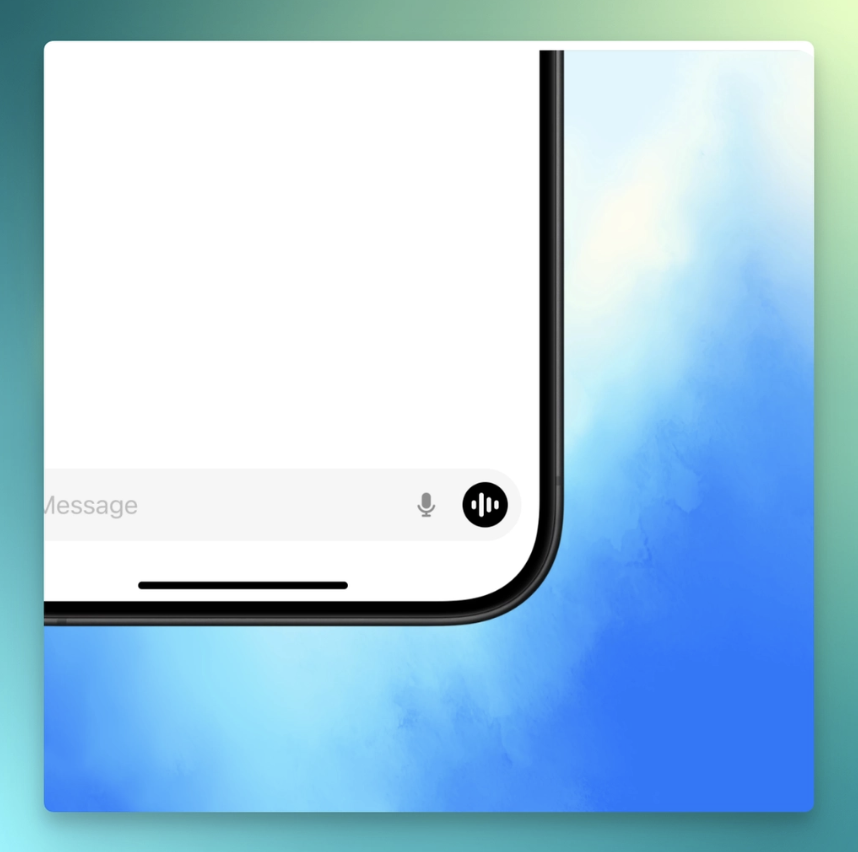
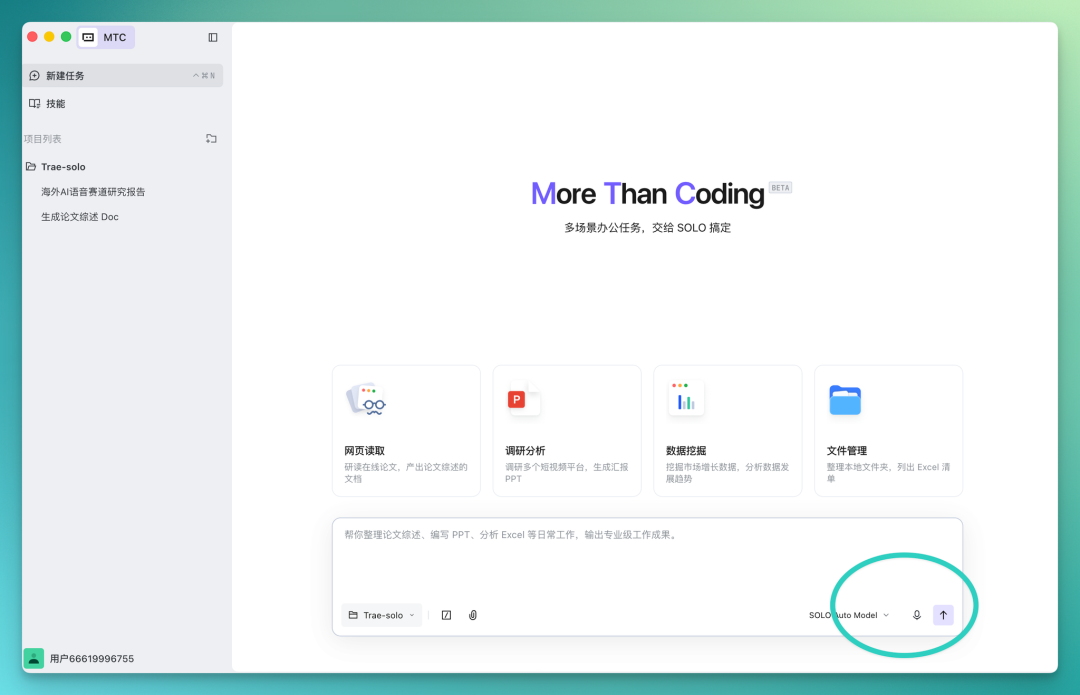
After logging in, find the microphone icon at the bottom of the input box, tap to enable voice input. No permission pop-ups, no settings to configure — tap and start talking.
From unboxing to first spoken word, I spent roughly under 5 minutes. After that, we can wear Mic Air, enter TRAE SOLO, and tap the voice button in the bottom-right corner to begin AI Vibe Voice Coding:
Intelligent Structured Transcription
First, one of Vibe Voice Coding's most important capabilities is often considered to be: "structured transcription."
Anyone who's used voice-to-text probably knows this experience: recognition accuracy isn't the biggest problem. The real pain is that the output is too "raw" — filler words preserved, repeated terms, pauses, verbal fillers all intact. Hard to read, unusable as-is, requiring manual cleanup, or even running through AI tools or built-in prompt optimization modules to restructure. Ends up more troublesome than typing.
TRAE SOLO's voice input focuses on "spoken word cleanup + structured output." Let's see the actual results.
TRAE SOLO isn't just for coding. It has 2 modes: MTC (multi-scenario office tasks) and Code (full-cycle development), switchable with one tap top-left. Voice cleanup works in both modes.
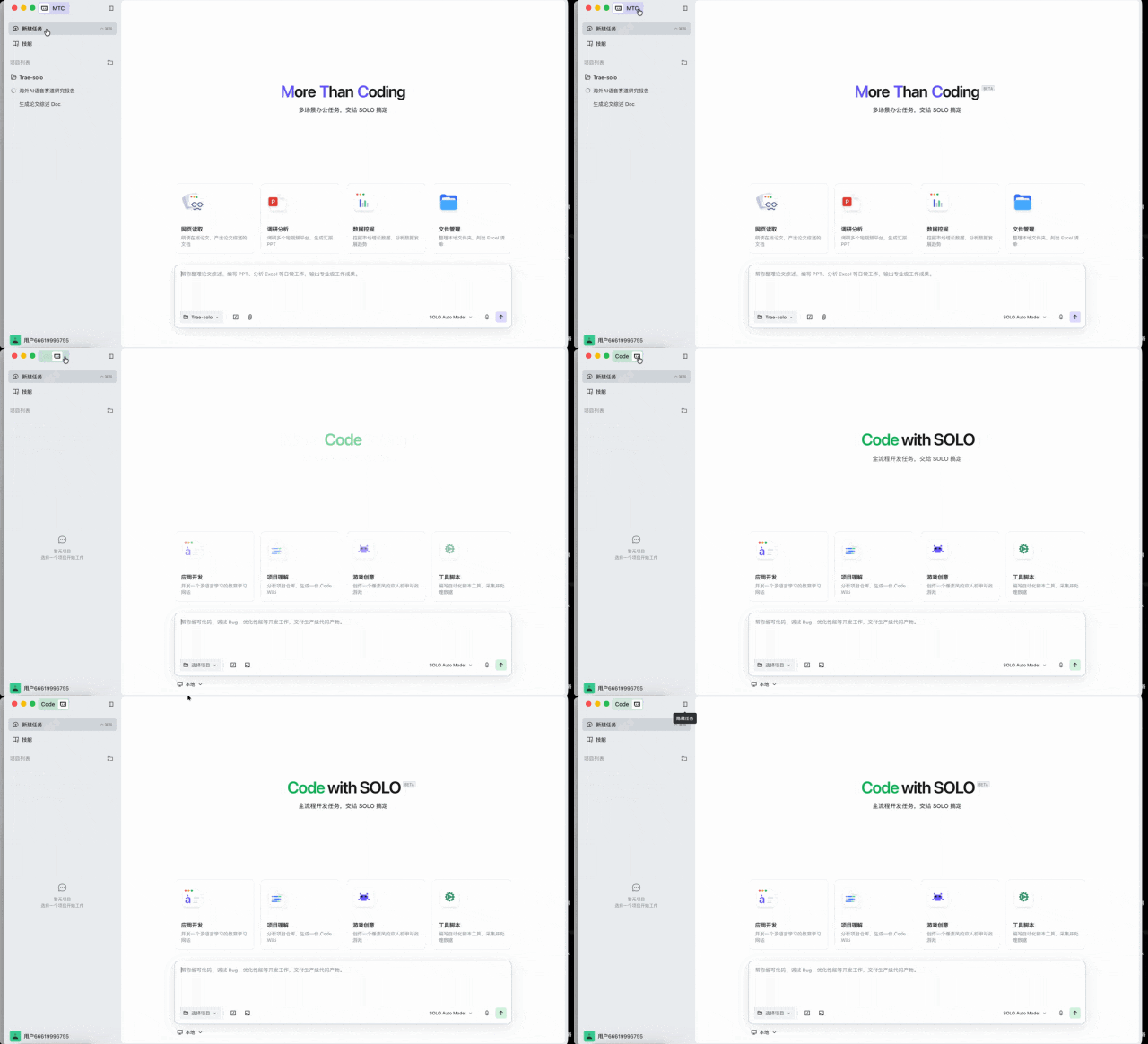
I used a familiar scenario for myself: as an AI content creator, I wanted TRAE SOLO to help organize a visual research report on overseas AI voice赛道. No pre-written draft, just speaking naturally into Mic Air:
"Help me make a research report, like... on the overseas AI voice赛道, I want to map out all the major players. WisprFlow, Typless, and OpenAI Voice, ElevenLabs, um... yeah, mainly these few. Pull their funding over the past year, user scale, and product update timelines. Finally organize it into a visual webpage, with charts and graphs, more intuitive that way, I want to post it in my community for everyone to see."
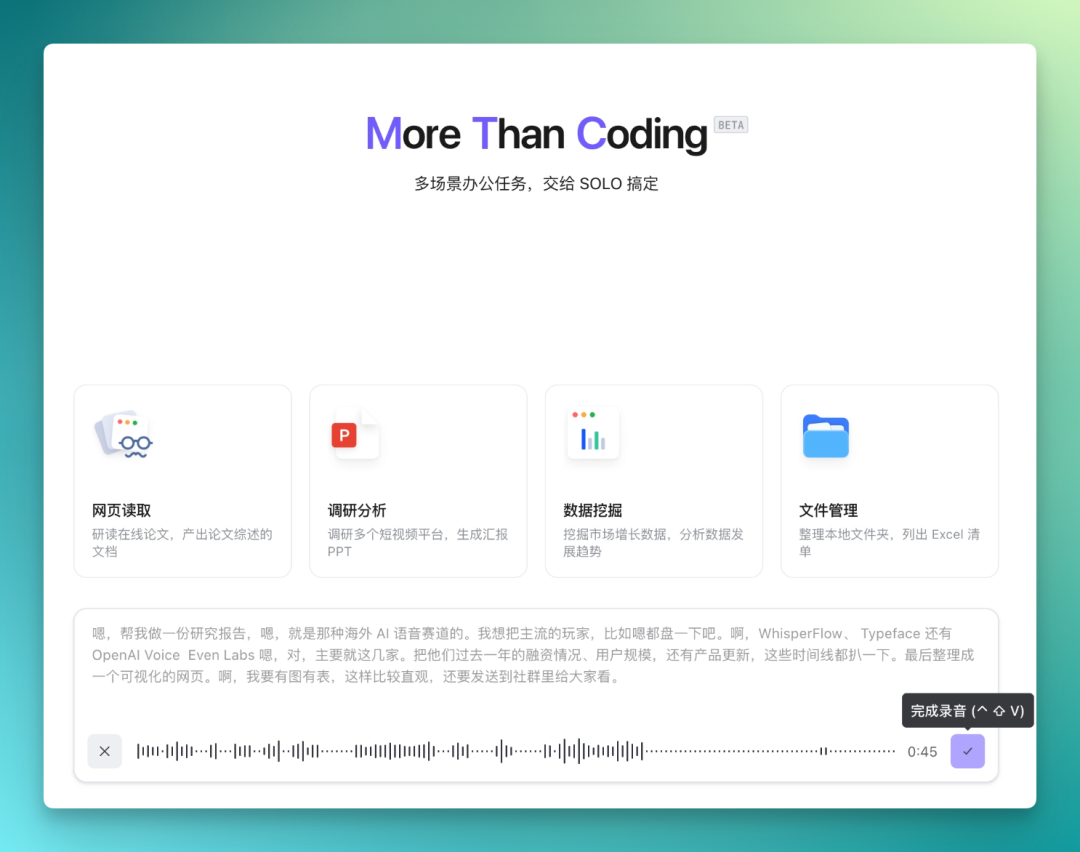
In this passage, there are fillers like "like...", "um", "yeah", plus redundant trailing phrases like "more intuitive that way."
After TRAE SOLO processes it, the transcribed version becomes:
"Help me create a research report on the overseas AI voice赛道, compiling funding status, user scale, and product update timelines over the past year for major players including WhisperFlow, Typeface, OpenAI Voice, Even Labs, and others. Finally output a visual webpage containing charts and graphs for community sharing."
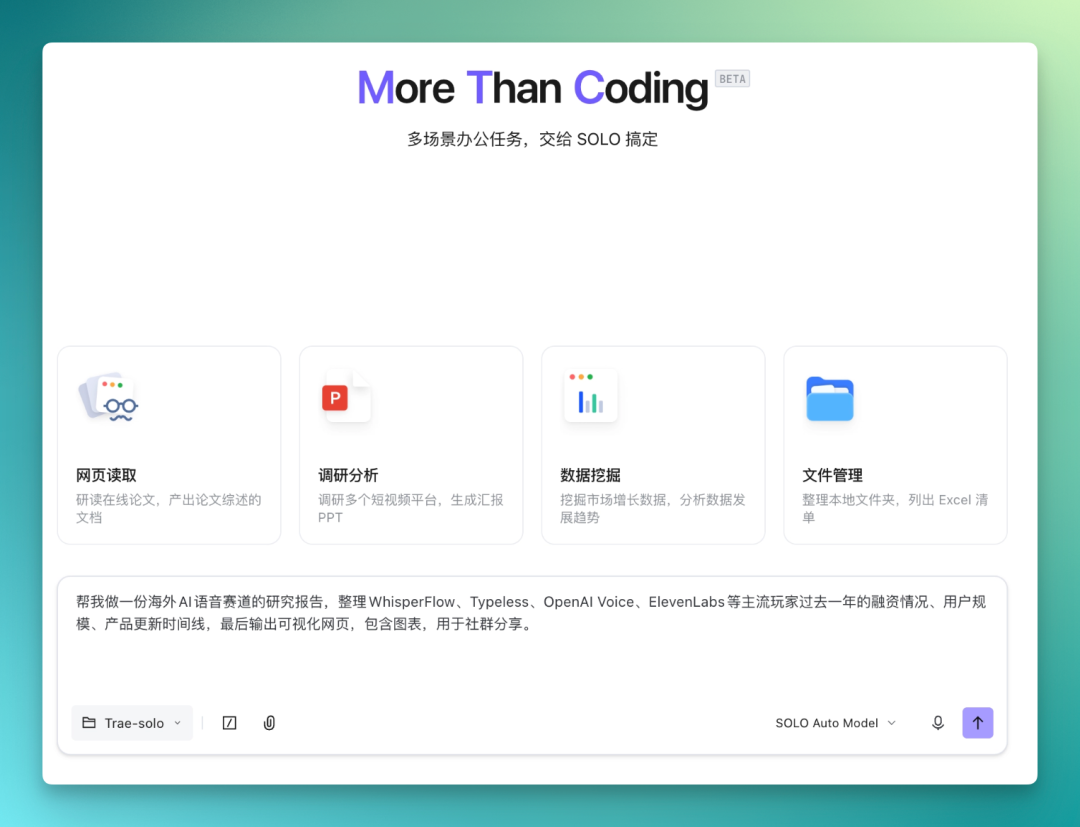
Fillers cleaned out, "um" and "like" basically removed, all "meaningless verbal tics that don't help AI models" eliminated. The overall prompt becomes leaner, with specific action words like "output."
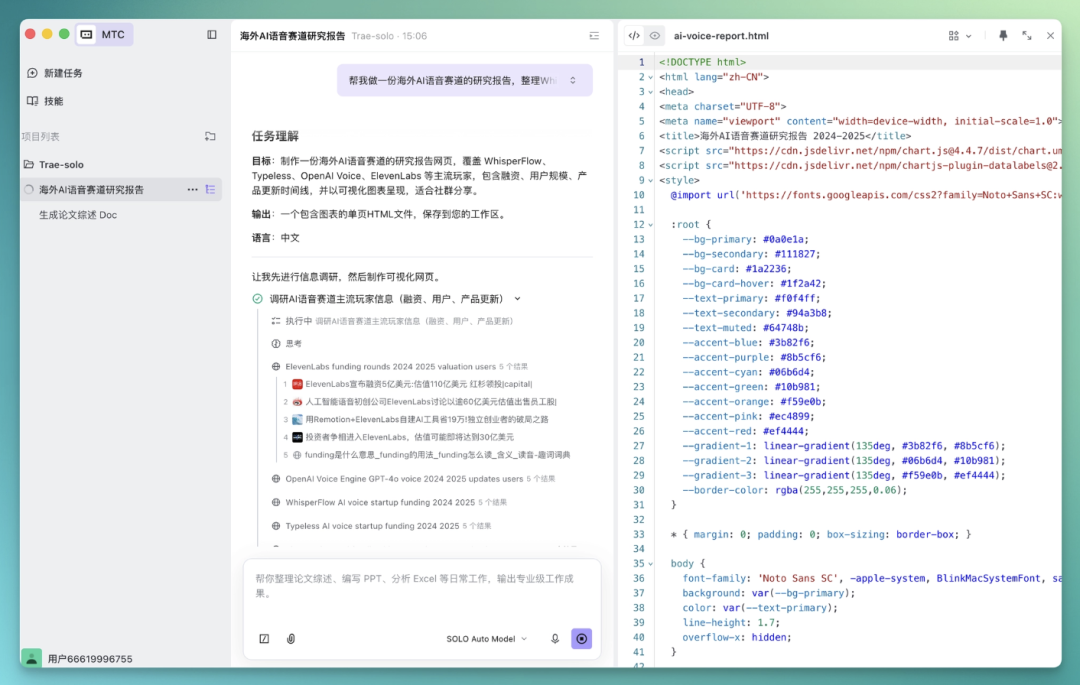
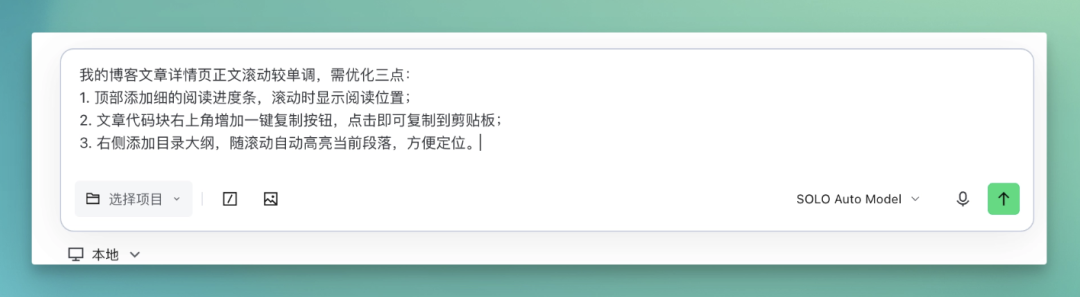
Moreover, it often automatically structures the content, organizing continuous spoken words into numbered lists, each requirement as its own sentence — ready to use as a prompt directly.
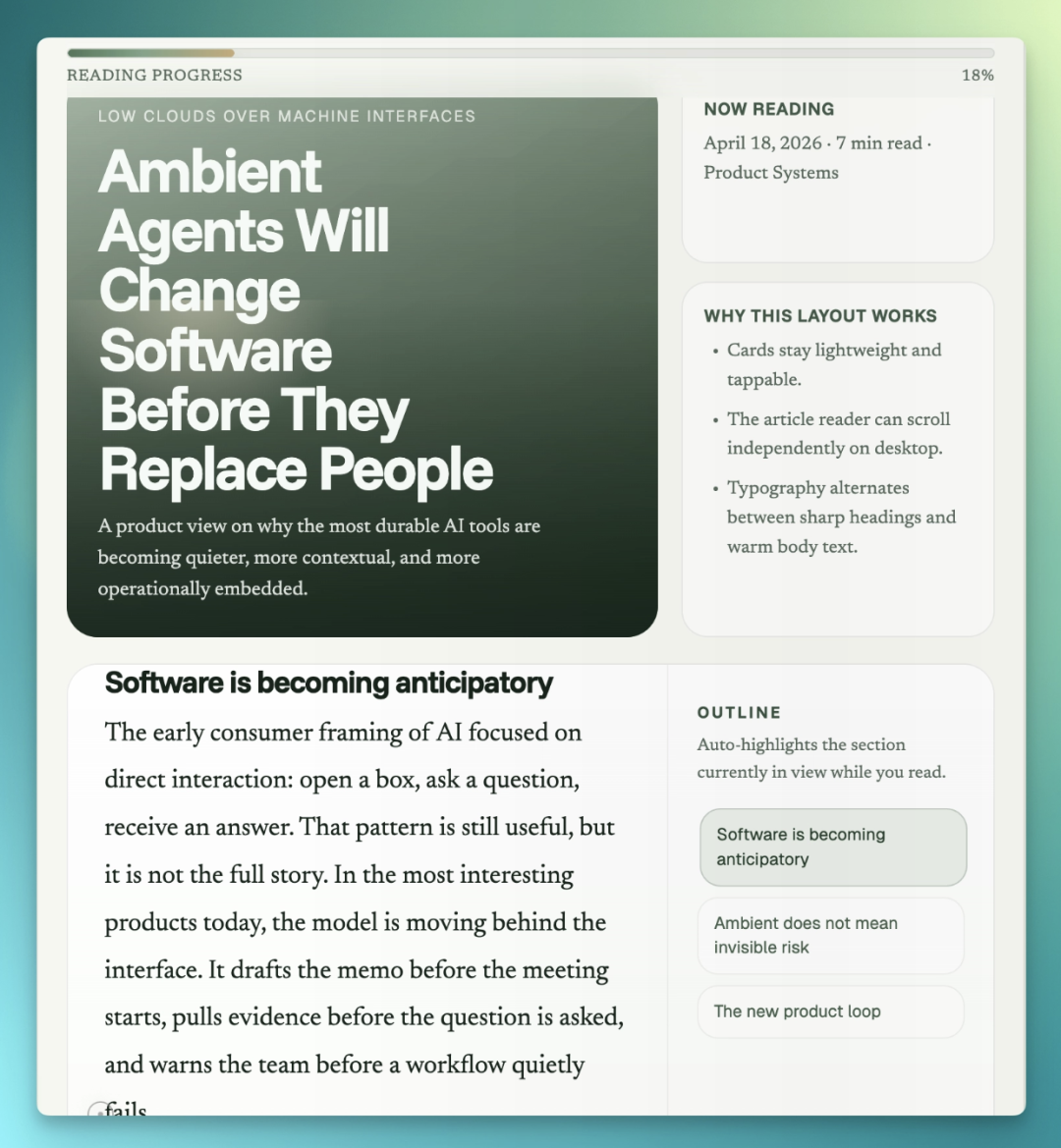
We had previously designed an AI Journal blog website, overall Forest Sage color scheme, Funnel Sans for headings, Newsreader for body text, Geist for auxiliary info, with large-area atmospheric landscape-style gradient ambiance:
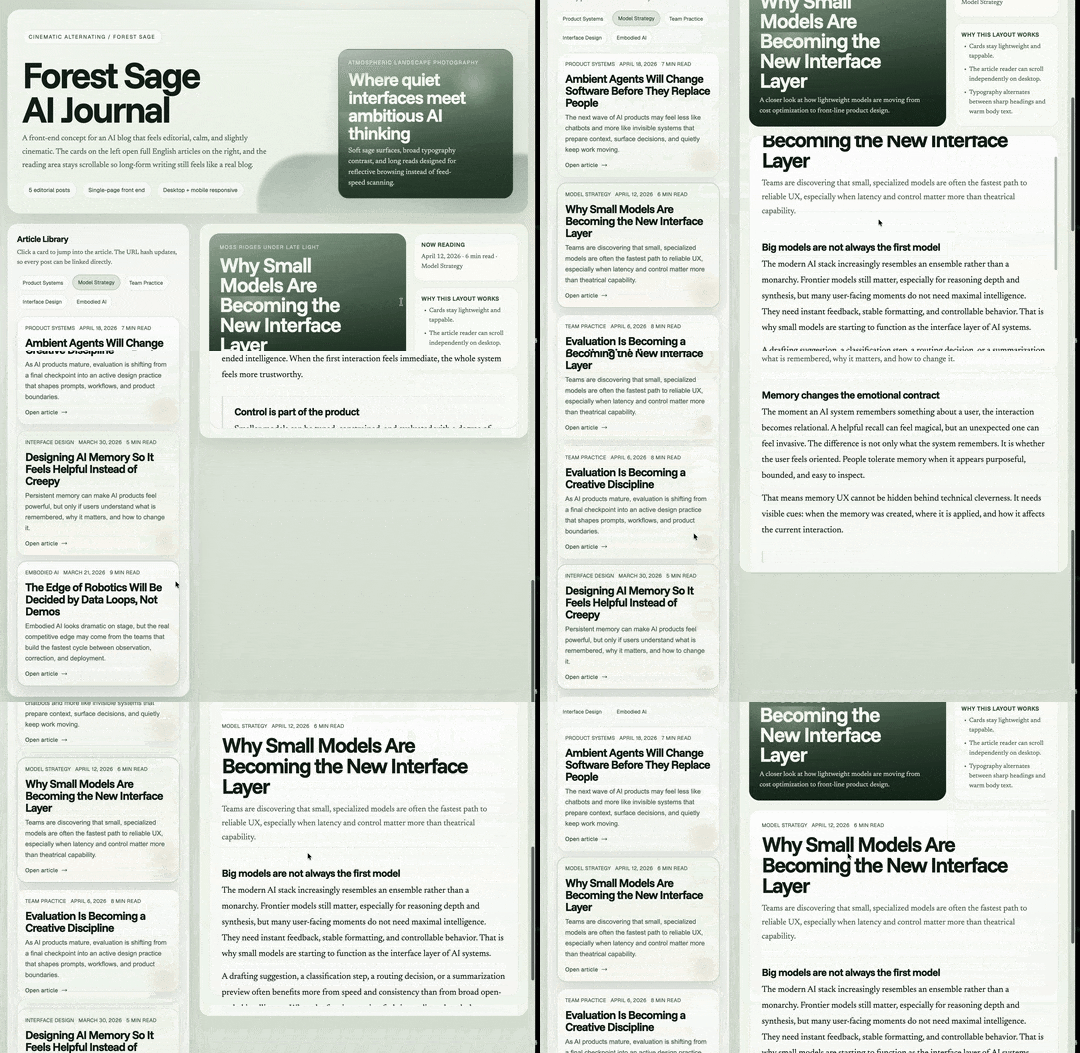
But this blog's detail page still had many rough edges, so we could use Mic Air to clearly articulate optimization plans:
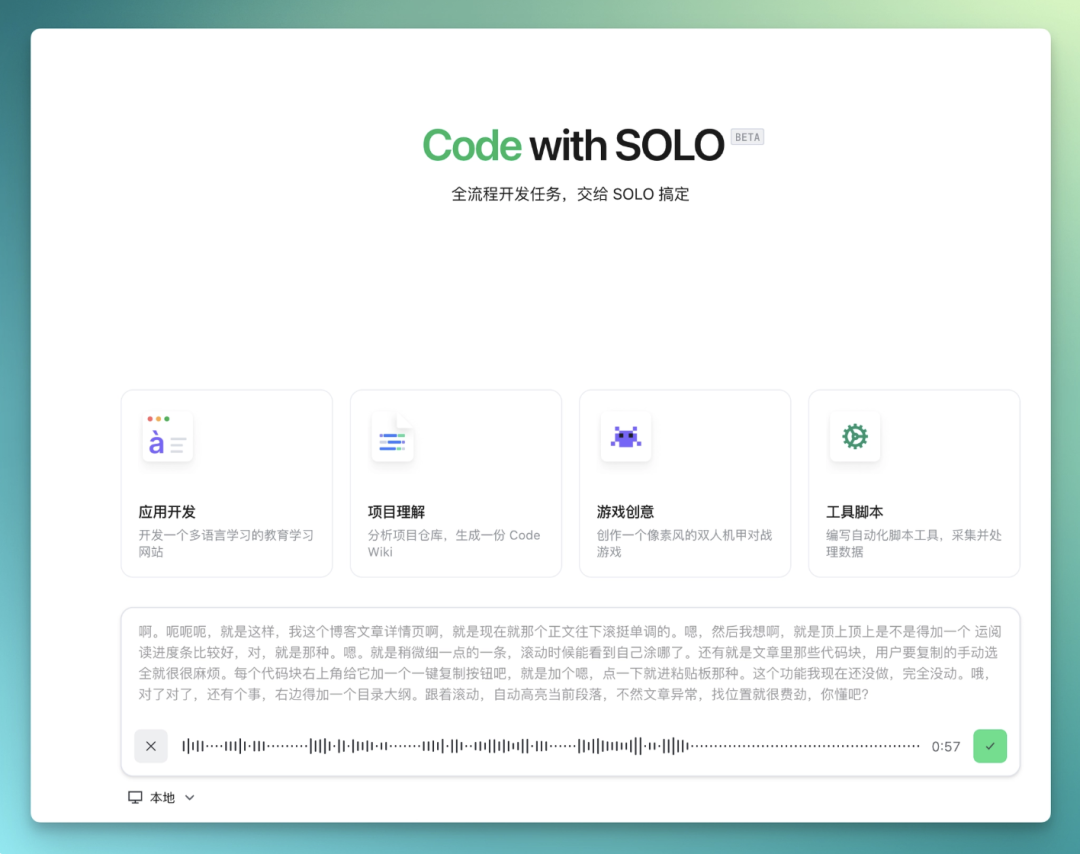
Transcription result:
TRAE SOLO's Code mode then uses this structured content to modify the AI Journal blog display:
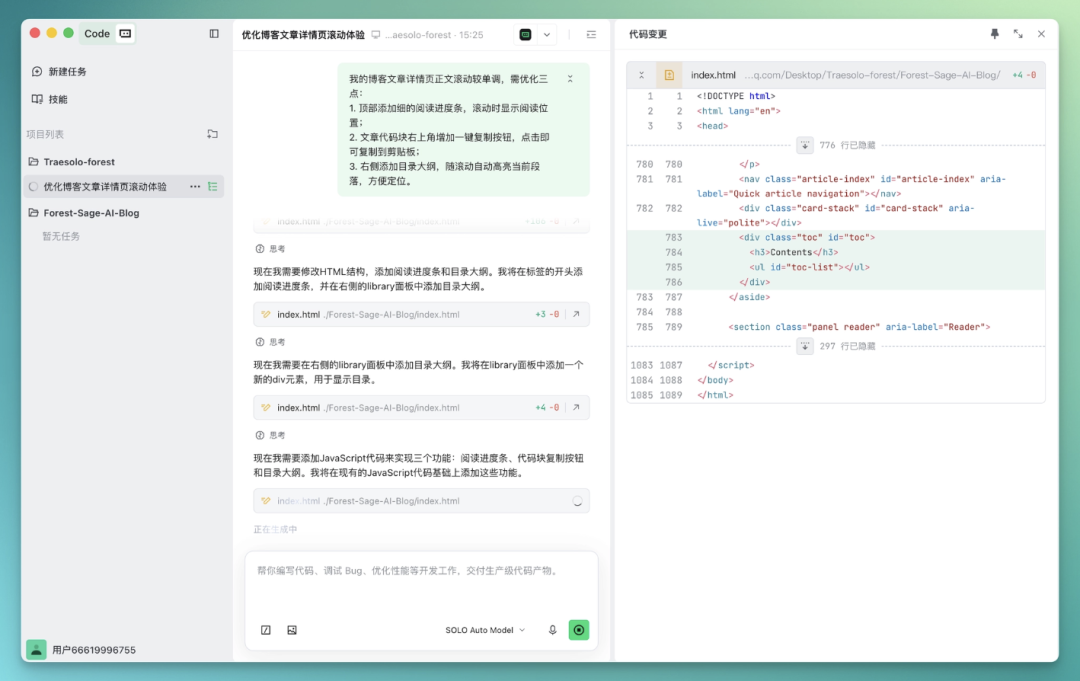
The final result looks like this — top progress bar, right-side card outline, and one-click copy function all basically implemented:
This "adding thoughts as you speak" expression style is common in real work, especially right after meetings when your head is full of information waiting to be processed.
TRAE SOLO's ability to organize this non-linear spoken content into sequential, clear lists is one of the most practically useful aspects of this feature, in my view.
Along the way, we also tested Mic Air's noise cancellation. I deliberately ran computer fans and played background music nearby, creating a fairly noisy environment. With AI noise cancellation active, the transcription wasn't noticeably affected by background noise, with solid recognition accuracy.
One detail I found experience-enhancing: TRAE accurately distinguishes "this is requirement content" from "this is a functional command." Both are spoken words, but the former goes to requirement processing while the latter triggers functional operations. This distinction's accuracy is high, with few false triggers.
Overall, one feeling was quite noticeable: fewer "breakpoints" in the workflow.
Also, Mic Air's low-latency characteristic is directly perceptible in this scenario. From speaking to TRAE beginning processing, there's virtually no perceptible gap. For fast talkers who want immediate response after finishing, this directly affects willingness to use — any noticeable delay degrades the fluidity of voice input.
Real-time Q&A Interaction
This feature hasn't launched yet, expected by late April, so we couldn't actually test it. Here's a quick overview of the direction.
The first two functions address "input" and "operation" respectively. Real-time Q&A interaction handles "discussion."
Simply put: back-and-forth voice conversation with AI, real-time transcription and response — similar to GPT Voice Mode's voice interaction experience, but placed within an AI programming workflow.
One typical use direction: technical decision discussions.
For example, we can imagine this scenario: encountering an uncertain implementation approach, you simply say "should I use async or queue here," AI gives a verbal explanation, you say "let's go with queue, help me change it" — the entire decision process requires zero typing.
This is probably a fairly complete usage state that voice input can achieve in AI programming tools. Worth looking forward to when this feature launches.
The Logic Behind This Collaboration
So, what's the real significance of AI Vibe Voice Coding?
If we only say "AI tools gained another voice input method," it's not worth discussing separately. What's actually worth discussing is that it touches a layer that was rarely seriously addressed before.
AI tool competition these past two years has mainly occurred in two areas.
[1] Model capability: whether it can handle more complex tasks.
[2] Product interaction: whose Agent flow is smoother, whose automation is higher, whose path from requirement to result is shorter.
But one layer has been absent and overlooked: how information passes between user and AI. This layer was defaulted to keyboard and typing. That default isn't wrong, but its efficiency has real limits.
As AI tools enter heavier usage phases — dozens or hundreds of task inputs daily — the friction of typing becomes palpable. Especially when requirements are complex and thoughts aren't yet organized, converting ideas into precise written text itself carries cost.
This has already happened first among the most prominent figures in AI. Former OpenAI founding member Andrej Karpathy and Vercel CEO Guillermo Rauch have both publicly stated that their primary input method is no longer keyboard, but AI voice input.

Karpathy's original words:
"It's not really coding — I just see stuff, say stuff, run stuff, and copy-paste stuff, and it mostly works."
The underlying "digital arithmetic" isn't complicated: humans speak roughly 140 words per minute, type roughly 40. In the past, AI couldn't keep up, transcription was unclear, so this gap didn't matter; now AI can keep up, and the keyboard has become the potential bottleneck.
TRAE's voice input in SOLO desktop + web aligns with SOLO's direction. SOLO was designed for "users only need to describe goals, AI pushes everything forward" — voice lowers the cost of the "describe goals" action, both moving along the same line.
Mic Air joining in solidifies this one step further. The介入 of professional audio equipment means this working method can be used stably long-term, not as a compromise.
From this perspective, the collaboration's significance is: pushing voice one step from "an option" toward "a working method worth seriously configuring."
🚥
Going forward, we might venture a bold prediction:
Voice Working — more and more AI tools will take this seriously in 2026.
The main resistance now isn't actually technical, but habit. Many people still aren't accustomed to speaking at their screens, worried about disturbing others, worried about feeling awkward.
However, these "hard and soft barriers" will surely diminish as tool maturity improves.
The TRAE SOLO + Insta360 Mic Air combination offers an early answer in this direction.

Crossing is seeking independent writers to author AI product and model reviews.
If you've written similar articles: "Hands-on PixVerse C1", "Hands-on LibTV", please contact zeo0811@gmail.com. Email should include: ① personal introduction, ② AI review articles you've written.
We offer competitive compensation. Looking forward to observing and documenting the AI era with you 🎪